Below you'll find a list of recent update to the RideIQ platform.
7/15/25
More structured Must Be Met at drop-off process and Authorized Individual groups
For riders who must be met by an adult at drop-off, we've added more structure to give Ride Organizers more control and make it easier for CareDrivers to understand exactly what is expected. We've introduced three different drop-off protocols to choose from, allowing you to choose the most appropriate option. To improved clarity around who is meeting the rider, you can now designate Authorized Individual groups with associated escalation numbers should there be any issues. Finally, you can now choose from three verification requirements that adults meeting a rider must meet.
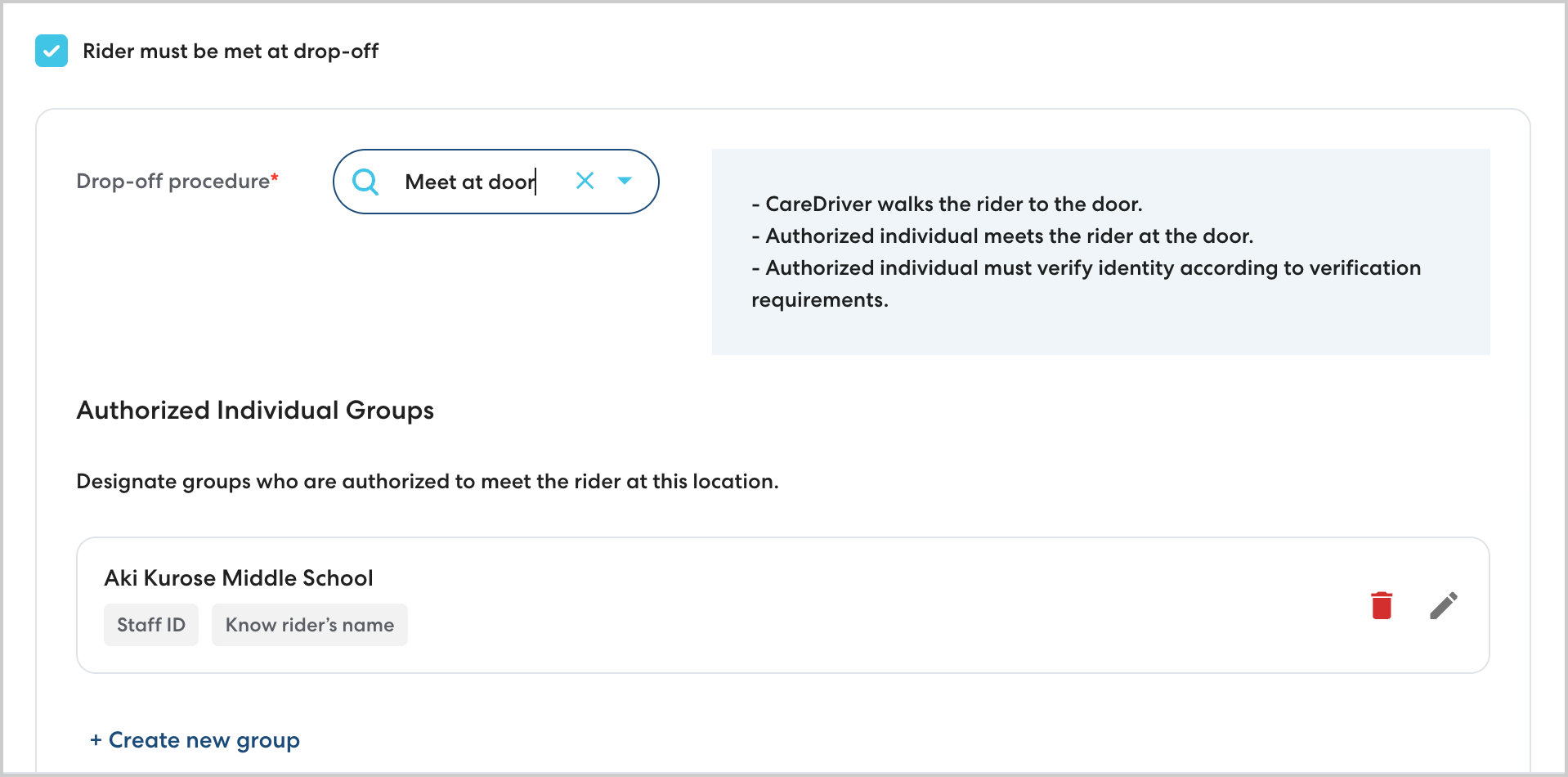
Learn more about Must Be Met here.
6/26/25
Clear ETA information on the main rides page
Ride Organizers need to be able to quickly review active rides and identify rides that may be delayed. With this update, we put the key information at your fingerprints with the Estimated Pickup Time column on the main Rides page. This estimated pickup time updates automatically every two minutes with live data from the CareDriver to give you the most accurate information about current ride status.
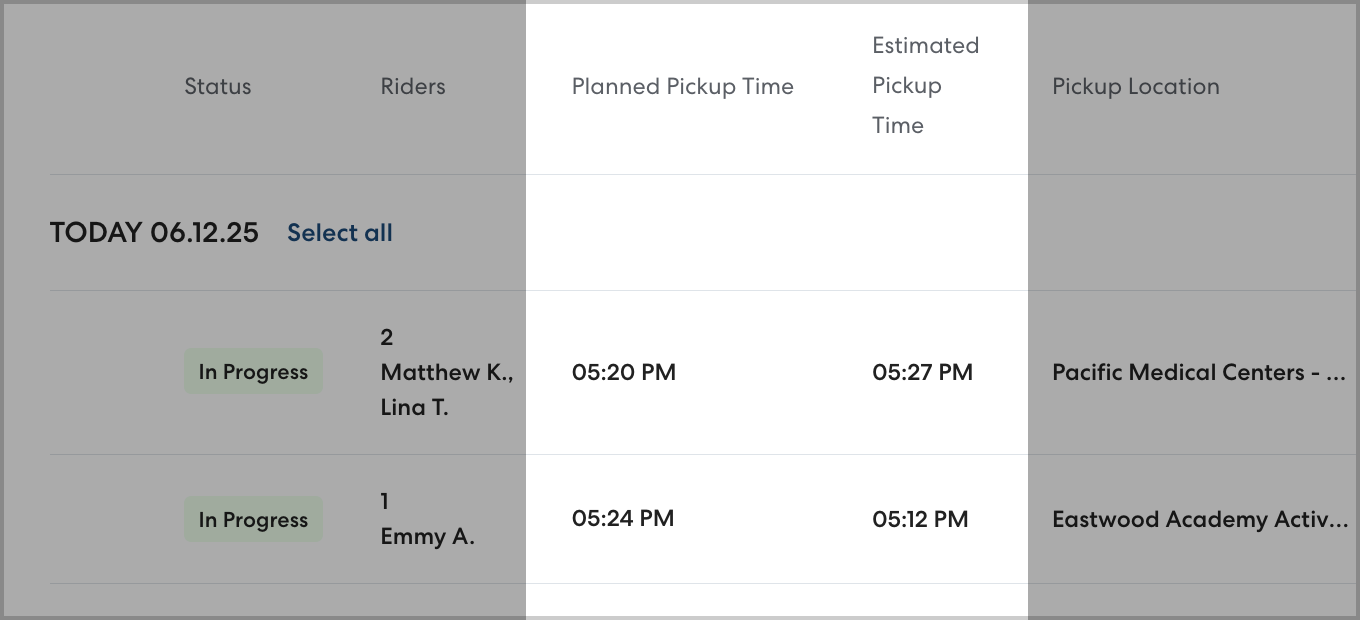
Learn more about the Estimated Pickup Time column here.
3/28/25
Improved rider pause functionality
Pausing a rider allows you to temporarily stop transportation for a rider, then resume rides when they're needed again without needing to rebuild the Ride Series. This update improves your control over scheduled pauses, allowing you to change scheduled pause start and end dates at any time. 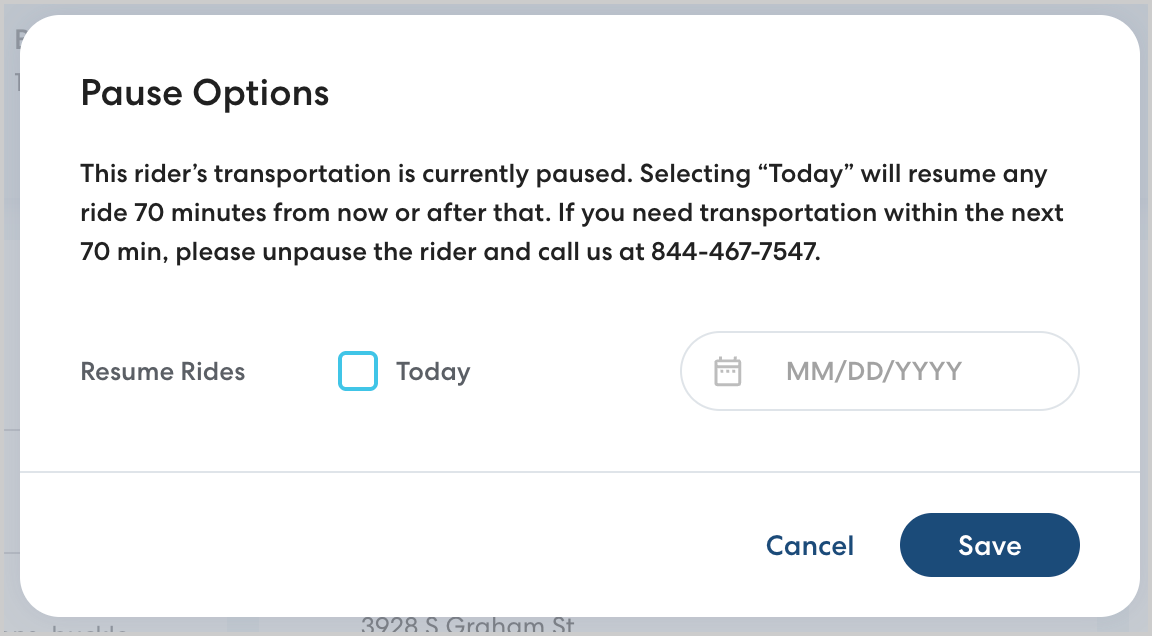
Learn more about managing rider pauses here.
3/12/25
More support for Rider Aides with profile flags and better cancellation handling
For districts who provide adult Rider Aides for some of their riders, we've added features to make it easier to manage rides that include aides. You can now designate which riders in RideIQ are Rider Aides using a check box on the rider profile. This enables smarter cancellation logic to ensure unneeded rides are canceled when the main passenger does not need them.
Learn more about managing Rider Aides here.
2/26/25
Clearer handling of apartment and suite numbers when creating locations
Previously, apartment and suite numbers were added in location notes, which could lead to confusion for CareDrivers and added extra steps when creating locations. With this release, this key information can now be added in an Address 2 field as you create a new location. 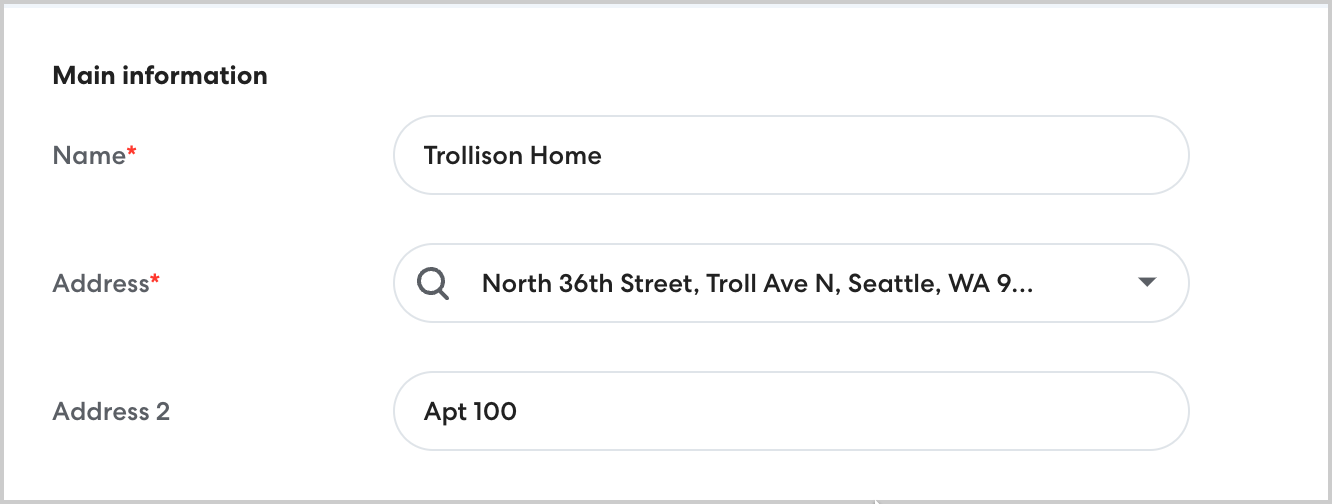
Learn more about creating a new location here.
2/11/25
Address chronic rider absences with the Daily Absent Rider email
Clear data about when riders are missing transportation is key to managing chronic absenteeism, reducing last-minute cancellations, and adjusting to meet transportation needs. With the Daily Absent Rider email, you receive a daily email with a CSV report listing all riders who have missed a ride over the last 7 days. Use this data to efficiently pause riders or adjust their schedules as needed.
To enable the Daily Absent Rider email, go to Account Settings, then enable Send email with daily report. Add email addresses for all desired recipients, including yourself if you'd like to receive the report.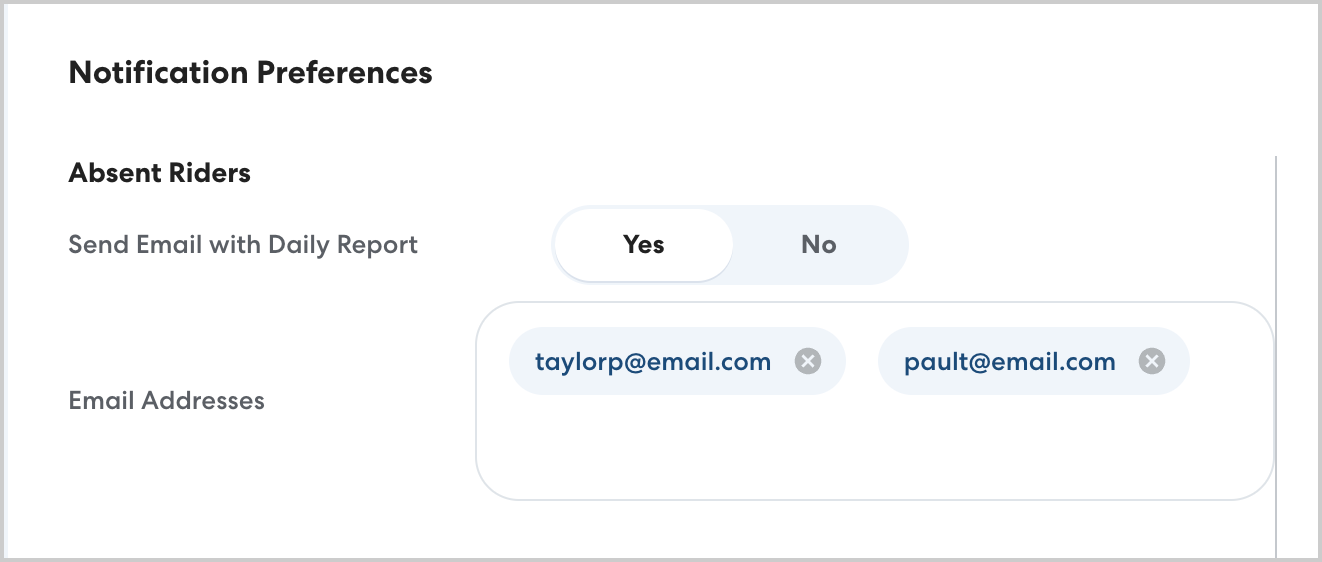
Learn more about the Daily Absent Rider email here.
11/5/24
Contact CareDrivers directly from the Daily Queue
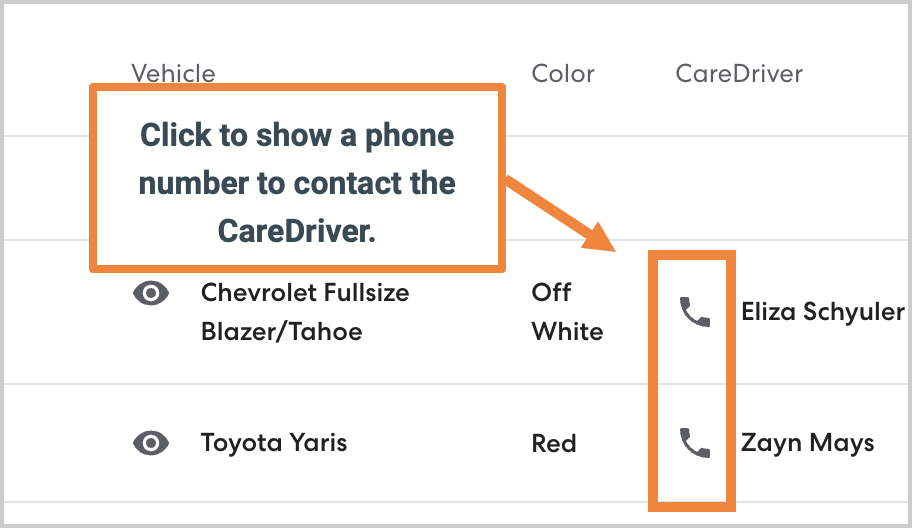
Staff onsite often have the best insight into issues or concerns at pickup. To empower onsite staff to efficiently manage pickup and drop-off logistics, we've added the ability to show a contact number for a ride's CareDriver while the ride is in progress directly from the Daily Queue.
To view a contact number for a CareDriver on the Daily Queue, tap the phone icon.
On a mobile device, tap the desired ride, then tap Call driver.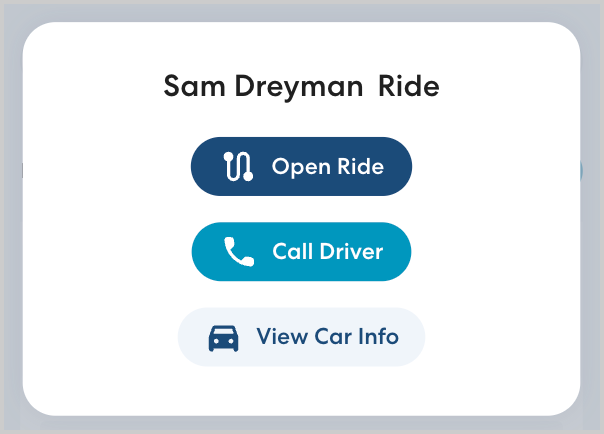
For privacy reasons, the phone number displayed is masked. You won't see the CareDriver's actual number, and they won't see yours.
Learn more about contacting the CareDriver during a ride here.
9/3/24
New approval flow for shared billing
To facilitate communication between districts when a rider's transportation costs are shared and prevent miscommunications, a designated contact at the Residence district now reviews and approves or rejects shared billing before it takes effect.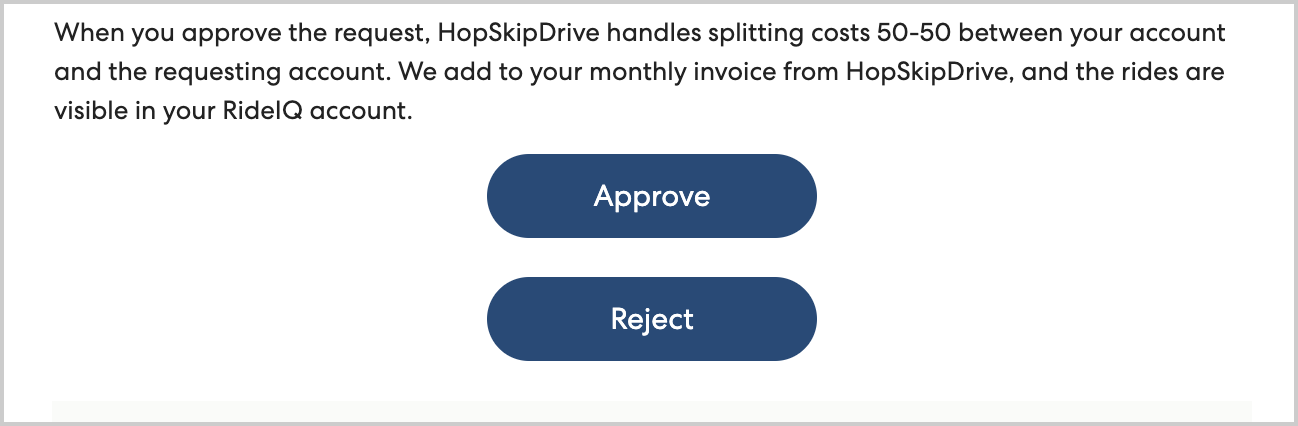
Learn more about the approval process here.
8/6/24
Increase security with multi-factor authentication
To keep your account secure, RideIQ now requires multi-factor authentication when logging in. Every 30 days, you must enter an emailed code to confirm your identity when logging in.
Learn more about multi-factor authentication here.
7/30/24
Empower onsite staff with the Daily Queue
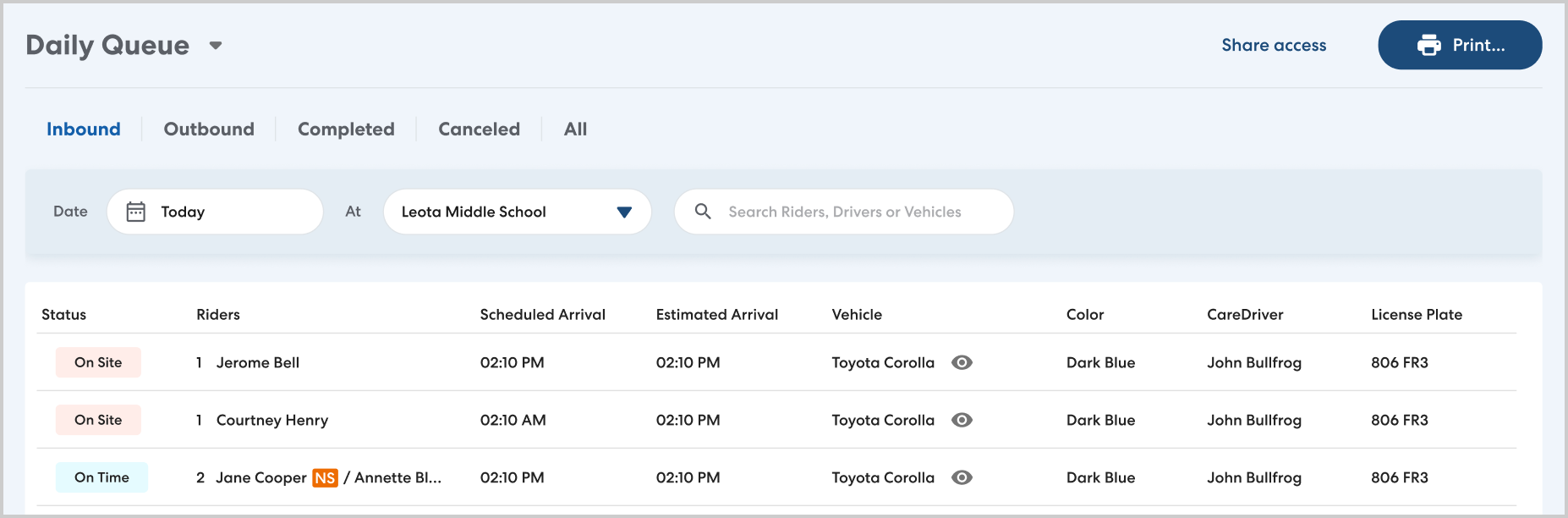
The staff on site who manage pickup and drop-off are often in the best position to ensure rides go smoothly. With the new Daily Queue, you can now share a location-specific ride list with the staff at that location. This view-only list highlights the key information staff need to problem-solve in the moment including up-to-date ETAs, and CareDriver vehicle information. The Daily Queue is mobile-optimized and printable to make it easy to use out at the car line.
Learn more about the Daily Queue here.
6/25/24
Contact CareDrivers directly during rides
When coordinating pickups and drop-offs, it can be helpful to be able to call CareDrivers directly. With this release, we have added the ability to see a phone number for the CareDriver while a ride is in progress. To preserve your and the CareDriver's privacy, the CareDriver's phone number and the number you call from are both masked.
To view the phone number, select the desired ride. On the Ride Overview panel, click the CareDriver tab, then click Show phone number. 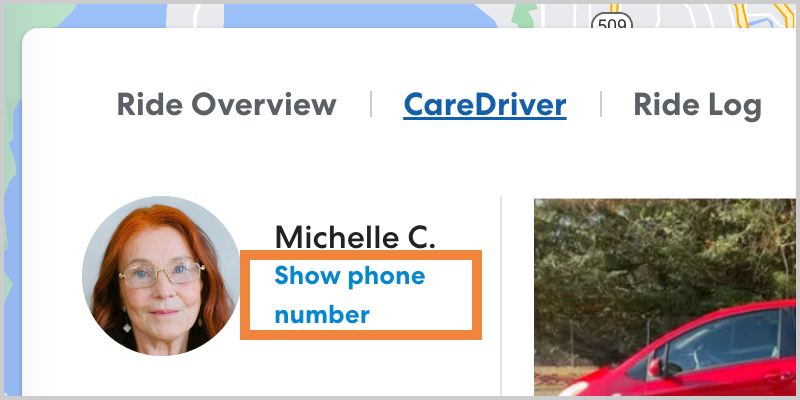
Learn more about contacting CareDrivers here.
5/7/24
Pause and resume transportation with no need to reschedule rides
Sometimes a Rider may not need transportation for a period of time, whether due to an extended absence or a temporary change in schedule. With the new Pause Rider feature, you can pause all rides for a Rider for a set or open-ended period of time. When you're ready to resume, unpause the Rider and their rides and Ride Series will resume as previously scheduled.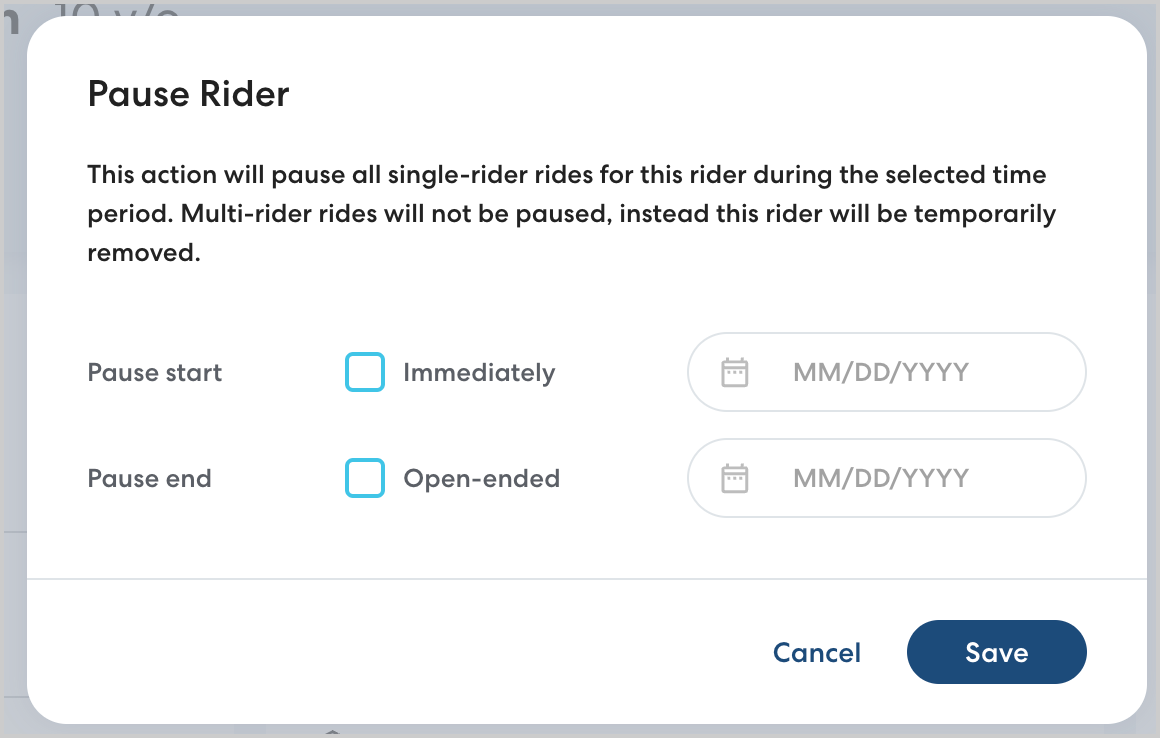
Learn more about pausing a Rider here.
Report on percentage of ride miles completed in green vehicles
Many districts and organizations have environmental and efficiency goals for transportation. To improve visibility of this information, we have added reporting on the number and percentage of ride miles completed in cars that are either hybrid or electric.

Learn more about Green Rides here.
4/25/24
Set precise location pins for pickup and drop-off
When you enter an address to be used as a pickup or drop-off location, RideIQ uses the default location provided by Google Maps for that address, usually the front of the building. However, sometimes Riders need to be picked up or dropped off at specific places that do not match that default. For example, a school may use a back parking lot for drop-offs. To account for this, you can now set a precise location for any RideIQ location by dragging a map pin to the desired point.
To set a precise location pin, open the desired location from the Locations page, click Edit, the click Set up next to Precise PU/DO. You can then drag the pin to the precise location CareDrivers should be directed to.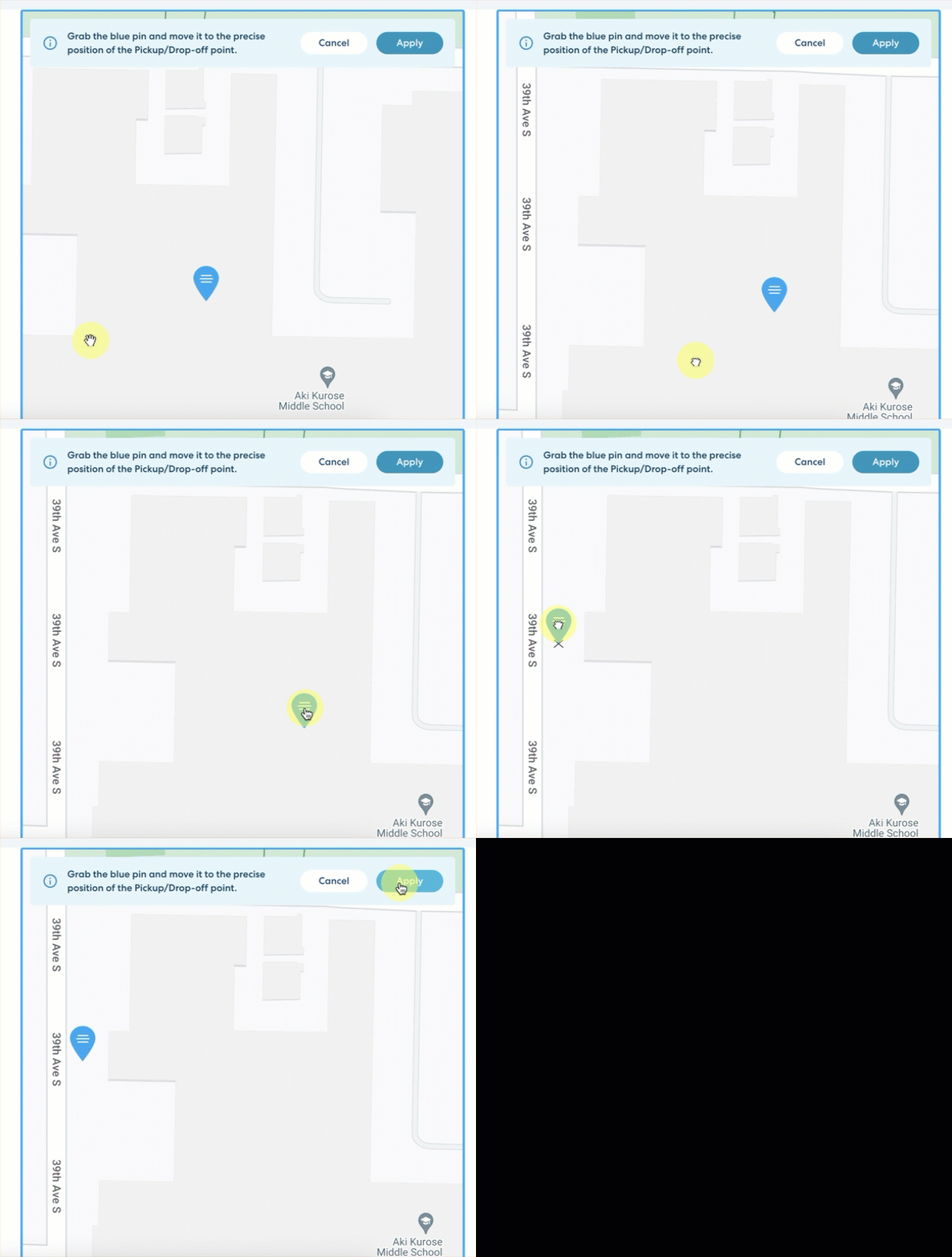
Learn more about precise pins here.
4/10/24
Improved Caregiver Communications
Keeping caregivers up to date on any changes to their Riders' schedule is an important part of making sure transportation runs smoothly. We've revamped and increased the number of automated messages we send to caregivers so that they are informed and can proactively reach out if any changes are needed. 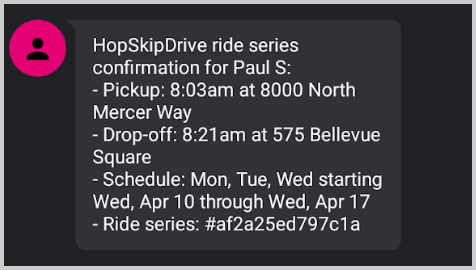
Read more about caregiver communications here.
3/26/24
Increased Visibility and Reporting for Shared Billing
If your district shares the cost of transportation for a Rider with another district, shared billing allows you to automatically split the charges as long as both districts have current accounts with HopSkipDrive. With this release, we've enhanced visibility and transparency by:
- Adding tags to the ride list to identify Riders for which your district is the Residence District (SR) or Attendance District (SA)
- Adding a filter to reports to include or exclude shared Riders from reporting
- Adding a Residence District and Attendance District column to reports
- Making shared rides visible in the Residence District's ride list
- Updating the fare displayed throughout RideIQ to represent only the part of the fare you are responsible for (50% of the total)
Learn more about shared billing here.
View Past or Deleted Time Off on Calendars
When reviewing rides, it can be helpful to understand how a calendar may have impacted whether a ride was scheduled on a given day. To increase transparency, this release adds a Past and Removed list to calendars, allowing you to view breaks and days off that occurred in the past or that were removed from the calendar. To make it easier to trace changes, you can also see when any time off was last modified and the user who made the changes.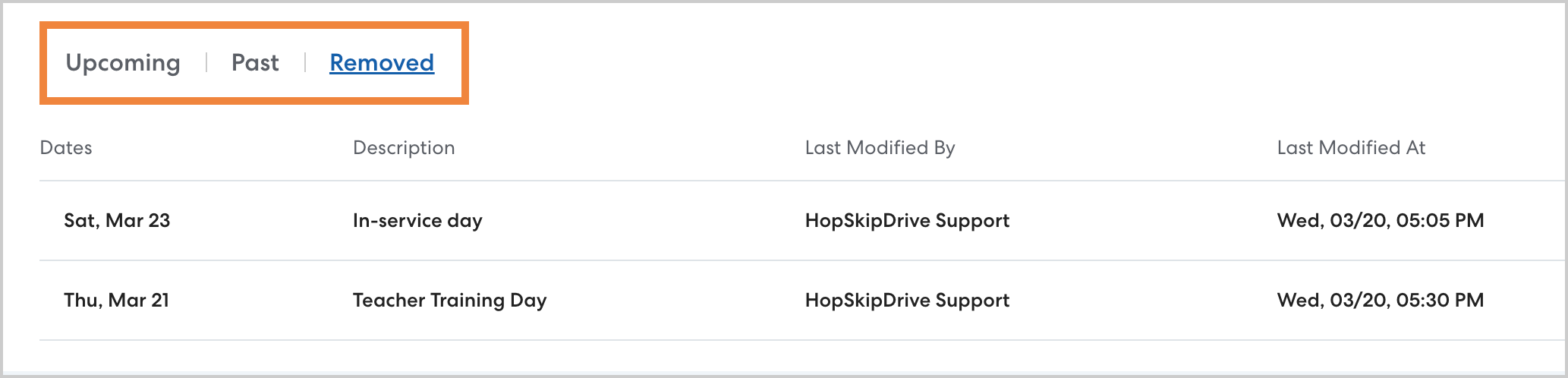
Learn more about viewing past and deleted time off.
12/7/23
Rider Delay Tracking
We've added tracking of pickup delays to reports to improve your ability to identify patterns and issues that may cause delays. When the time from the CareDriver's arrival to the pickup is longer than a set period (generally 10 minutes) this is tracked as a Rider Delay. Rider delays are trackable via report filter and as a column on all reports.
Click here to learn more about Rider delays.
11/7/23
Shared Billing [Pilot]
Some districts share responsibility for a Rider's transportation costs with another district. In select areas, you now have the option to share Rider billing through RideIQ. Instead of manually calculating charges or managing a record of morning and evening rides, you can set up shared billing so the other district automatically receives an invoice for 50% of the ride charges.
This feature is currently in a limited pilot. Look for an announcement when it is released to all areas.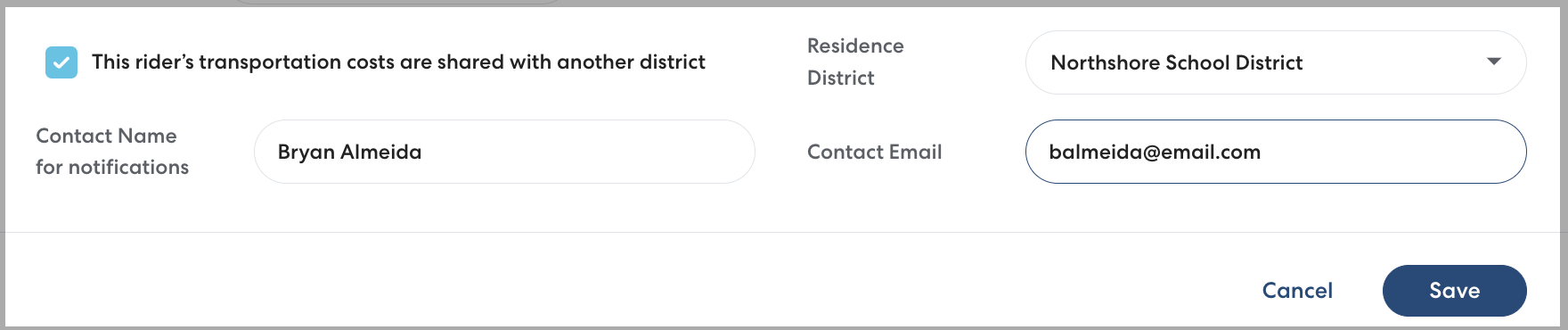
Click here to learn more about shared billing.
9/19/23
Save Reports to Quickly Access the Data You Need
With this update to RideIQ Reports, you can now save your filter configurations, designate favorite reports, and set a default report to show when ever you navigate to the Reports page. Access the data you need to see with fewer clicks by saving the reports you use most often.

Click here to learn more about Saved Reports.
8/9/23
Find Efficient Shared Routes with SmartPooling
For organizations using a student-centric pricing model, SmartPooling is an enhanced option that allows you to find ways to combine Ride Series for increased efficiency. Save money and decrease environmental impact by pooling Ride Series for Riders with similar routes and schedules. As you create a new Ride Series, RideIQ automatically suggests options to pool rides together.

Click here to learn more about SmartPooling
8/1/23
Find Answers Faster and Explore More Opportunities with Reports
Making data-driven decisions just got easier with Reports in RideIQ. With Reports, you can create and download comprehensive data for your account, filtering by Riders, Rider Tags, and other elements to see the data you need in a way that's useful for you.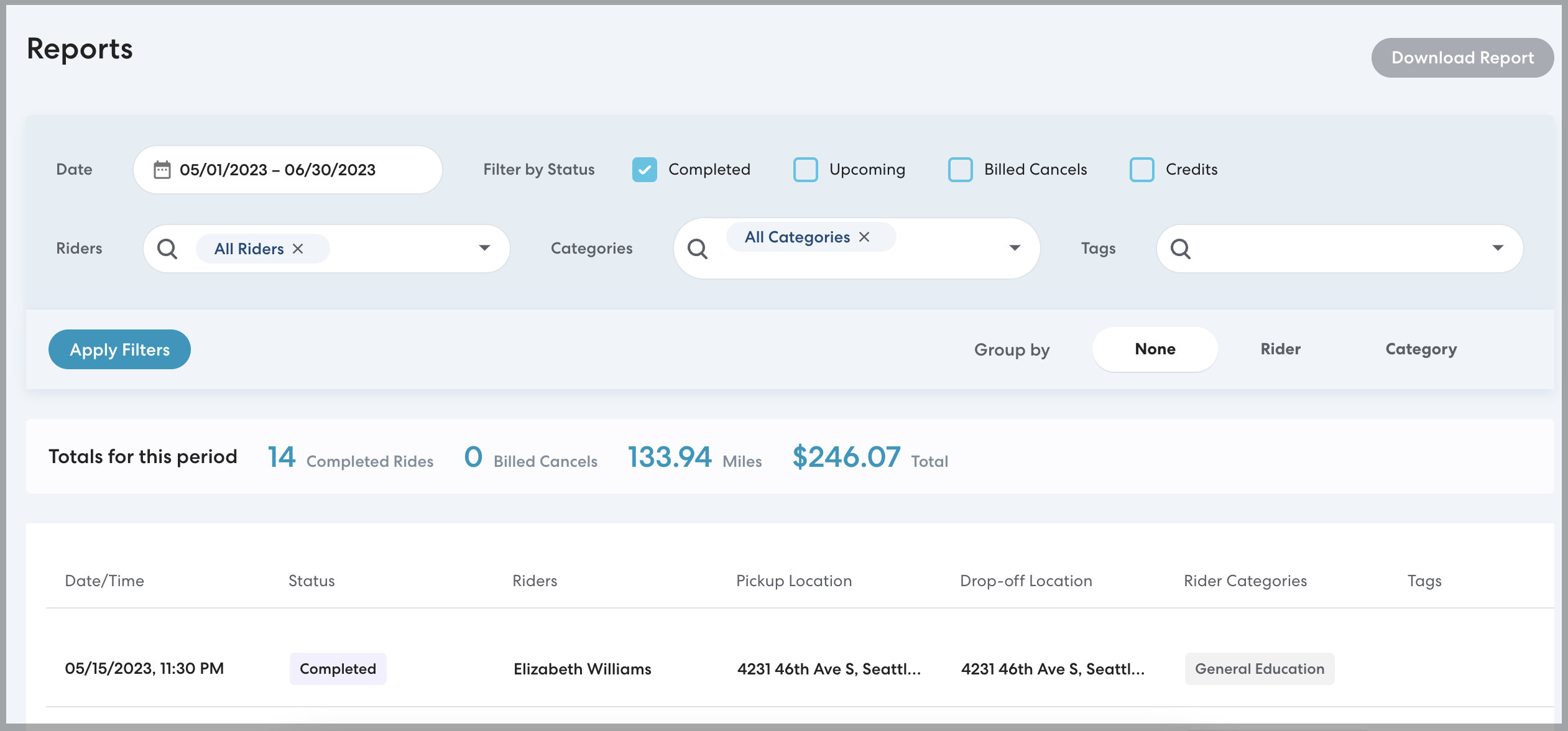
Click here to learn more about Reports in RideIQ.
5/16/23
Schedule an Address Change with Find and Replace
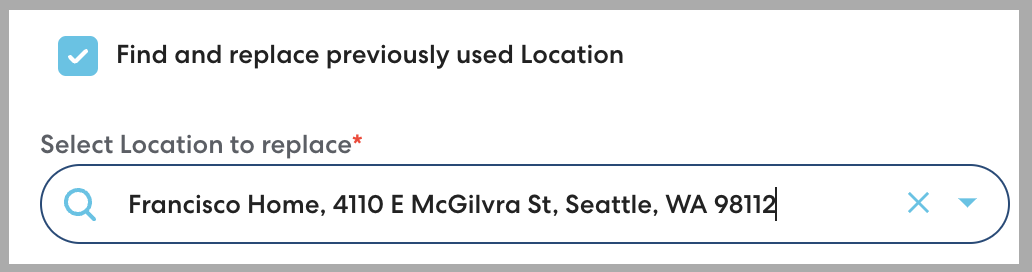
Accurate pickup and drop-off locations are important to making sure Riders get where they need to go. When Riders move, you can now use Find and Replace to schedule the address change to take effect automatically on a set date, updating all scheduled rides. You can schedule the change in advance as soon as you're aware of the change, making the transition smoother for both Riders and CareDrivers.
To use Find and Replace, navigate to the Rider's profile and add the new Location, then select Find and replace previously used location.
Click here to learn more about using Find and Replace.
More Visible Contact Us Button for Chat
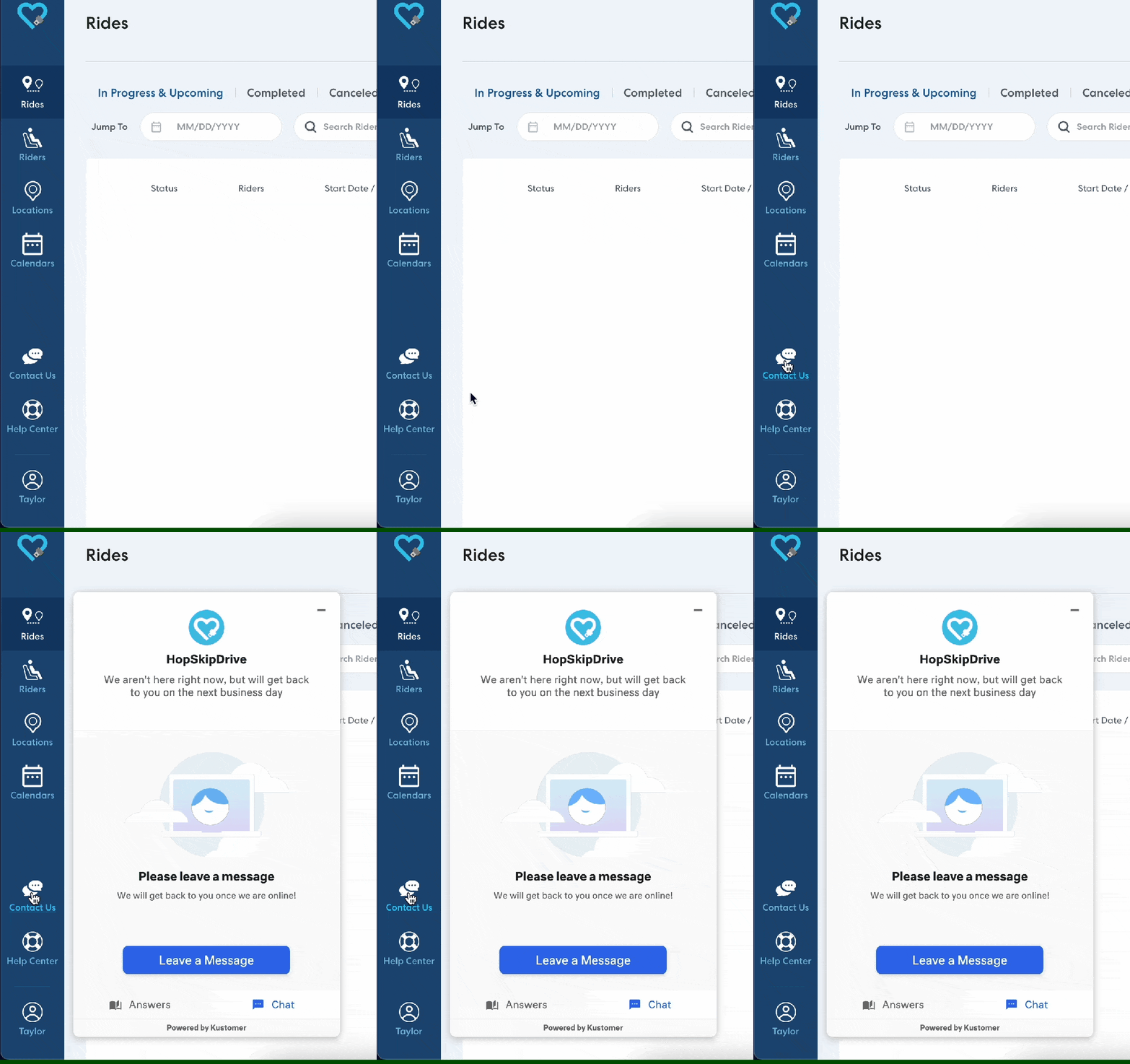
It's now even easier to get in touch with HopSkipDrive client support! Click the Contact Us button in the side menu to chat with a live client support specialist. Chat hours are 7:00 AM to 4:00 PM Pacific time.
4/5/23
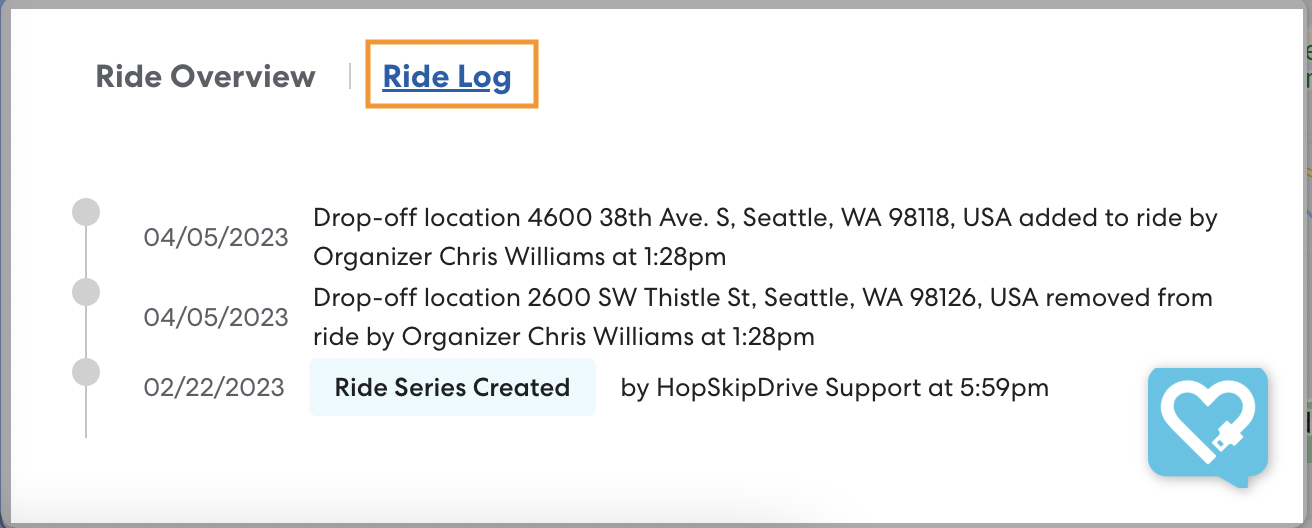
Track Ride Changes in the Ride Log
To access the Ride Log, click Ride Log on the Ride Overview panel.
Learn more about the Ride Log here.
3/8/23
Increased Transparency with Ride Requests
While HopSkipDrive is committed to connecting every scheduled ride with a CareDriver, on some occasions there are more rides than available CareDrivers. Previously when this occurred, RideIQ would prevent you from scheduling the ride. Now, these rides are routed through a new Ride Request process, increasing transparency and making it easier to get the rides you need connected to CareDrivers.
When you schedule a ride that could potentially be impacted by low CareDriver availability, that ride is now routed to the HopSkipDrive team for a manual review. Within one business day, you'll receive an email confirming that the ride can be scheduled, proposing a change in schedule that would allow the ride to be scheduled, or confirming that the ride cannot be filled. You can rest assured that HopSkipDrive is doing everything possible to connect your rides with a CareDriver, and you'll get a clear answer in time to make other arrangements if a ride truly can't be accommodated.
Learn more about the ride request process here.
2/22/23
View All Canceled Rides on the Canceled Rides List
Previously, the Canceled Rides list showed only billed rides to make it easy to find the most relevant information. With this release, you now have the option to include unbilled cancels as well, for those times when you need to confirm a cancellation or track changes that have been made to a Rider's schedule.
To view all canceled rides, navigate to the main Rides page or the Rides section of a Rider's profile and click Canceled. Click to clear Show only billed cancels.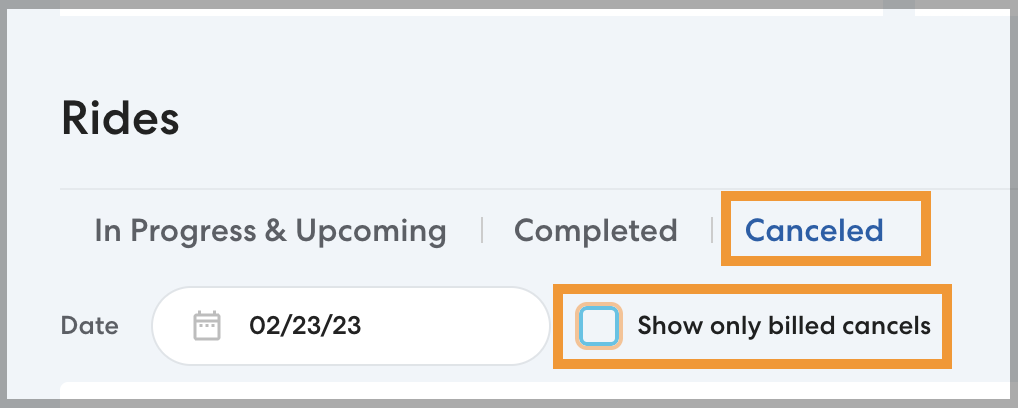
Learn more about viewing canceled rides here.
11/30/22
See Everything in One Place on the New Rider Profile
With this Rider profile redesign, you can see a Rider's whole schedule clearly laid out. Create and edit rides directly from the Rider profile, assign saved Locations to a Rider, and more.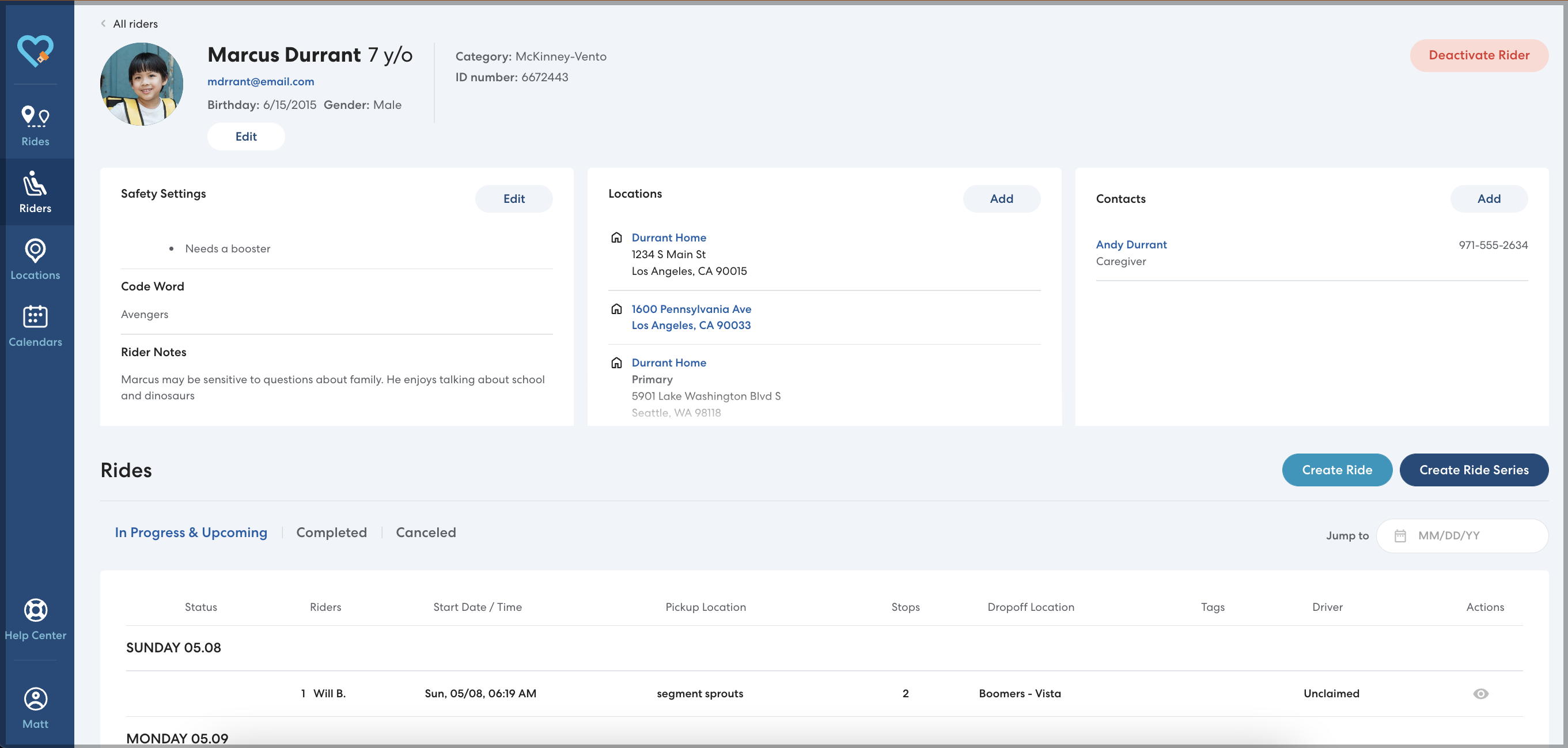
More Intuitive Rider Creation
We've redesigned the process of creating a new Rider to group information in a more intuitive way that guides you smoothly through the process and includes key new fields such as School and Primary Residence.
Learn more about creating a Rider.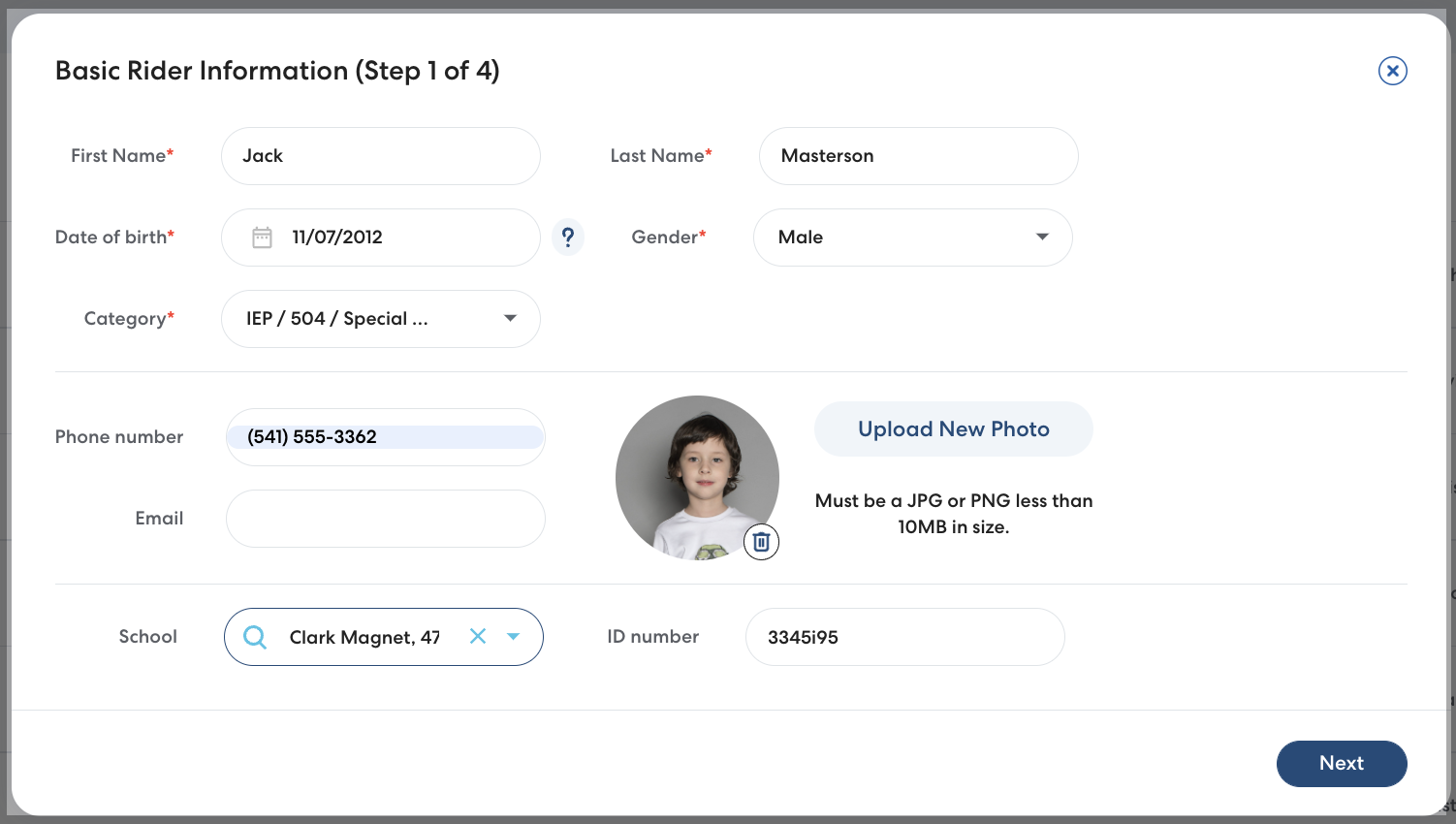
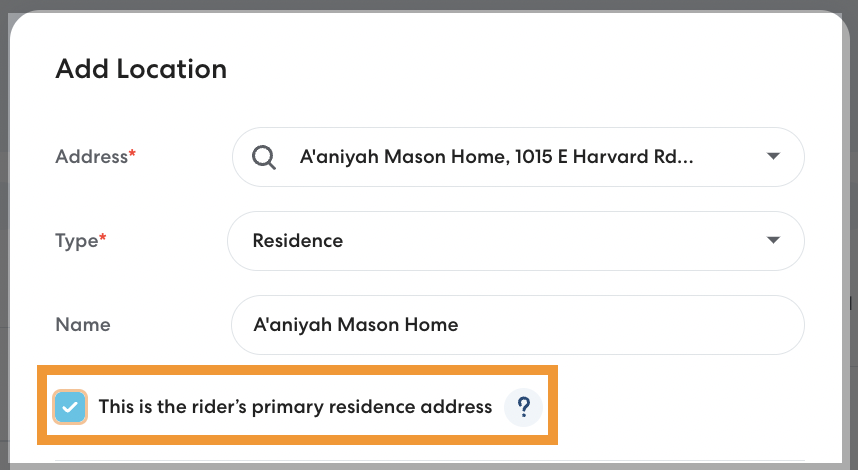
Assign Primary Locations to Make Ride Scheduling More Efficient
Many Riders need rides to and from the same consistent locations, such as school and home. When you assign a Primary Residence and Primary Destination, those addresses are automatically populated when you create a ride, saving you time.
11/2/22
Select All Option When Filtering Rides by Date
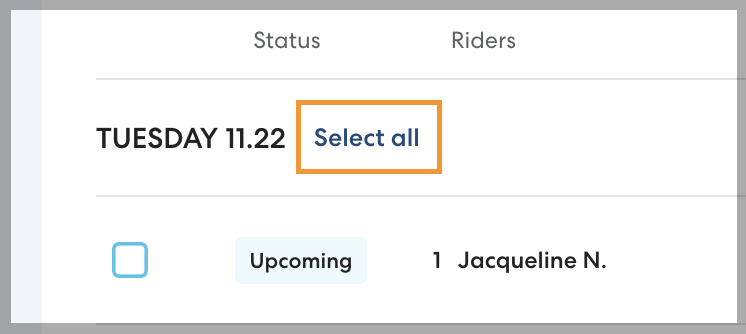
No more selecting each individual ride when you need to cancel for a snow day! When using the Jump to field to filter by date, you can now select all rides on a given day to efficiently cancel in bulk. Learn more here: Canceling Rides in Bulk.