
In this article
HopSkipDrive is committed to connecting all scheduled rides with a driver. However, under certain circumstances, rides must be manually reviewed to ensure there are enough drivers available to guarantee that a ride will be claimed. While this review is taking place, the ride or series will have a status of Requested. There are two reasons a ride or series will have a status of Requested:
-
Rider Services: a ride or series that includes a Rider Service such as WAV, Rider Assistant, Ride Recording, or Car Seat. Because these services require specialized vehicles, equipment, and qualifications, HopSkipDrive reviews these rides and works with CarePartnersTM to confirm there is adequate driver availability.
- Low CareDriver availability: When a user schedules a Ride Series that could potentially not be claimed due to limited CareDriver supply, HopSkipDrive reviews the ride manually to determine whether there will be a CareDriver available. This step is intended to make the process more transparent and allow for adjustments if the ride needs to be changed or alternative arrangements need to be made.
The Ride Request process
When you schedule a ride series that requires additional review, you'll see a message indicating that the ride will be processed as a request.
To discard the ride, click Back. To continue with the ride request, click Send Request.
Sending a ride request
When you send a ride request, the HopSkipDrive team will review the ride and driver availability in the area. You will receive an email with additional information by the next business day. You'll receive one of the following responses:
-
Approved: your requested ride can be filled! You'll see the ride in the In Progress & Upcoming list with other scheduled rides. No additional action needed.

-
Proposed changes: this option applies to ride requests due to low CareDriver Availability only. The requested ride series can't be filled as requested, but could be filled with some changes, such as a later start date. Review the email for the proposed changes as well as any additional details.
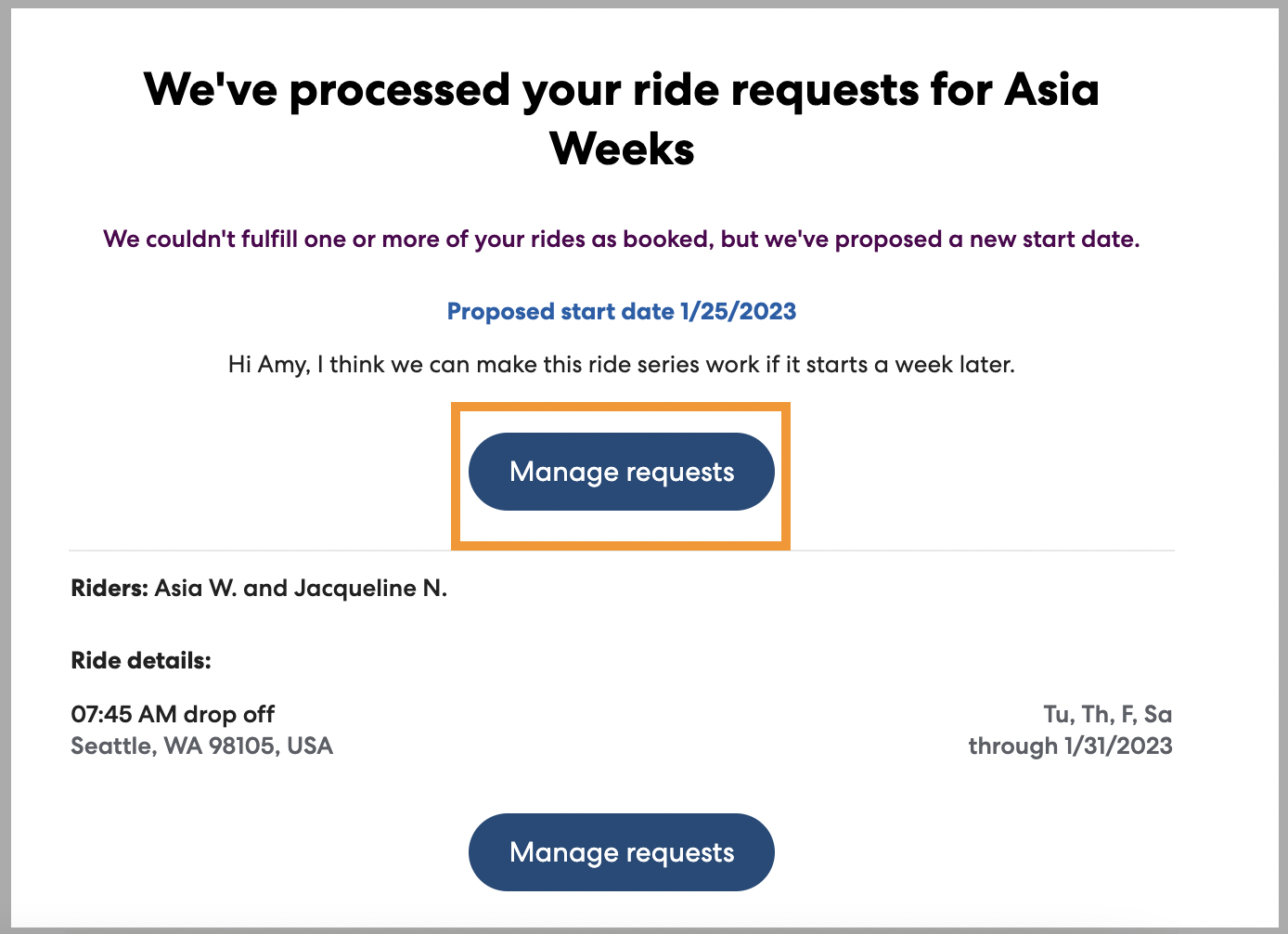
When you receive this message, click Manage requests to accept or reject the proposed changes. You'll be taken to RideIQ, where you can review the requested schedule and proposed schedule. If you accept the changes, the rides will be scheduled. If you choose to reject them, the ride request will be canceled.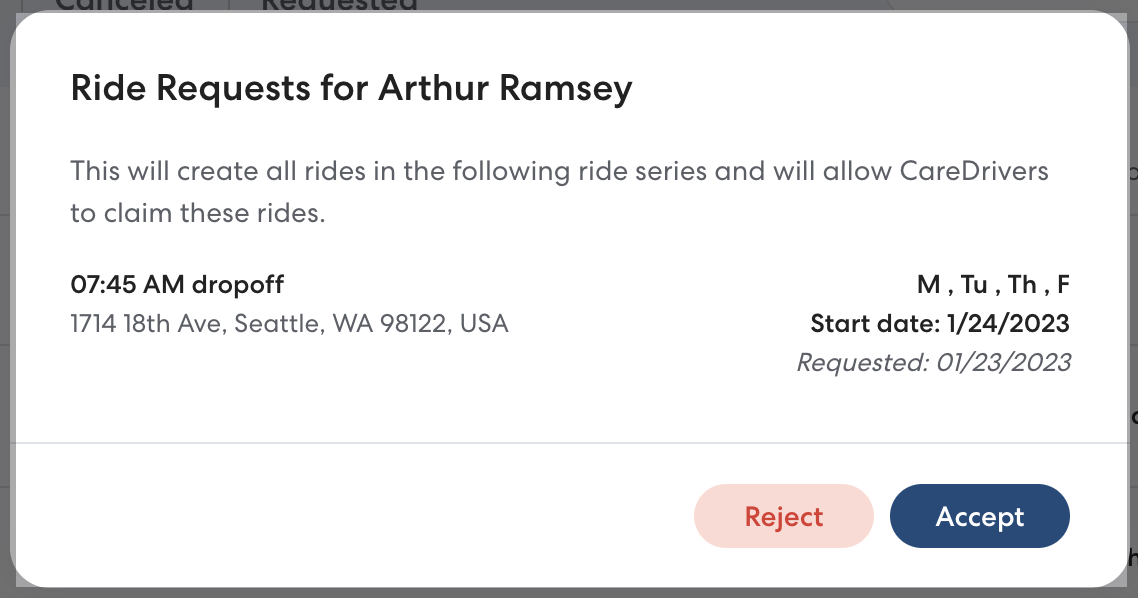
-
Unable to fulfill: Unfortunately the requested ride cannot be filled due to low driver availability.
We encourage you to try scheduling the ride again in the future, as we are constantly adding capacity.
Reviewing Ride Request status
You can review your requested rides on the Requested tab on the Rides page or a specific rider's profile. Any organizer who is part of your organization can see requested rides, but only the organizer who sent the original request will receive email updates. 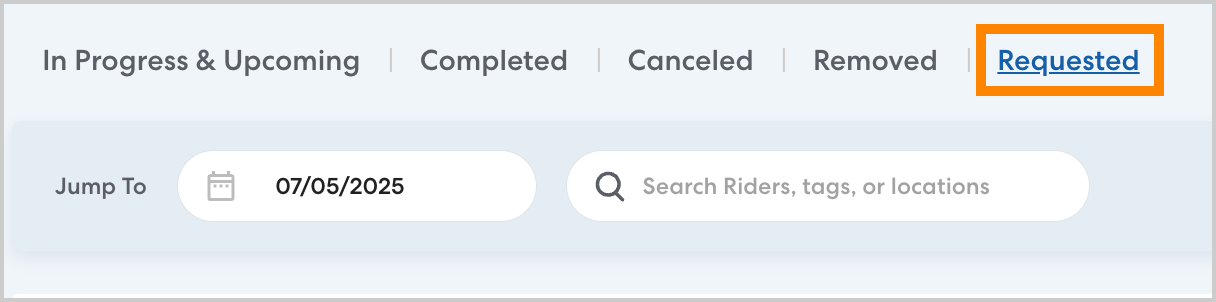
Rides will appear on the Requested tab while they are being reviewed and while any proposed changes are waiting for a response. Once a ride has been approved it will appear on the In Progress & Upcoming tab. The Requested tab is only visible when you have an active Ride Request.