
A Rider Delay occurs when a CareDriver arrives at the pickup location and waits for the Rider for longer than a set period of time before they are able to complete the pickup. This Rider delay period may vary by location, but in most cases the threshold is 10 minutes.
To differentiate Rider delays from instances when the CareDriver is late, the Rider delay time starts when the CareDriver arrives or at the scheduled pickup time, whichever is later.
For example:
- The CareDriver arrives at 7:05 AM for a scheduled 7:00 AM pickup. This would qualify as a Rider delay if the Rider is picked up at 7:15 AM or later.
- The CareDriver arrives at 6:55 AM for a scheduled 7:00 AM pickup. This would qualify as a Rider delay if the Rider is picked up at 7:10 AM or later.
Understanding patterns in Rider delays can help your organization identify issues with ride scheduling, location notes, or pickup procedures and can help improve on-time arrivals.
For example, if you see consistent Rider delays at a specific school, that may mean the pickup time should be changed to a few minutes later.
Reporting on Rider delays
To identify rides with a Rider delay, use reports. When viewing any report, check the Rider Delay column to see whether a ride is designated as having a Rider delay.
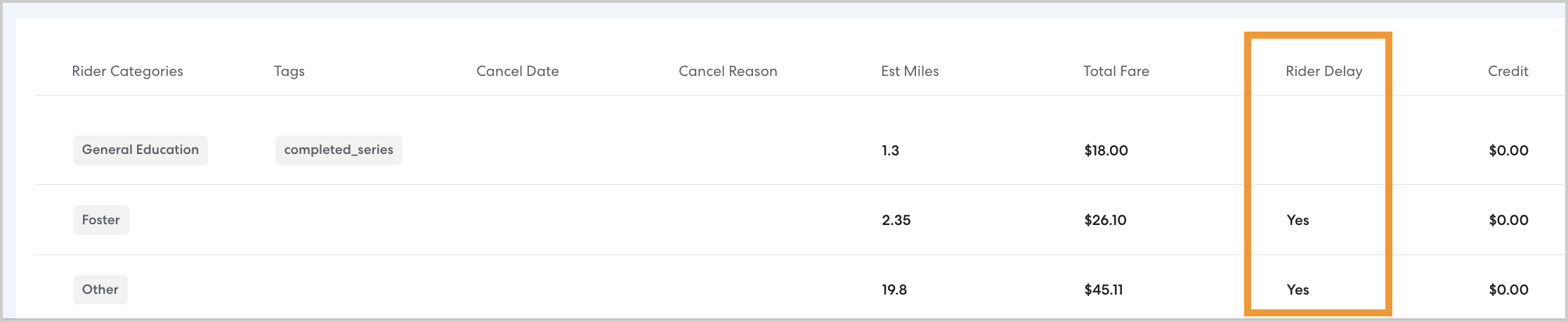
To run a report showing all Rider delays in a given period of time, use the Rider Delay filter. In Filter by Status, select Rider Delay. Add any additional filters or grouping as desired, then click Apply Filters. Learn more about creating and saving reports in this article.