Users with Account Admin or Trip Organizer - Full Access permissions can control when Trip Organizers will be contacted about ongoing rides to make sure you are receiving all relevant information or limit the number of calls or texts you receive.
Manage your contact settings
There are three types of contact you can enable or disable:
- Trip Organizers receiving calls or texts from CareDrivers during a ride
- Selected recipients receive a report of riders who have missed rides over the past 7 days
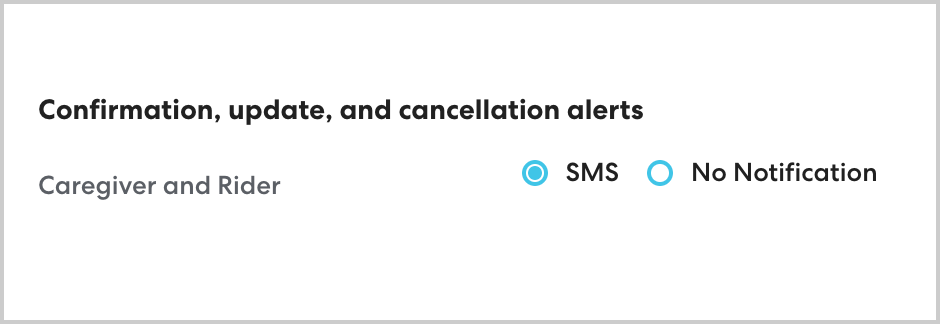
- Caregivers and riders receiving SMS ride schedule updates
Additionally, you may receive automated lateness alert calls when a ride is delayed. This setting is not managed via the account settings page. Learn more here.
To access your contact settings, follow the steps below:
- Click your profile icon in the lower left, then click Account Settings. If you do not see the Account Settings option, contact someone in your organization with Admin or Trip Organizer - Full Access permissions to make the changes.
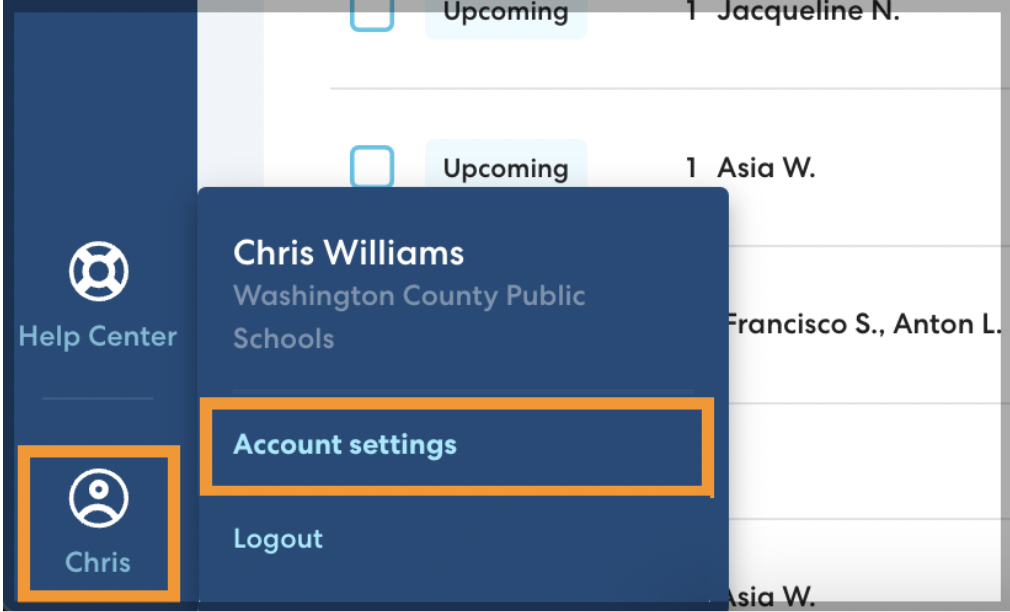
- Click Edit to make changes.

Enable or disable calls and texts from CareDrivers
Under Who can CareDrivers contact with questions during a ride, toggle Trip Organizer to Yes to allow CareDrivers to call or text the Trip Organizer who scheduled the ride. This could include questions about finding a rider, finding a pickup or drop-off location, or other questions about the ride.
When to use this option:
We recommend enabling this option if you have trip organizers who are directly involved in managing rides for a relatively small number of riders. If rides are scheduled at the district level for many riders, it is unlikely the Trip Organizer will be able to respond to CareDriver questions about a specific ride. In this case, it is better to disable Trip Organizer contact.
CareDrivers will always be able to contact the rider's Caregiver and the rider (if a rider phone number is provided).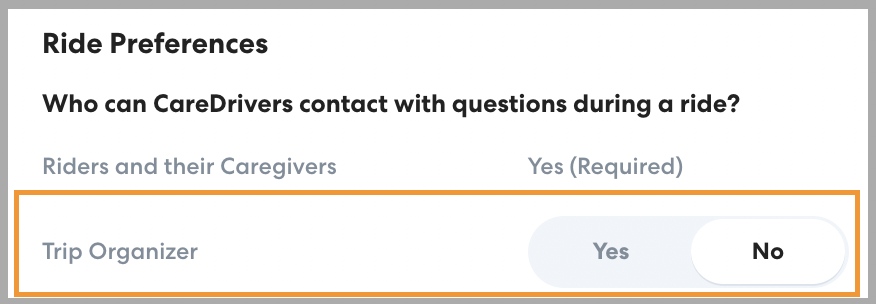
Enable or disable the Daily Absent Rider email
Toggle this setting to Yes to send a daily email with a CSV report of all riders who have missed scheduled transportation over the last 7 days. You can enter emails for any desired recipients, even if they don't have a RideIQ login. Learn more about what is included in the Daily Absent Riders email here.
When to use this option:
Use the Daily Absent Riders email to quickly access actionable data about which riders are missing their rides, highlighting areas where adjustment or other interventions may be needed. Add recipients who need to be aware of chronically absent riders.
Enable or disable ride schedule updates for caregivers and riders
Caregivers and riders who have a phone number on their profile can receive SMS updates about ride scheduling, cancellations, and updates. Select SMS to enable notifications. Learn more about the notifications they will receive here.