There are two options for deleting a location:
-
Deleting a location from a Rider's profile: this change applies only to the selected Rider.
For more information about deleting a Location from a Rider's profile, see this article.
-
Deleting a location from the Locations page: this change applies to all Riders and rides. Read more below.
Considerations before deleting a location from the locations page
Deleting a location from the Locations page means it will no longer be available to be added to any rides scheduled going forward. You will also lose information such as pickup and drop-off notes and assigned Calendars. Currently scheduled rides will not be affected. Keep in mind that a location may be used by multiple Riders, so it is important to be sure you know which Riders will be affected before deleting a location.
Deleting a location is a good option when you're certain the location will not be needed again, such as a home address for a Rider who you no longer serve.
If you're unsure whether to delete a location globally, you can also try:
- Removing an Assigned Location from a Rider Profile
- Removing or Replacing a Rider's Primary Residence
- Removing or Replacing a Rider's Primary Destination
- Scheduling an Address Change using Find and Replace
How to delete a location from the Locations page
To delete a location, follow the steps below:
- On the Locations page, select the location you want to delete.
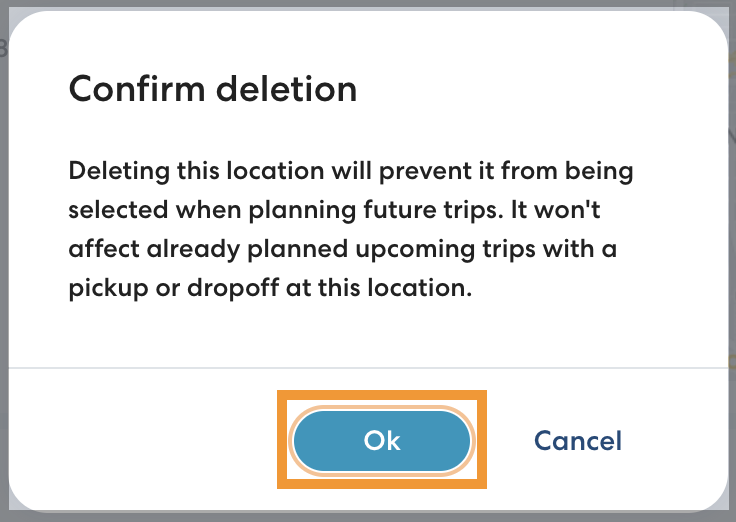
- Click Delete.
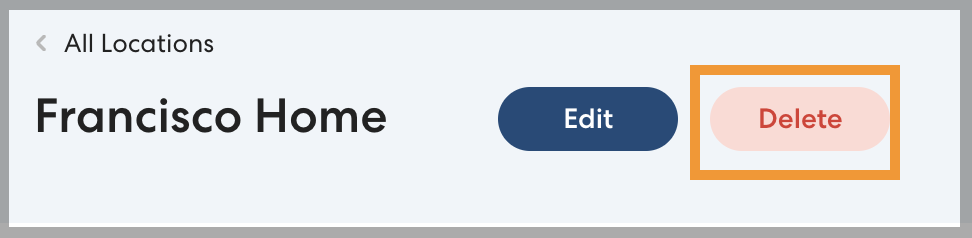
- Click OK to confirm you want to delete the Location.