
All rides associated with a calendar in RideIQ will automatically adjust for breaks and days off. However, if you have any rides or series that have not been linked to a calendar, they will not automatically adjust. It is a good idea to double check to confirm that no rides are scheduled when a break is approaching.
Follow the steps below to quickly verify that no unneeded rides are scheduled on an upcoming holiday:
- On the main Rides page, in Jump To, select the date of the break or holiday.
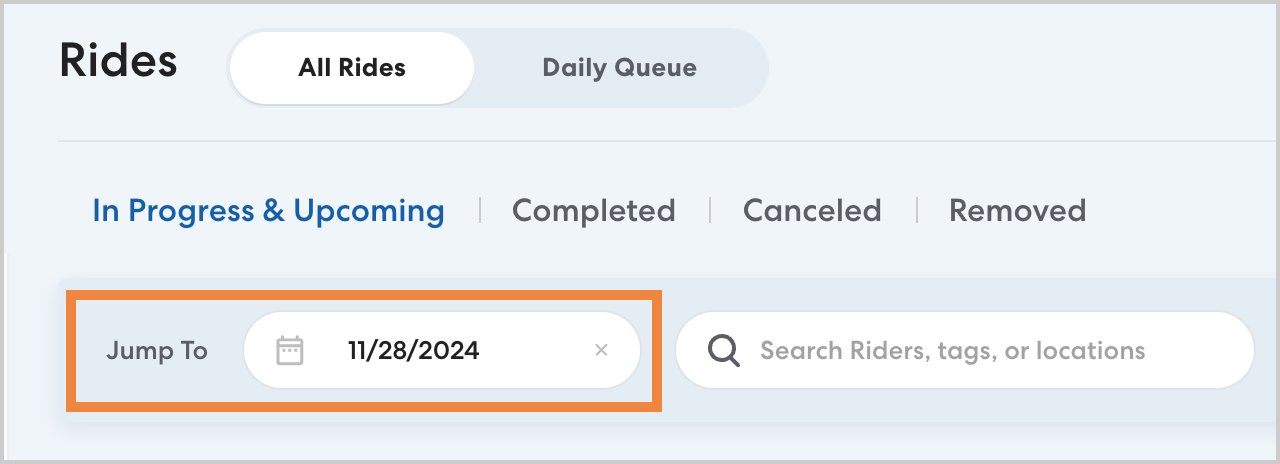
- Review the selected day for any rides that should not be scheduled.
If you do see any rides scheduled that will not be needed, take a moment to add the appropriate calendar to each Ride Series to ensure they adjust for breaks automatically in the future. Once you have added a calendar, rides during any upcoming breaks will be canceled.
Learn how to add a Calendar to an existing Ride Series in this article.
If you do not want to add a calendar, simply cancel the unneeded rides.