In RideIQ, you can add a Calendar to any ride or Ride Series. When you add a Calendar, the Ride Series will automatically adjust by canceling rides on days off. This article explains how to add a Calendar to a Ride Series that has already been scheduled.
Follow the steps below to add a Calendar to an existing Ride Series:
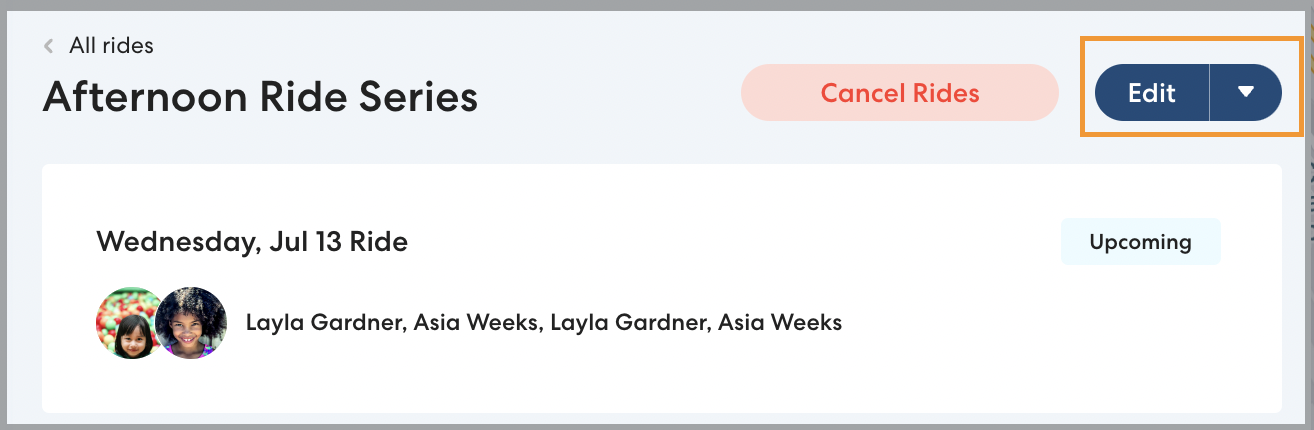
- On the main Rides page or Rides section of a Rider profile, select a ride from the desired series.
- Click Edit.
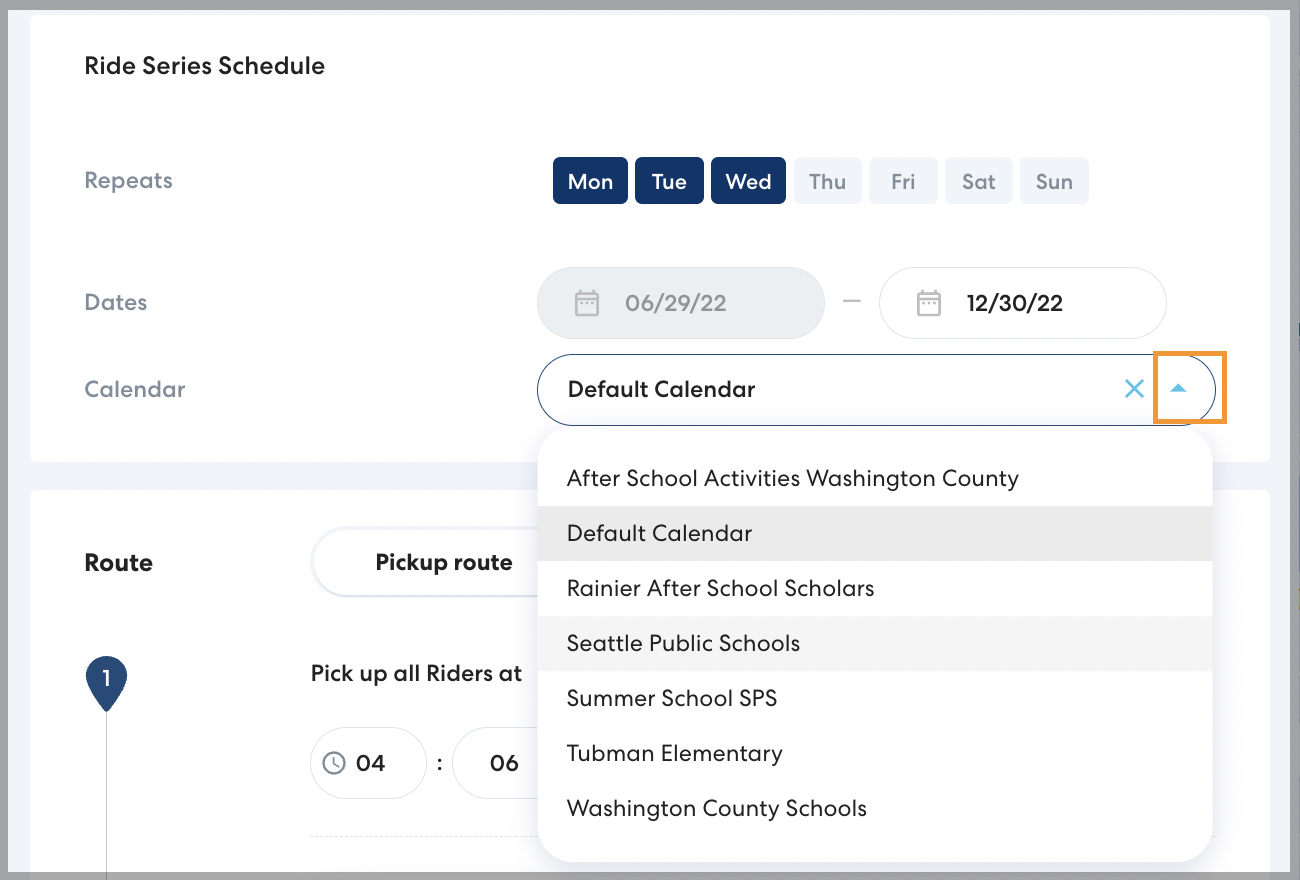
- In Calendar, click the dropdown arrow and select the desired calendar from the list. If you do not see the calendar you want to add, you can create a new calendar.
- Click Save. Choose which rides you would like your changes to apply to, then click Save.

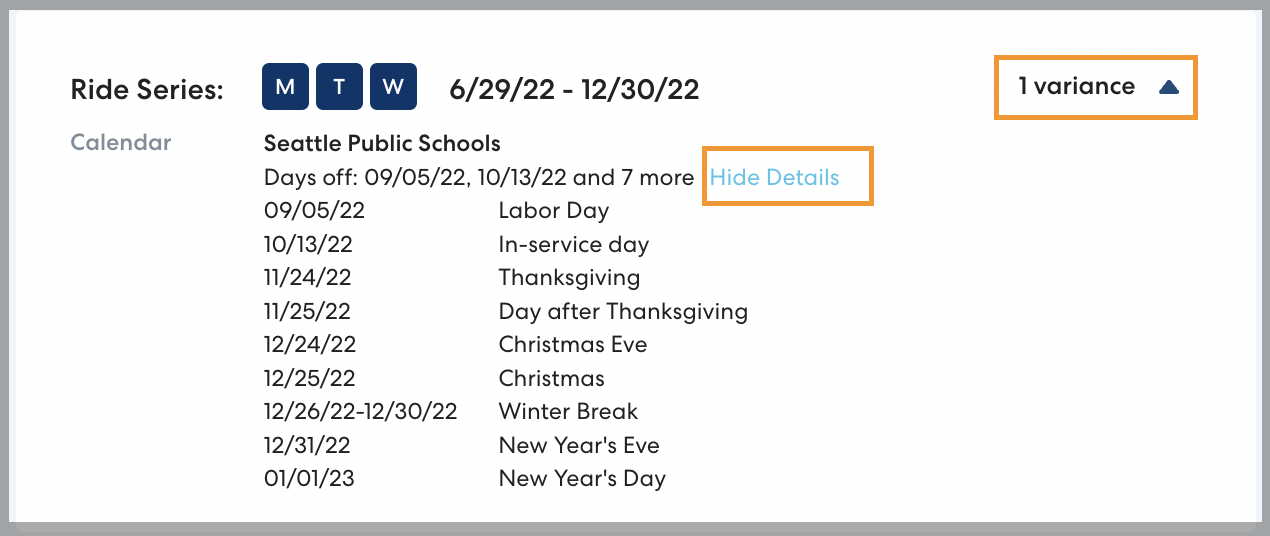
- If you'd like to confirm that the new calendar has been applied, click [#] variances, then More details to see the days off on the calendar and confirm that they are correct.