
In this article
Learn where you can view ride fares for upcoming, completed, and canceled rides in RideIQ.
Fares on the Ride Overview panel
In RideIQ, you can see information about the cost of a ride throughout the process. When you schedule a ride, RideIQ displays an estimated fare on the Ride Overview panel.
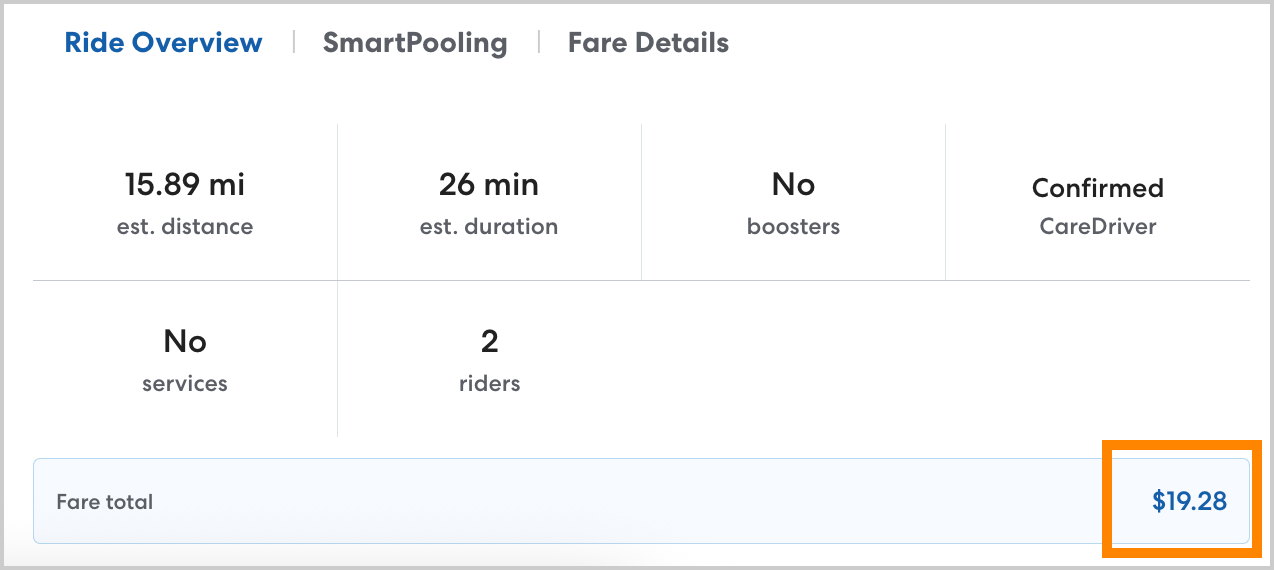
Once the ride is complete, the fare displayed will update to the actual fare, including any adjustments for a canceled ride. 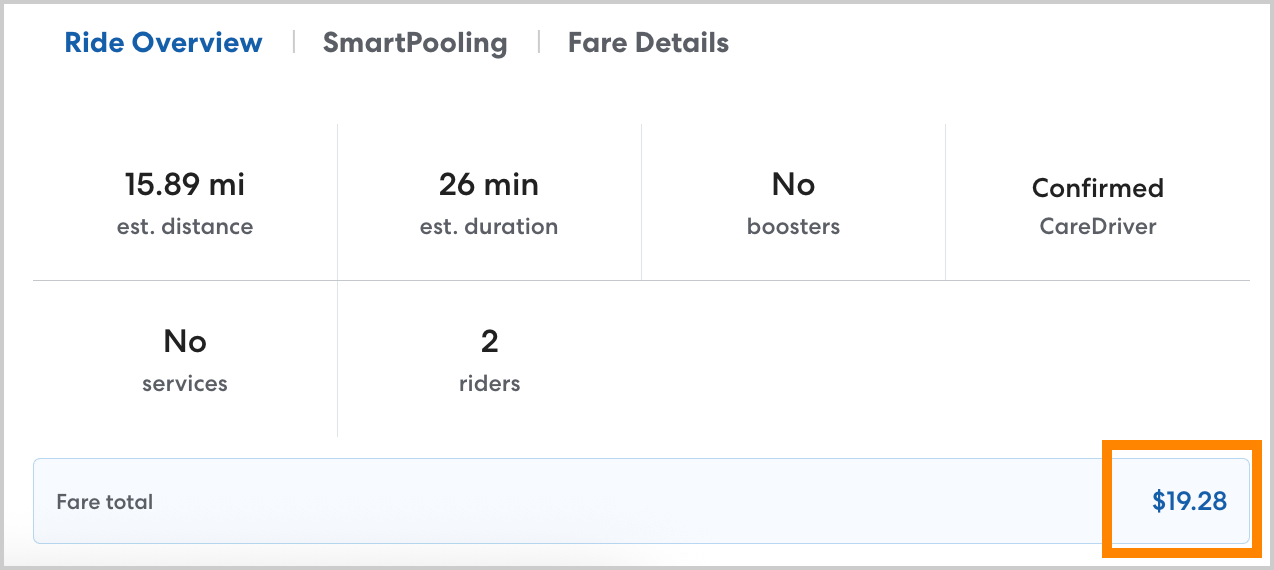
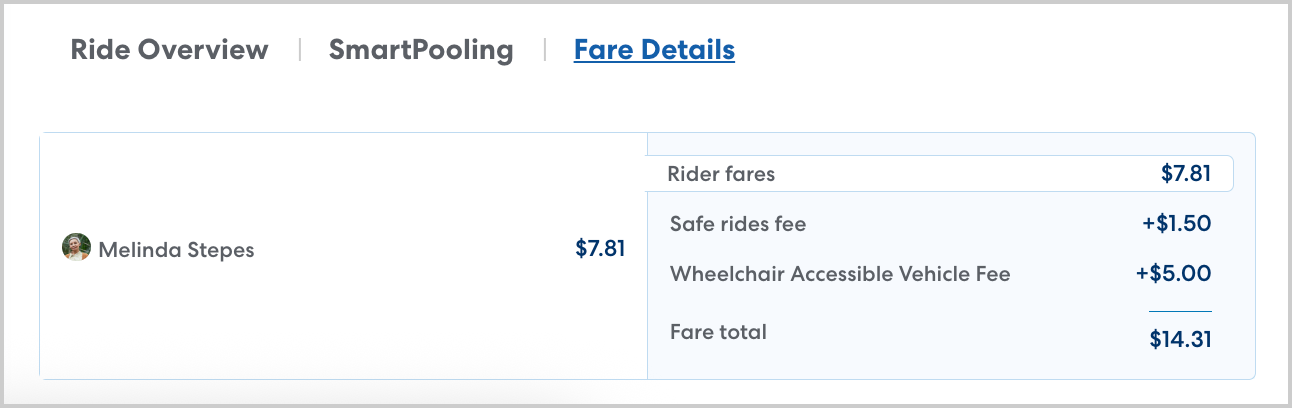
You can see a detailed breakdown of the fare, including any fees or adjustments under Fare Details.
Fares on the Rides page
You can review ride charges for completed rides under the Completed tab on the main Rides page or Rides section of a Rider's profile.
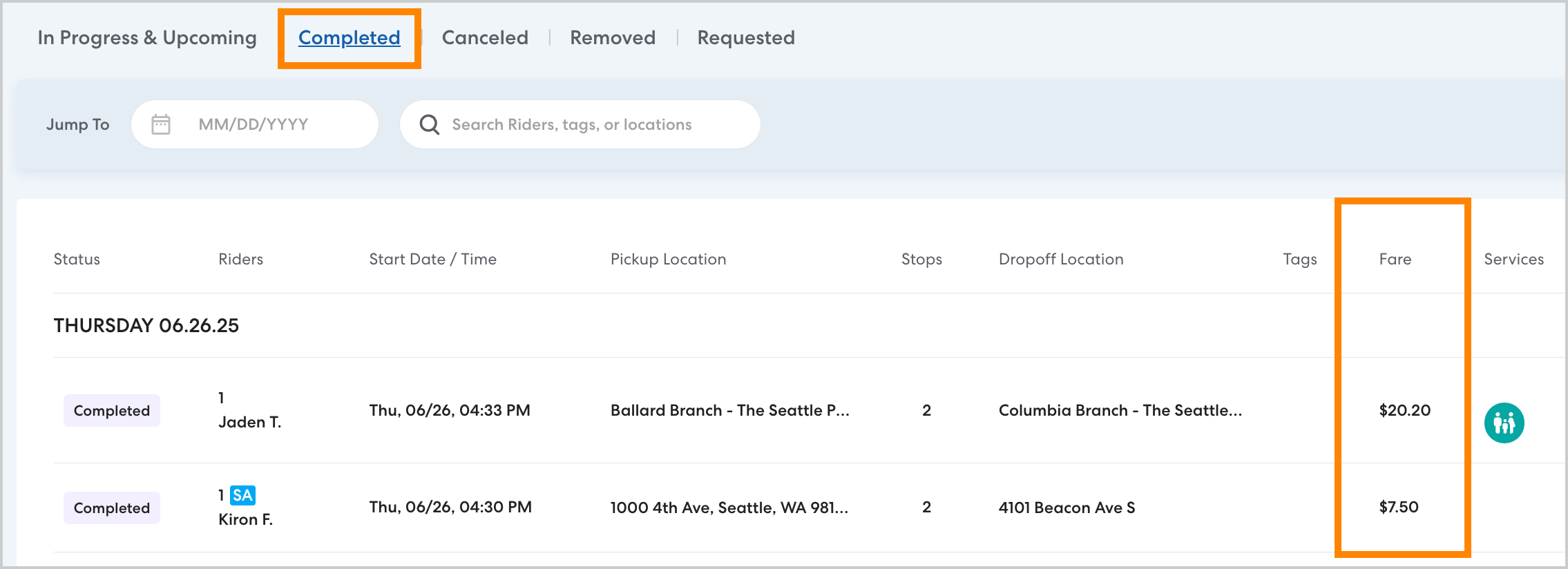
To see charges for canceled rides, select the Canceled tab. Learn more about viewing canceled rides in this article.
Run a report to review ride fares
To run a report of ride charges filtered by Rider, Rider Category, and Tags use Reports. You can create a custom report and filter your data as desired to see the data you need. To learn more about creating a report, see this article. 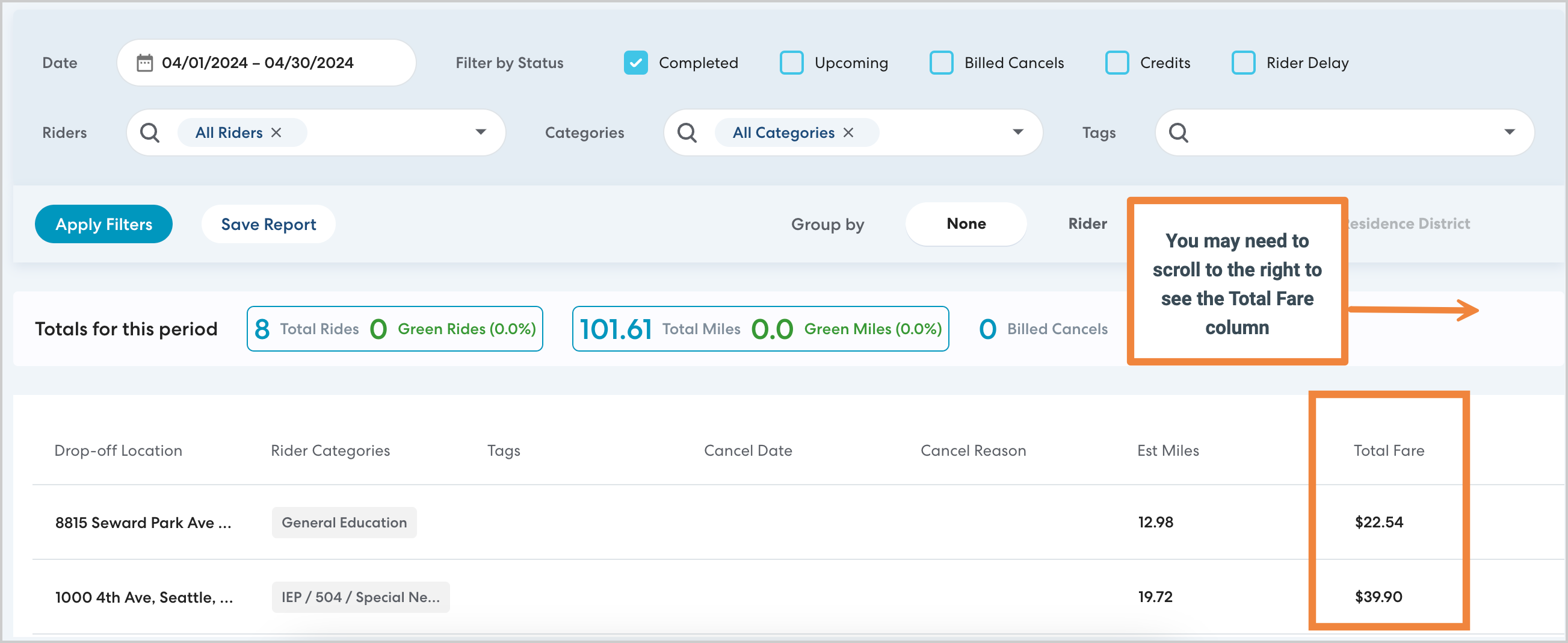
Learn more
- Reviewing Ride Charges for a Shared Rider
- How Can I See Charges for Canceled Rides?
- Reports: Billed Cancels
search terms: fees, billing, cost