
Rides and Ride Series in RideIQ are one-way. This means most riders require two Ride Series: a morning drop-off series and an afternoon pickup series. To create these pairs of Ride Series efficiently, you can use the Save and Add Return Ride feature.
Remember, however, that the rides will still be separate. Canceling or editing one ride will not affect the return ride.
Follow the steps below to create a return ride:
-
Create a ride with the desired Riders, locations, and times. Click the dropdown arrow on the Save button, then click Save and Add Return Ride.
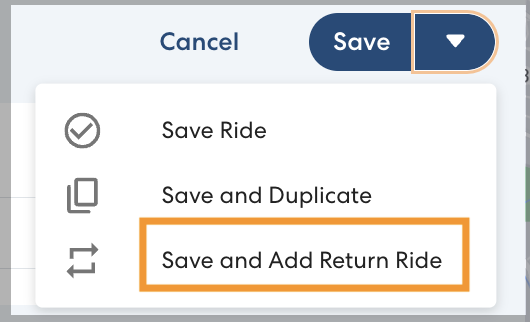
- The first ride will be saved and a new ride will be created on the same day with the same Riders. The pickup and drop-off locations will automatically be populated with the locations from the original ride reversed.
Enter the desired pickup or drop-off time for the new ride, then click Save.