
Rider-specific location instructions are instructions for pickup or drop-off that are unique to a specific rider at a specific location. CareDrivers see these notes in the app alongside the general rider notes and location instructions, as shown below.
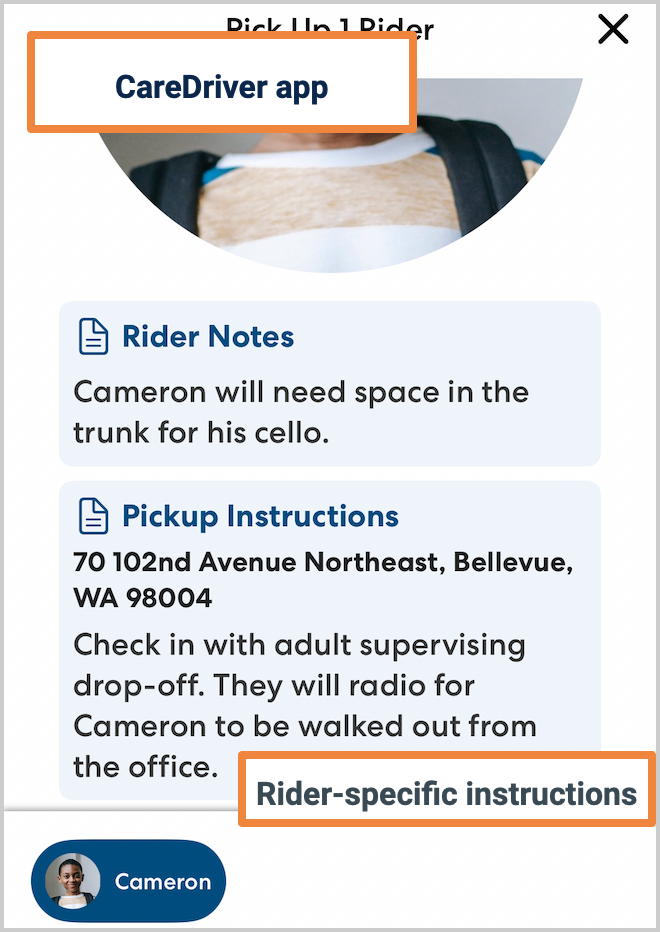
Use rider-specific location instructions for specific steps or information that CareDrivers need to have access to that is unique to a particular location and rider. For example:
- A rider whose IEP requires specific sign-out steps at pickup.
- Instructions for navigating to a specific rider's building in a large apartment complex where multiple riders live.
Instructions that apply to all riders can be added in the general location notes. Information that applies at all locations can be added to the rider notes.
You can add rider-specific location instructions either on the fly while you are creating a ride or by editing the location.
Add rider-specific location instructions when creating a ride
You can add rider-specific instructions on the fly while creating a ride. This is method works well when you are ion the process of scheduling rides and want to add additional information for the CareDriver. The instructions you add will apply to all rides for that rider at the location going forward.
-
Create the ride as usual, adding the desired locations and riders.
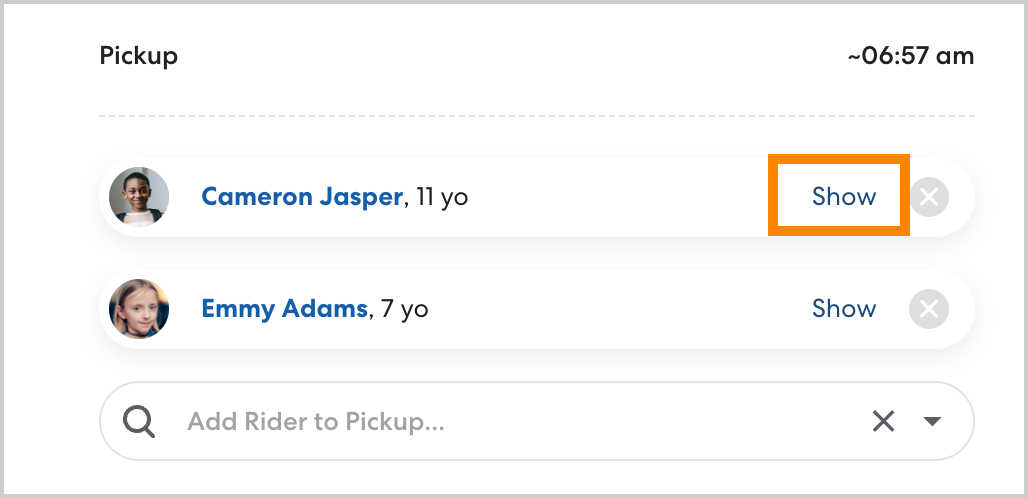
- For any step where special instructions are required, click Show next to the desired Rider.
- Under Rider-specific pickup/drop-off instructions, add the desired instructions. Effective notes are concise, actionable, and clear.
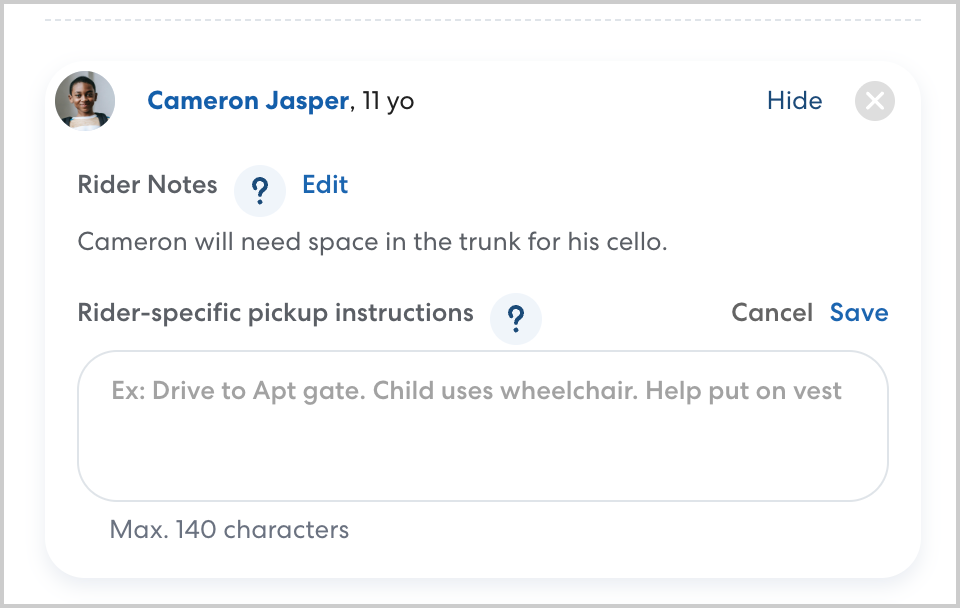
- Click Save. CareDrivers will see these special instructions with the rider notes at pickup or drop-off. CareDrivers will also still see the general location and rider notes.

Add rider-specific instructions on the Locations page
You can also add rider-specific instructions from the locations page. This a good method when you need to add rider-specific location notes for multiple riders at the same location.
In order to add rider-specific instructions to a location for a specific rider, the rider must have at least one upcoming ride scheduled to the location.
Follow the steps below to add special instructions.
- On the locations page, click the desired location.
- Click Riders.

- You'll see a list of all riders with rides scheduled for the location. Riders with existing rider-specific location instructions are marked with an Instructions tag. Select the rider you want to add instructions for.
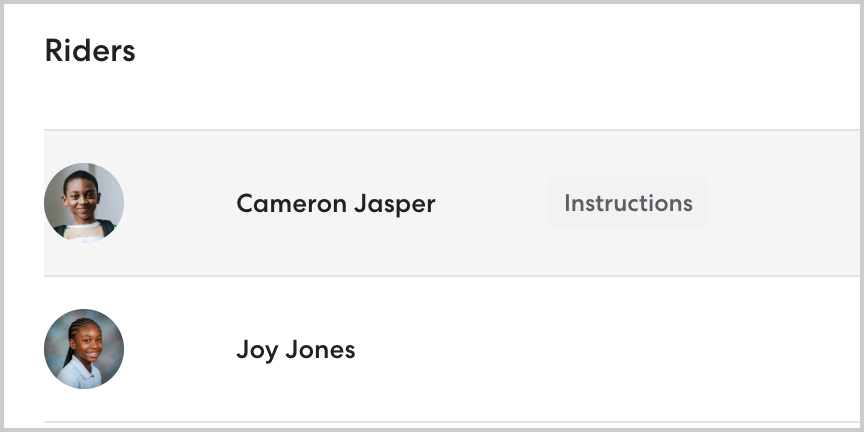
- Click Edit to add or change special instructions for the selected Rider.
- Add the desired special pickup or drop-off instructions, then click Save to confirm your changes.
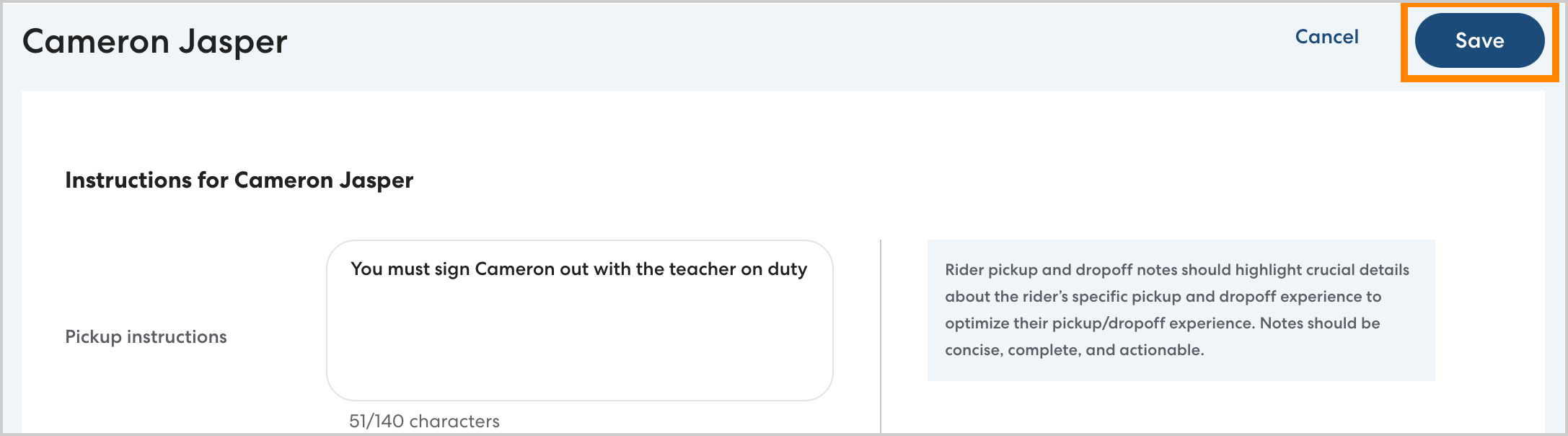
CareDrivers will see these rider-specific instructions with the rider notes at pickup and drop-off. CareDrivers will also see the general location instructions.