Ride tags allow you to group and sort rides in the way that works best for your organization. For example, you can use tags to identify:
- Rides with a special schedule, such as early release or late start days
- Out-of-district rides
- Rides related to a specific program or organization
- etc.
Any user can add a custom tag to a ride, which will then be available to all users in your organization.
in Reports, sort by tag in combination with other filters to see exactly the data you need. Learn more about creating reports in this article. 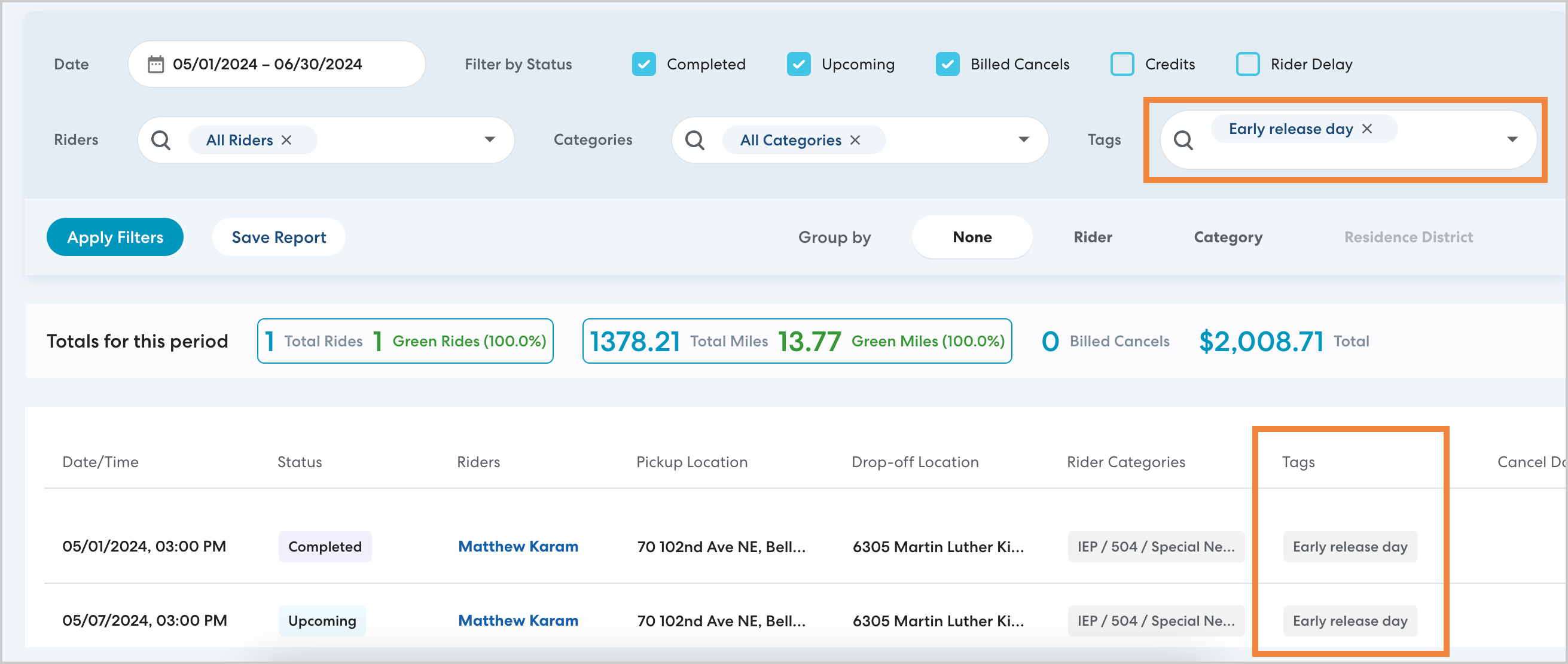
How to add a tag
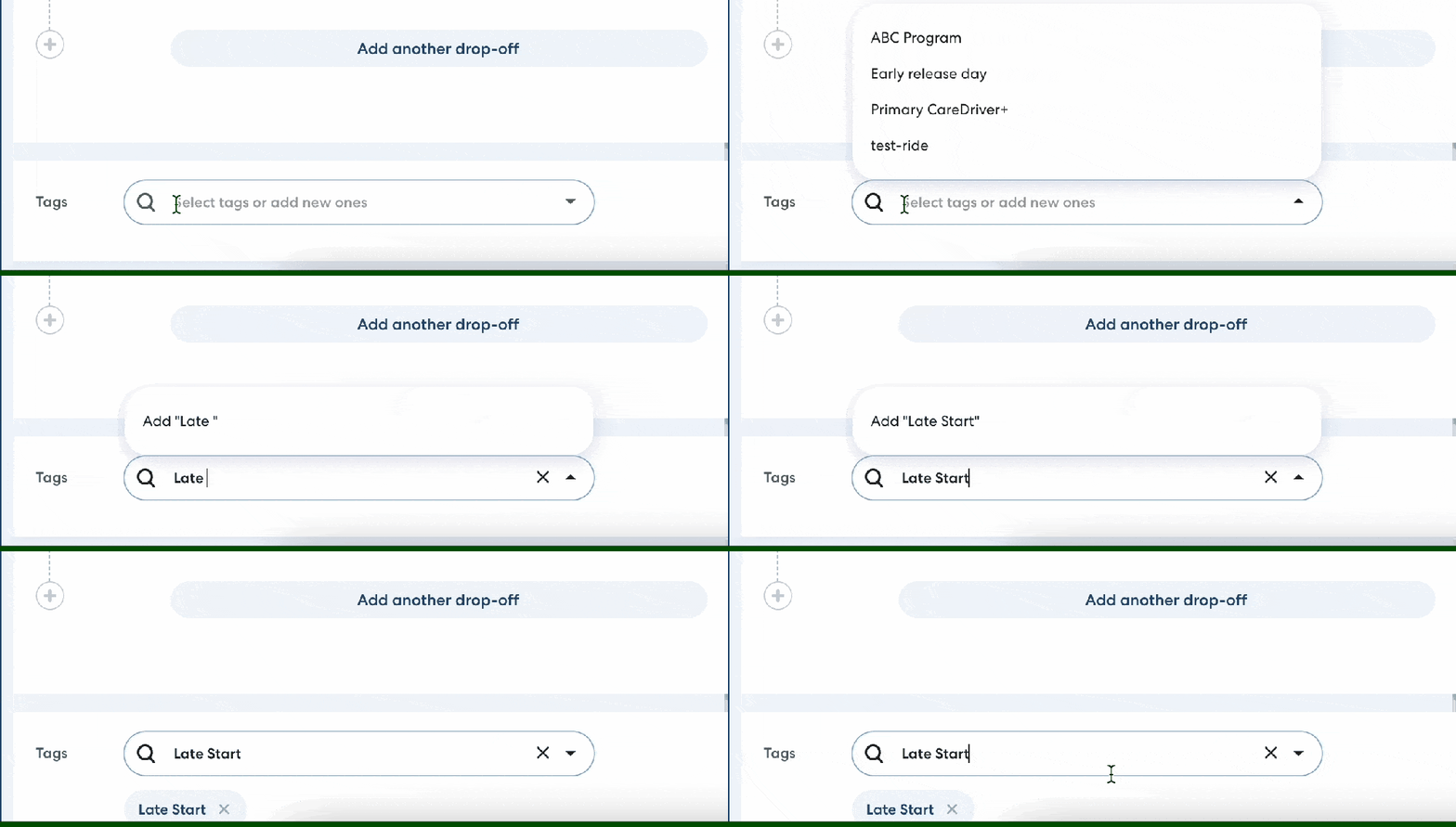
You can tag a ride or Ride Series when you schedule it, or add a tag later by editing the ride. Scroll to the bottom of the page. In Tags, begin typing the tag you want to add. Select from the list of saved tags, or press enter to create a new tag. Once you create a new tag it will be available to all users in your organization.