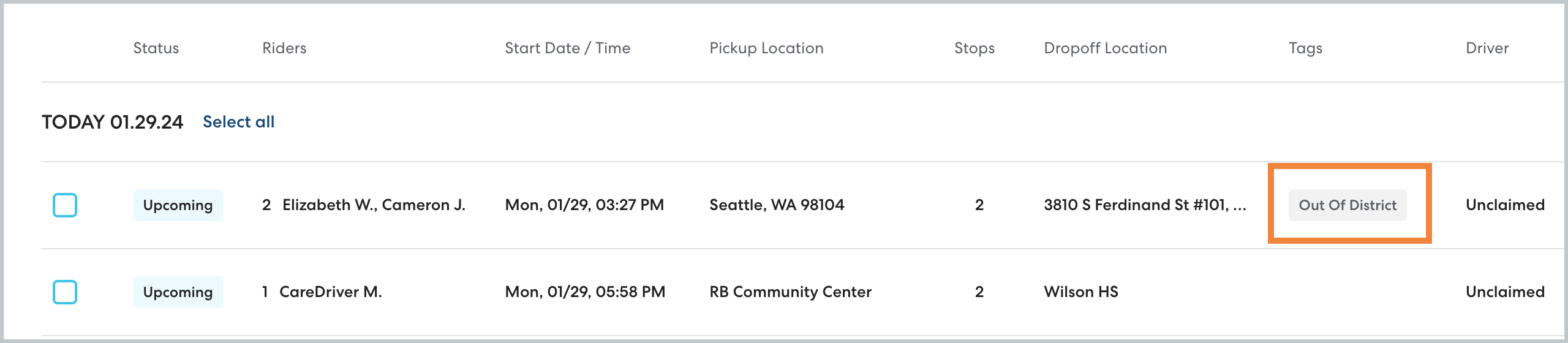
If you use HopSkipDrive to coordinate transportation for out of district students, it is helpful to be able to quickly identify these rides because schedule changes and emergency cancellations like snow days may not apply. Clearly identifying out of district rides will also help you run reports to see data on just those rides.
|
Note: If you share transportation costs for an out-of district rider, you do not need to use additional tags. Shared riders are automatically labeled in RideIQ. |
To identify out of district rides, we recommend tagging each ride or Ride Series.
How to tag an out of district ride or series
Follow the steps below to add a tag:
- When creating a new ride or series, set up the ride as usual. If editing an existing ride or series, open the ride and click Edit.
- Scroll to the bottom of the page. In Tags, begin typing the desired tag, then select from the list or press Enter to create a new tag.
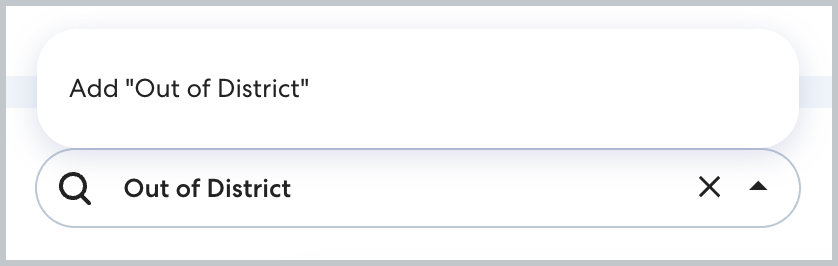
Note: Make sure everyone in your organization is using the same tag. Check the list of existing tags before creating a new tag to avoid creating multiple variations.
- Click Save. You'll be able to see the tag on the Rides page and filter by tag to report on out of district rides.