
If a Ride Series is no longer needed, you can cancel it. If you want to make changes to the route, schedule, or add or remove riders, learn how in this article: Editing a Ride Series. If you want to cancel a single ride in a series, learn how in this article: Canceling a Single Ride.
Follow the steps below to cancel a Ride Series:
- Navigate to the rider profile of one of the riders in the series. In the Rides section, click the first ride you want to cancel. For example, if the last day a ride will be needed is Wednesday, select the ride on Thursday.
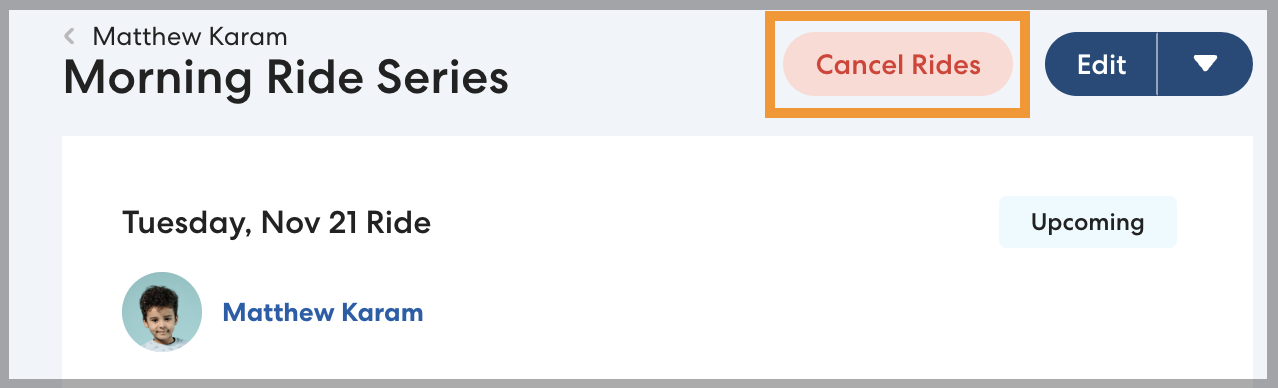
- Click Cancel Rides.
- Select This and following rides: [date] and after, then select the applicable cancellation reason.
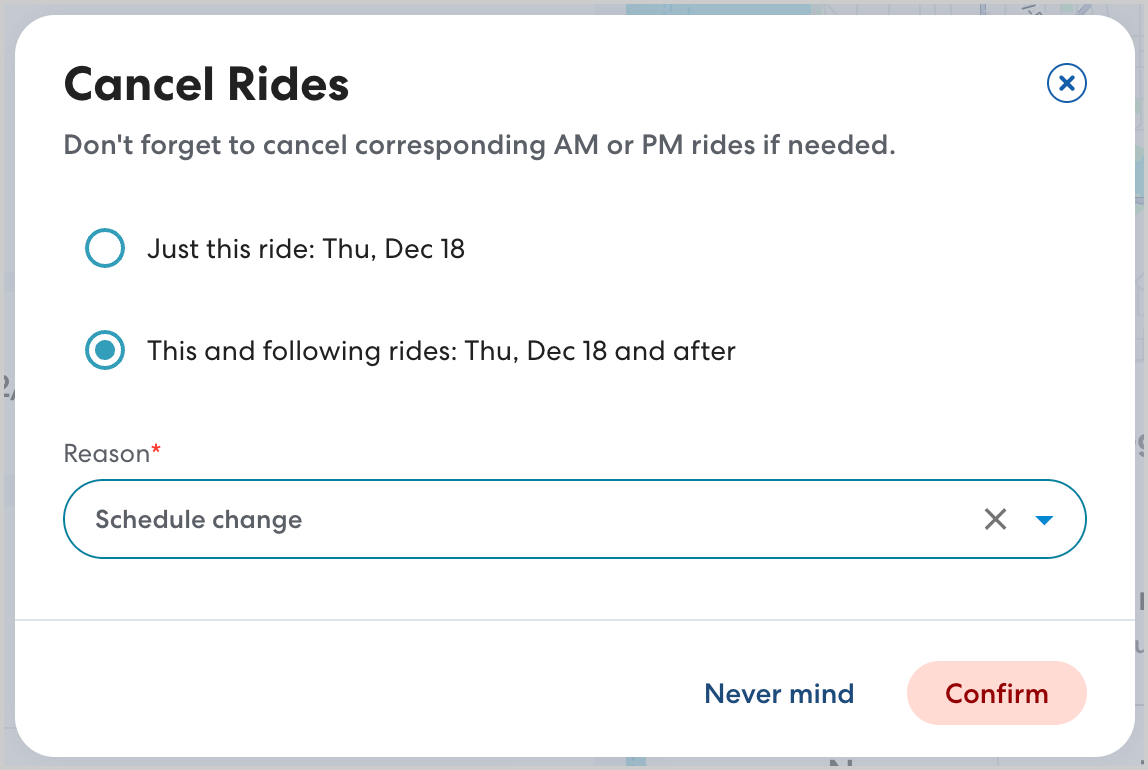
- Click Confirm. You will see a confirmation message stating that the Ride Series has been canceled. Note that it may be a few minutes before the Ride Series is removed from your Rides page. The rider's caregiver will be notified that the series has been canceled, and any CareDrivers who had claimed a ride will be notified. Learn more about Caregiver notifications here.

|
Warning: Don't forget to cancel both the pickup and drop-off Ride Series, if applicable. Most riders have a morning Ride Series and an afternoon Ride Series. |