
The Daily Absent Rider report is a daily email that helps you track riders who are repeatedly missing rides. Every day, selected recipients are emailed a CSV file listing riders who have missed at least one ride during the last 7 days. Learn more about the Daily Absent Rider report here.
Recipients are not limited to RideIQ users. You can enter any email address, allowing you to share the Daily Absent Rider report with others who may not manage rides directly. While the information in the report is limited to protect rider privacy, exercise caution when adding recipients.
Enabling the Daily Absent Rider email
To enable or disable the Daily Absent Rider email, follow the steps below. Keep in mind that any changes you make will affect all users on your account.
- In the lower left corner, click the profile icon, then click Account Settings.
- Click Edit.
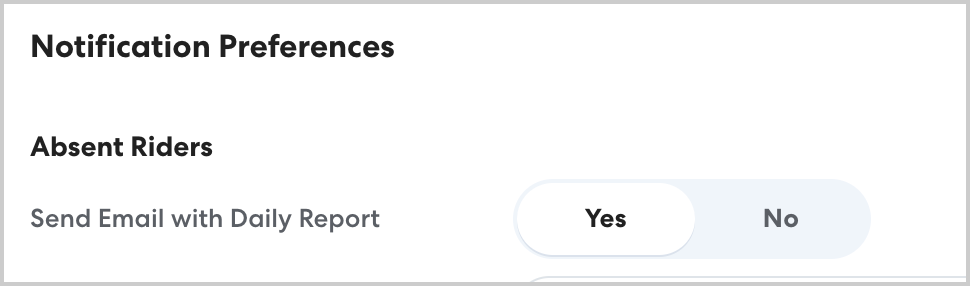
- In Notification Preferences, under Absent Riders, toggle Send Email with Daily Report to Yes.
- In Email addresses, enter the email address of each person you would like to receive the Daily Absent Rider email.
- Recipients do not need to have RideIQ accounts to receive the email and view the attached report.
- This is an account-level setting. Other users may add or remove recipients from the list, and any changes you make will apply to all account users.
Note: Don't forget to add your own email to the list if you would like to receive the report. 
- Recipients do not need to have RideIQ accounts to receive the email and view the attached report.
- Click Save. All entered recipients will begin receiving the Daily Absent Rider email the following day at 10:00 AM.
Add or remove recipients
When the email notifications are enabled, you can add or remove recipients as needed. Keep in mind that any changes you make will affect all users in your account. To edit the list of email addresses, follow the steps below:
- On the Account Settings page, click Edit.
- In Notification Settings, under Absent Riders, click the x next to an email address to remove it. To add a new recipient, type their email address and press the space bar.