
To quickly create a new ride based on a previous ride, you can use the Duplicate feature. This creates a copy of an existing ride with the same riders, locations, and pickup or drop-off times. You can set a new date and make edits to the duplicated ride as needed.
Follow these steps to duplicate a ride:
- Navigate to the ride you want to duplicate on the Rides page. You can duplicate upcoming, completed, or canceled rides.
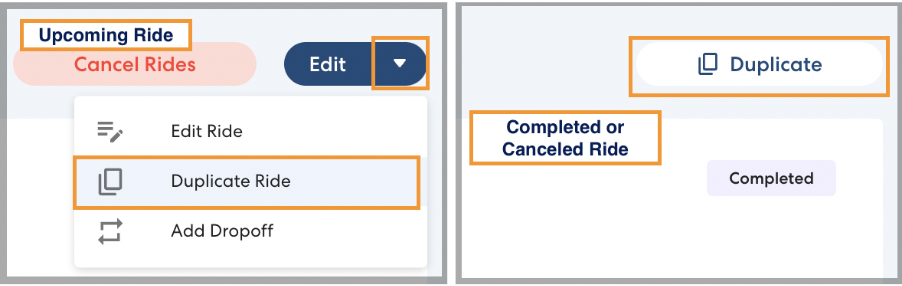
- Click the ride you want to duplicate. For upcoming rides, click the arrow next to the Edit button, then click Duplicate Ride. For completed or canceled rides, click Duplicate.
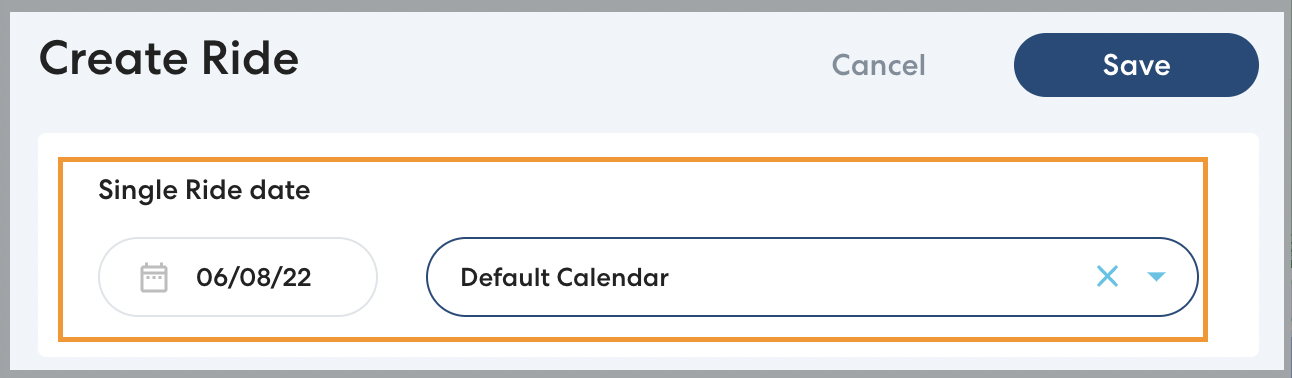
- A new ride will be created with the same riders, locations, and pickup or drop-off times as the original ride. Set the date for the new ride.
- If desired, make any additional changes to the ride as you would when creating a new ride.
- Click Save.
