When a Rider has an unplanned absence due to illness or other circumstances, often the first indication is that their morning drop-off ride is canceled by the CareDriver. If the Rider will not need their afternoon pickup ride, it is best to cancel it as soon as you are aware to avoid cancellation charges. Below are two ways to efficiently identify and cancel unneeded rides.
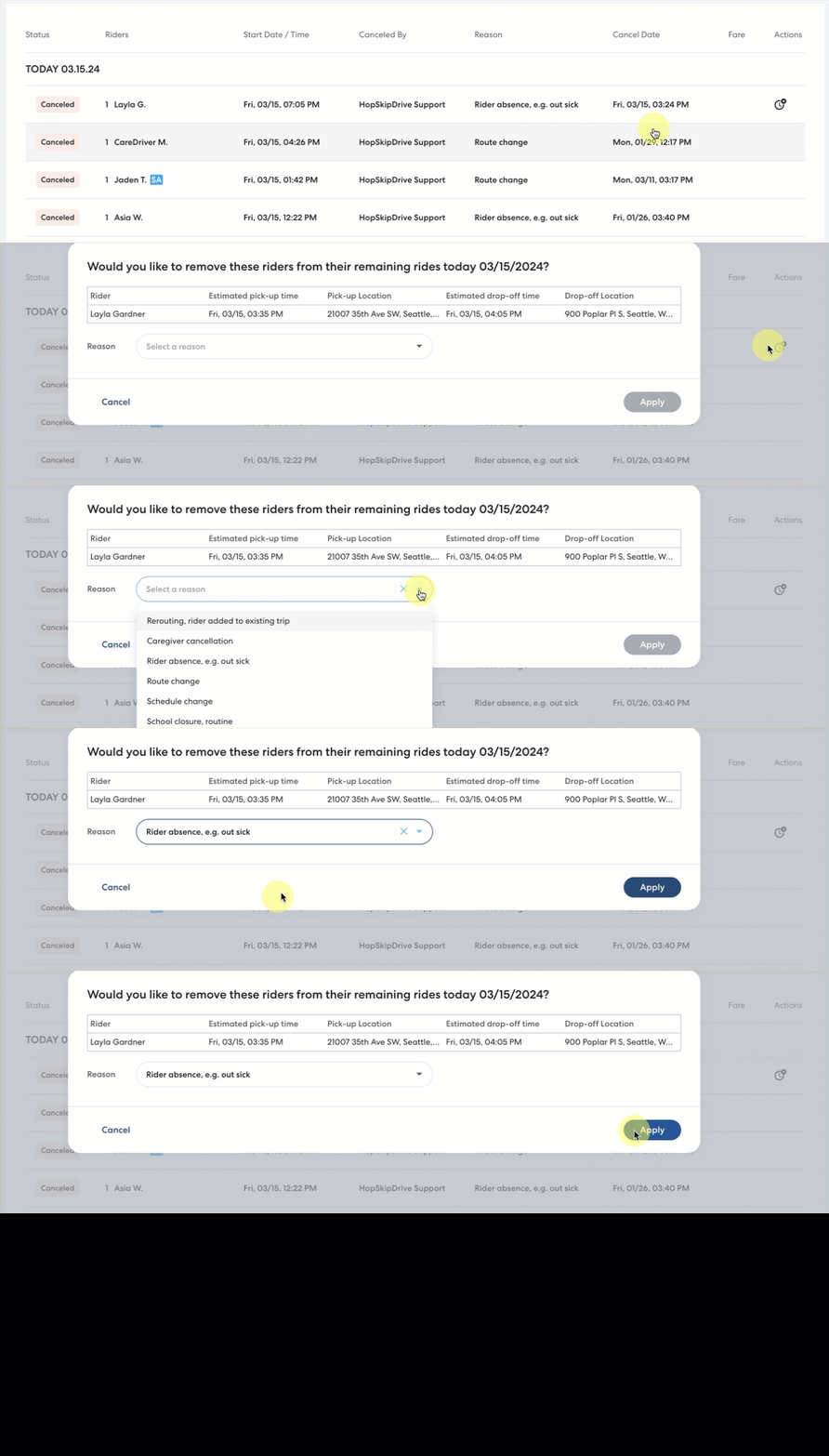
Review the Canceled rides list
On the main Rides page, select the Canceled tab. The clock icon next to a ride indicates that the Rider has another ride scheduled for the same day. Click the clock to review and cancel rides if needed. Learn more about viewing canceled rides here.
Review the Removed Riders list
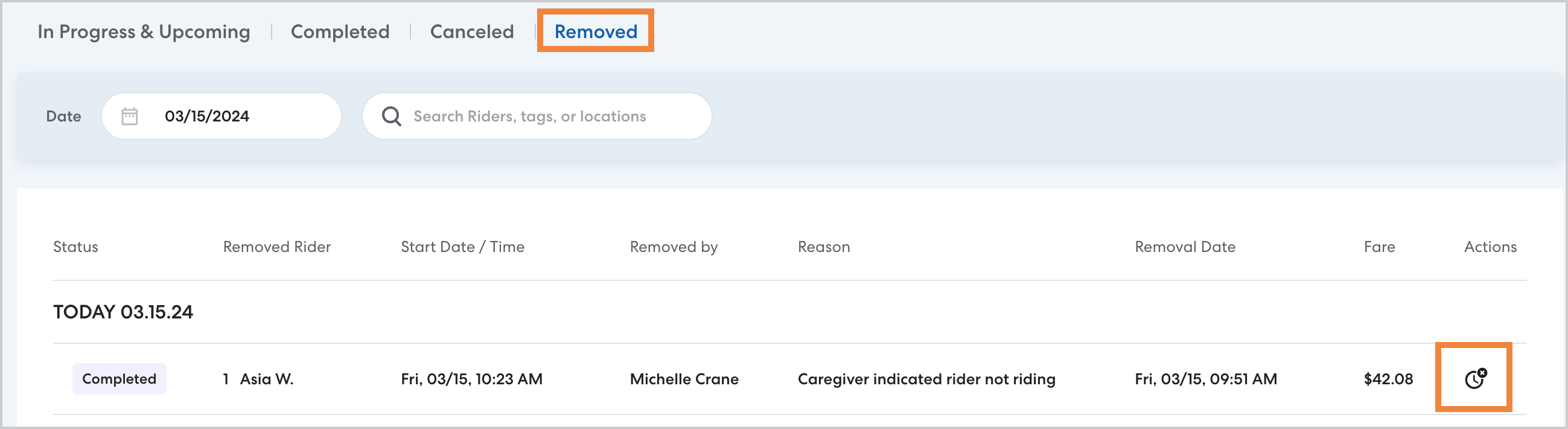
The Removed Riders list identifies Riders who were removed from a multi-Rider ride within the cancellation. This list will help you identify individual Riders who did not ride, even when the ride was completed for other Riders.
To view, navigate to the main Rides page, then select the Removed tab. The clock icon indicates a Rider with additional rides on the same day. Click the clock to cancel the rides. Learn more about the Removed Riders list here.