In this article
Choosing and claiming rides
CareDrivers see a list of available rides based on their location, availability, and configurable search settings. As they review rides, they can see key details to help them decide which rides they would like to claim.
CareDrivers can also choose to search by individual ride or by Ride Series. Many CareDrivers build out their schedules with a combination of Ride Series and individual rides.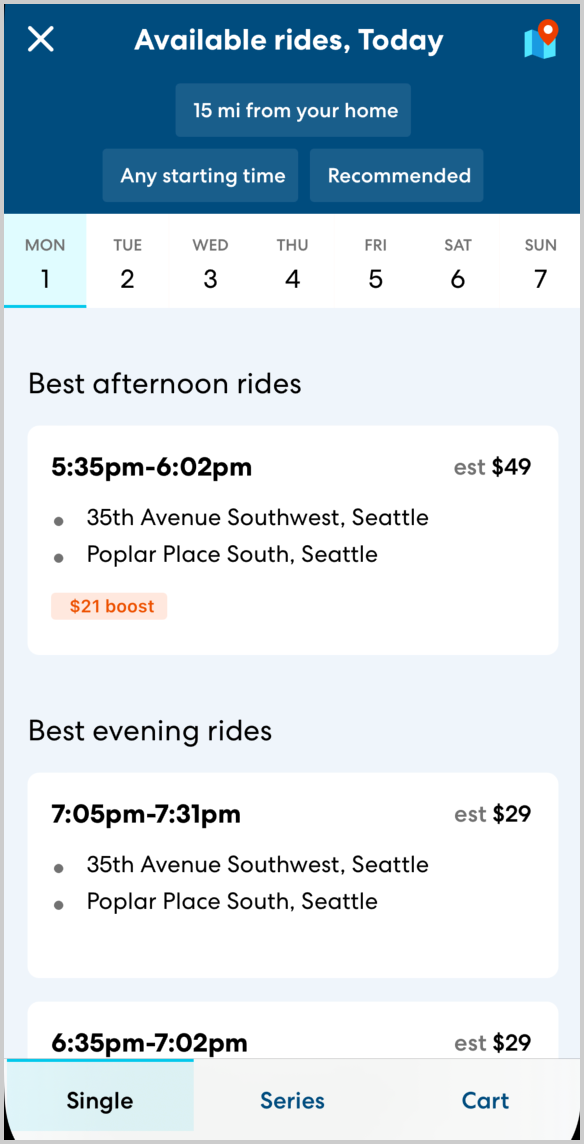
On the day of the ride
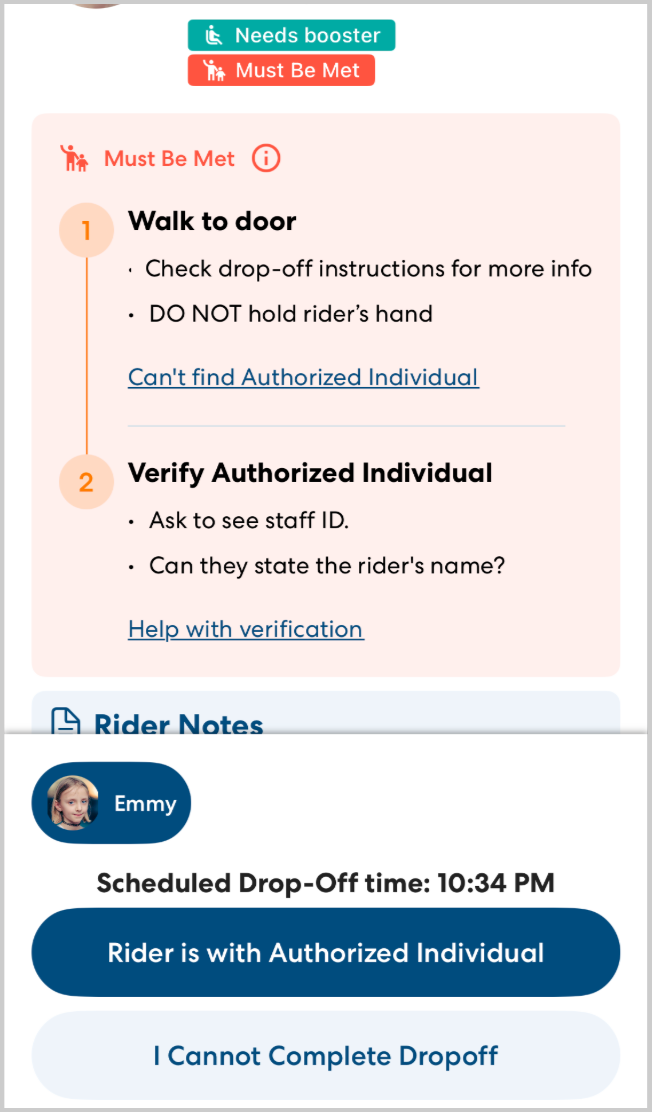
CareDrivers are required to check in at least an hour before the ride begins. In order to check in, the CareDrive scrolls through the ride details, including location notes, rider instructions, and safety requirements such as Must Be Met.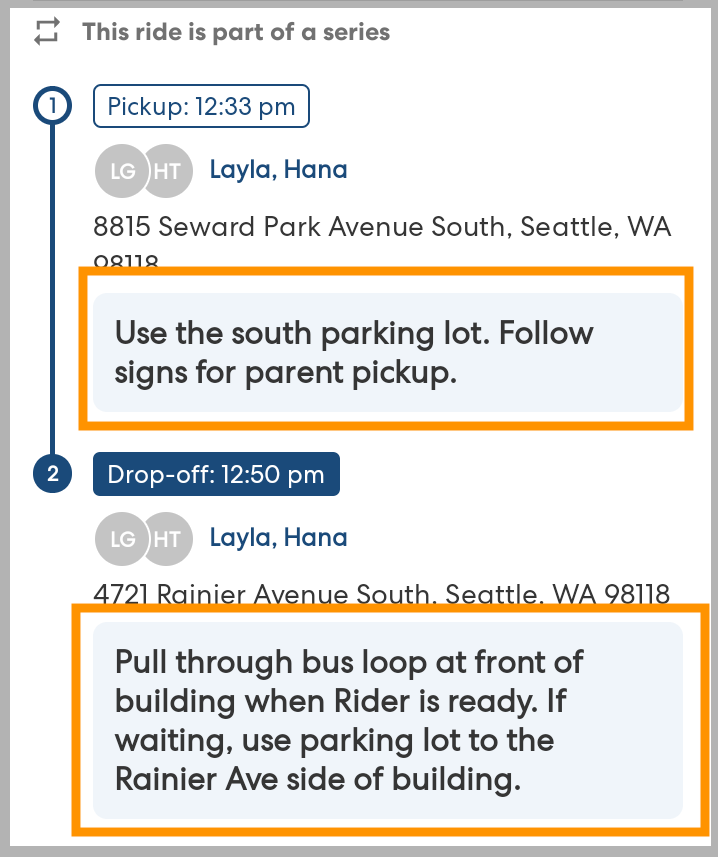
Once checked in, CareDrivers see a suggested leave time to help them plan to arrive on time.
During the ride
When it's time to begin the ride, CareDrivers indicate that they're on their way and open navigation in the CareDriver app. Location notes and addresses are prominently visible throughout the process. This ensures CareDrivers see all the information they need when they need it. 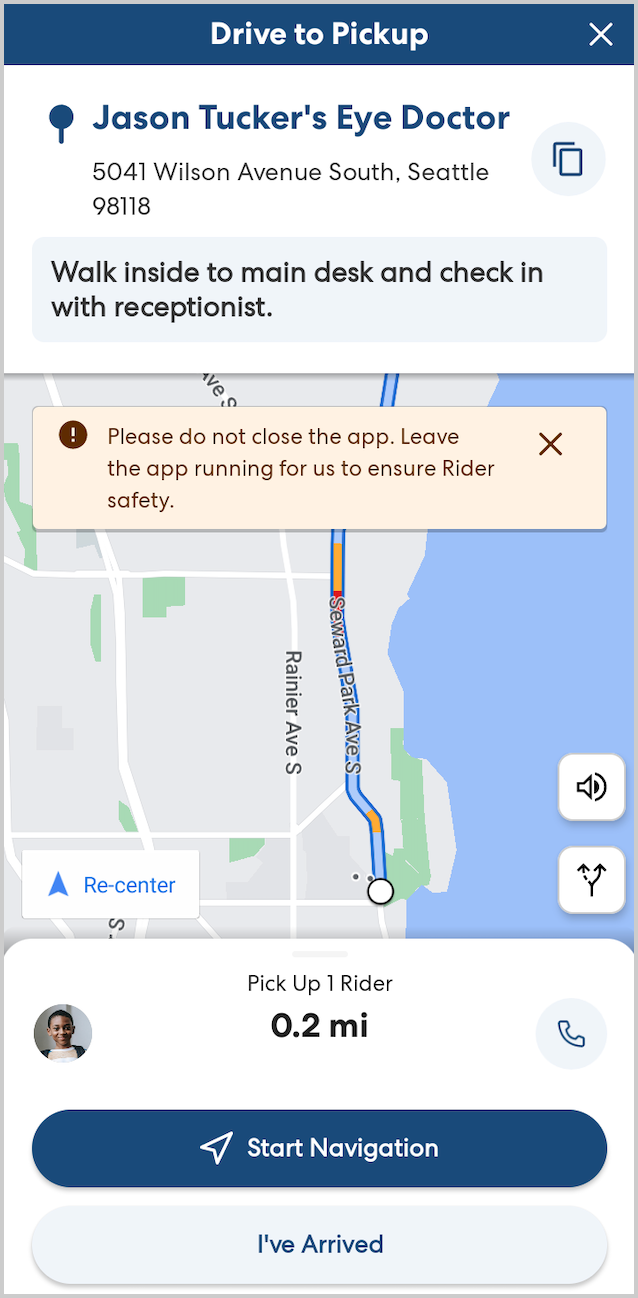
At pickup, CareDrivers confirm the rider's code word and birth date to confirm each rider's identity. A clear, recent photograph of the rider is very helpful to speed up the pickup process as well.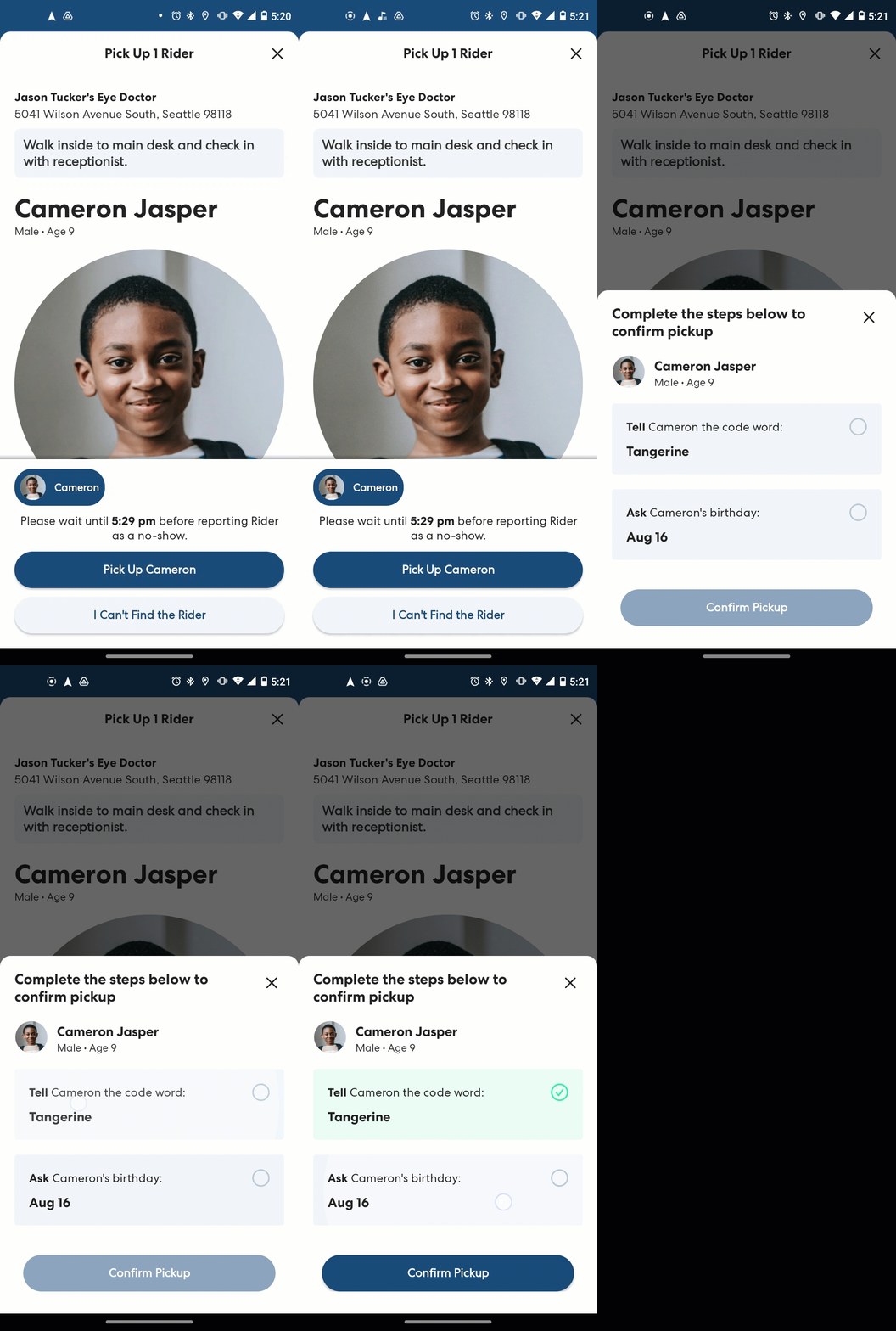
At drop-off, location and rider notes are once again displayed at the top of the screen. If a Rider has a Must Be Met tag, the CareDriver must follow the in-app instructions that outline the specific drop-off protocol. For all riders, CareDrivers confirm that they have safely dropped off the rider as indicated.