
Your CareDriver profile photo is your first introduction to caregivers, Ride Organizers, and Riders. A clear, friendly profile photo makes a great first impression.
Follow the steps below to update your CareDriver profile photo:
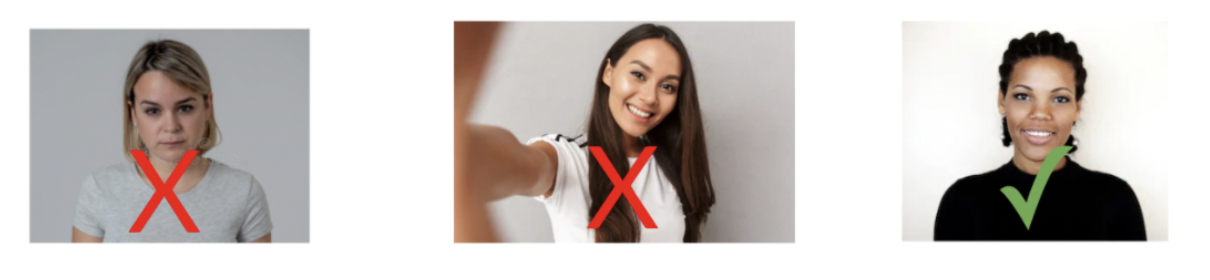
- Get a great photo for your profile! Here are some tips for getting a photo that meets HopSkipDrive's standards:
- Stand in front of a solid-colored background with even lighting
- Have a friend take your photo from about three feet away (no selfies, please!)
- Remove all hats, sunglasses, and accessories that cover your face
- Make sure the photo includes your shoulders and the top of your head
- Smile! Remember that this is your introduction to the Riders you'll be driving
- Email your new photo to driversupport@hopskipdrive.com. The team will review the photo. You'll either see the new photo in the CareDriver app, or you'll receive an email asking you for a new photo if the one you uploaded doesn't meet our standards.