
From time to time, HopSkipDrive may issue a credit for charges incurred on a ride. This article explains where you can review credits that have been issued for your account.
Review ride credits in RideIQ
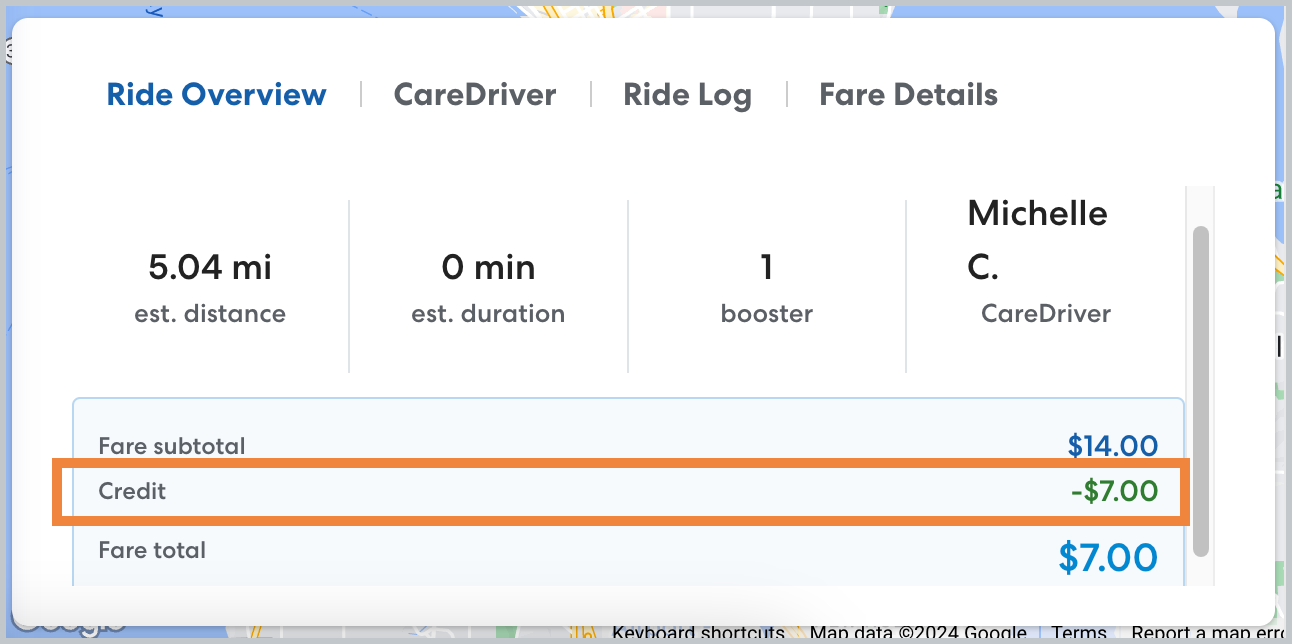
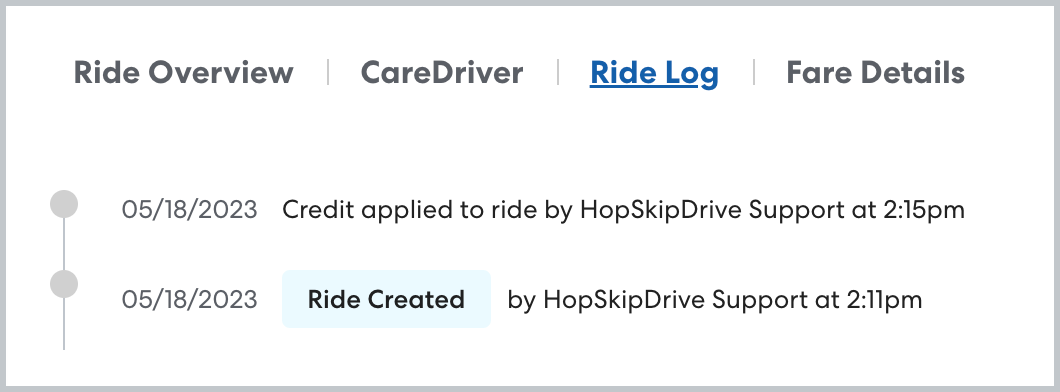
When a credit has been issued, you'll be able to see that reflected on the Ride Overview and Ride Log.
In the Ride Overview, you'll see the original fare amount, the credit amount, and the updated total fare.
In the Ride Log, you'll also be able to see the date and time the credit was requested and, if available, who requested the credit.
Report on ride credits
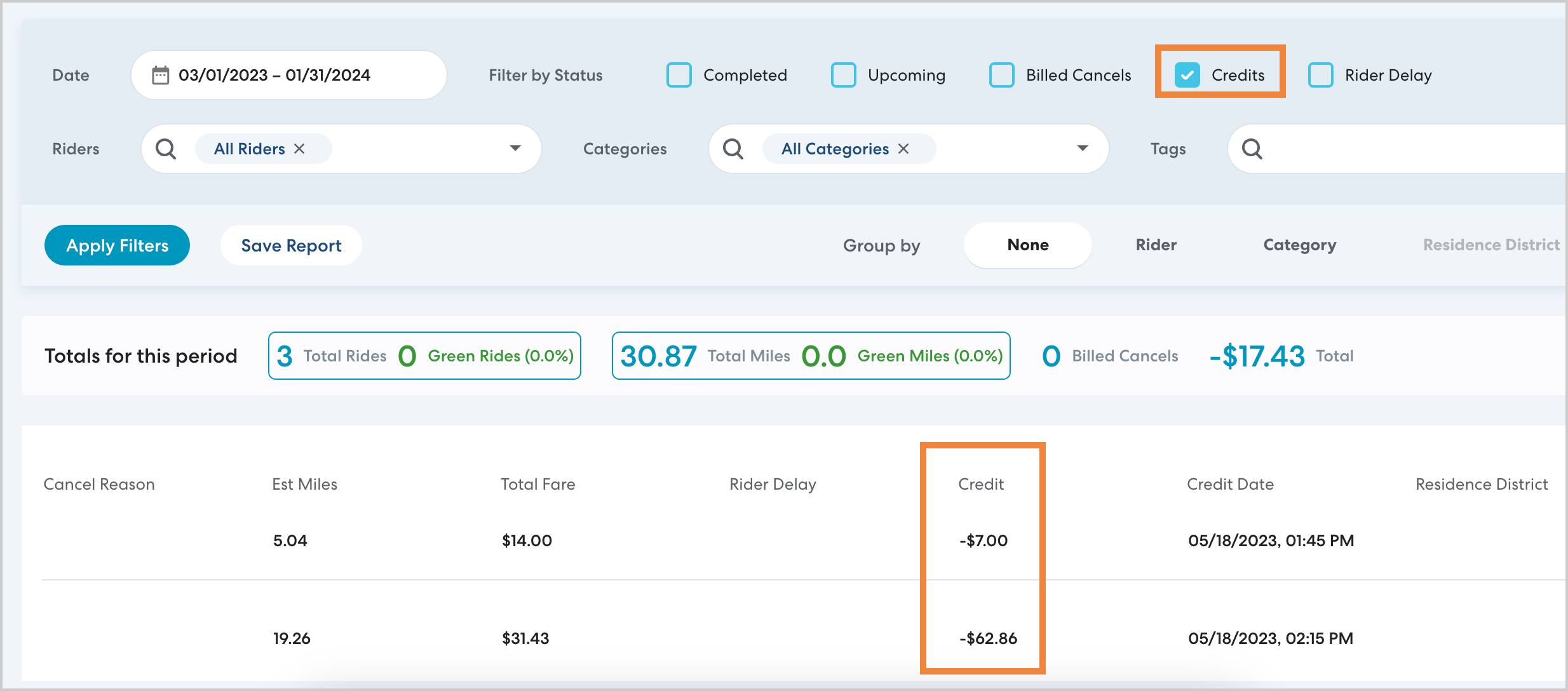
To generate a report of ride credits that you can filter and share, use Reports and select Credits in Ride Status. See this article for detailed instructions.
Ride credits on invoices
Ride credits will also be included in the invoice supporting documents for the month they were issued. Note that this may not be the same month the ride took place.