
Navigation is embedded in the CareDriver app to allow you to access information like location notes without leaving the app. However, you can use a different navigation app if you prefer. You can choose to copy location addresses and paste them into the app of your choice for any trip. If you want to turn off in-app navigation for all rides, you can do so in your Navigation Settings.
To use a navigation app of your choice, follow the steps below:
- On the Drive to Pickup or Drive to Drop-off screen, copy the address at the top of the screen.
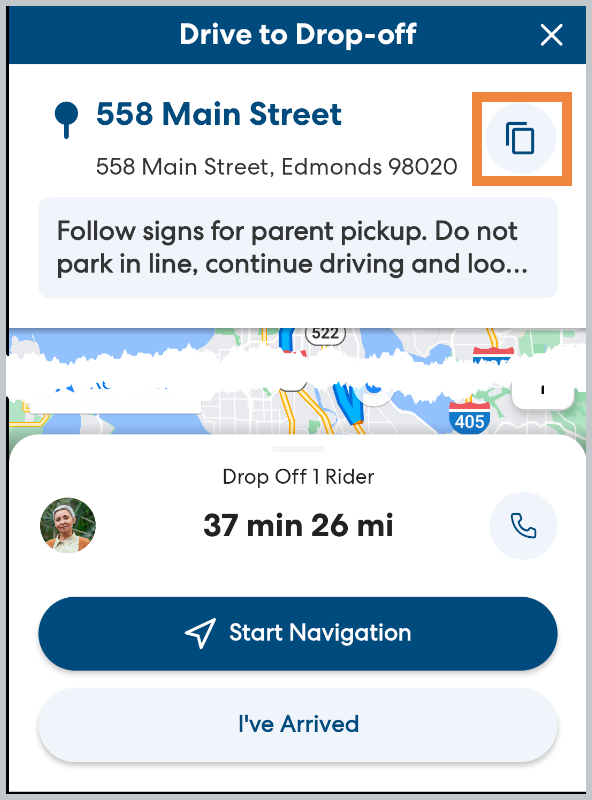
- Paste the address into the desired app and drive to the destination. You may move the CareDriver app to the background, but do not fully close the app.
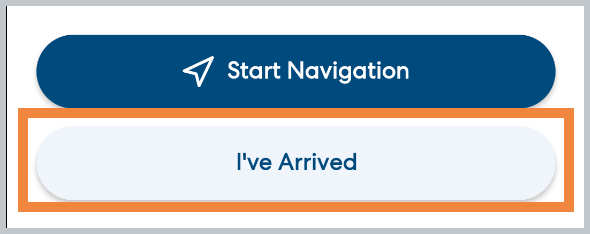
- When you arrive, open the CareDriver app and tap I've Arrived, then continue with the pickup or drop-off process in the app.
Learn more
- Am I Required to Drive the Mapped Route?
- Suggested Leave Time
- Muting the Voice Directions for In-App Navigation