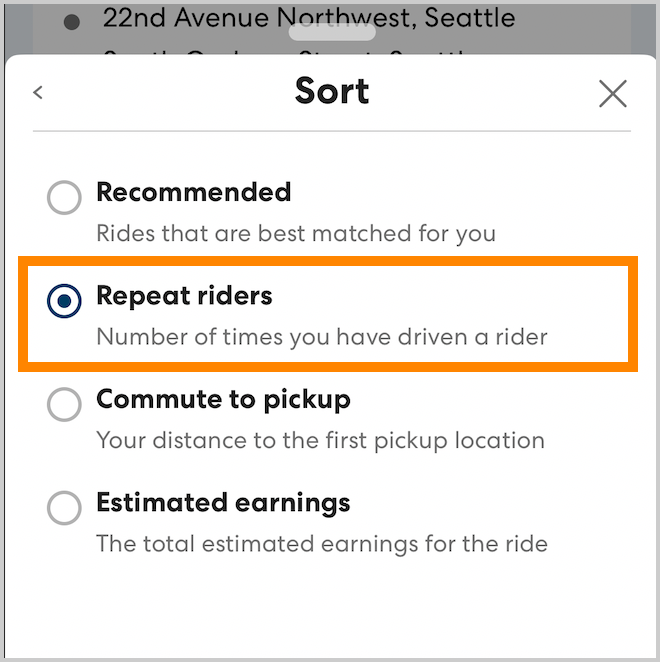
Some CareDrivers prefer to drive riders they are familiar with. To help you find riders you have driven before, the CareDriver app includes the # rides together tags and the Repeat riders sort option.
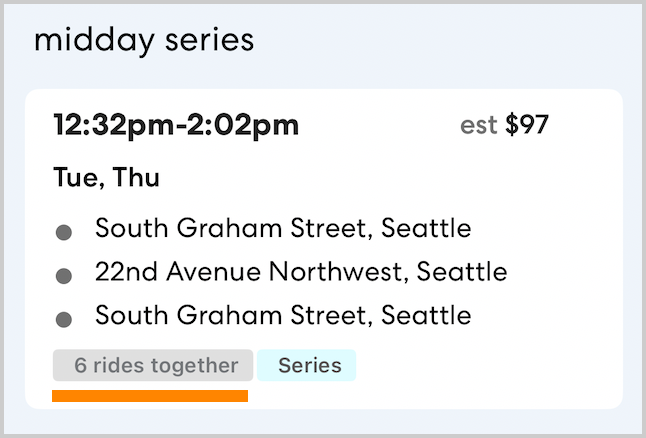
The # rides together tag
As you review and claim rides and series, you may see rides with a # rides together tag. This tag shows the number of times you have driven a rider before. If there are multiple riders on the ride, the tag shows the number for the rider you have driven most frequently. You can use these tags to help find familiar riders.
The Repeat riders sort option
If claiming rides with familiar riders is a priority for you, you can choose to sort your ride and Ride Series search results to show riders you have driven most at the top of the list. Follow the steps below to sort by Repeat riders:
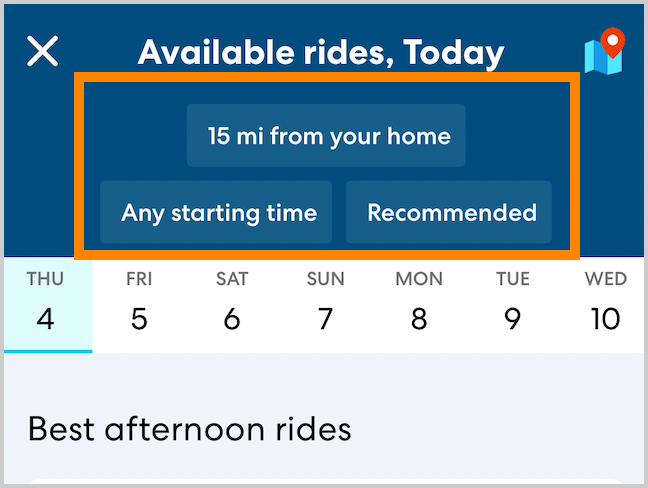
- On the Available Rides or Available Ride Series page, tap the search preferences at the top of the page.
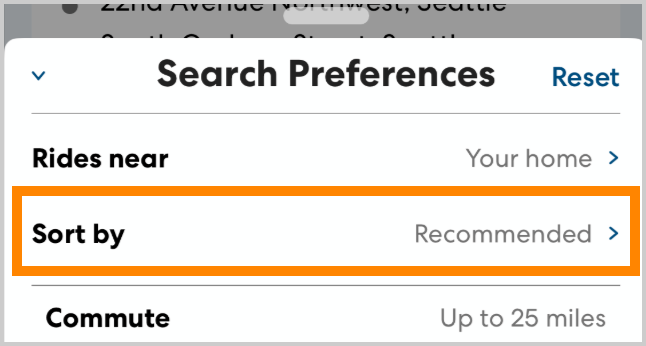
- Tap Sort by.
- Select Repeat riders. You'll now see rides with riders you have driven most frequently at the top of the Available Rides list.