
At HopSkipDrive, safety is always our number one concern. One of the requirements of the platform and our school partners in Philadelphia is to submit a CANS (Child Abuse and Neglect Screening) check.
Information you will need before filling out this application includes:
- Addresses where you have previously lived
- Names of all individuals with whom you have lived (including parents, guardians, siblings, spouses, etc)
- Any previous names you may have used or have been known by
Instructions for the application are the following:
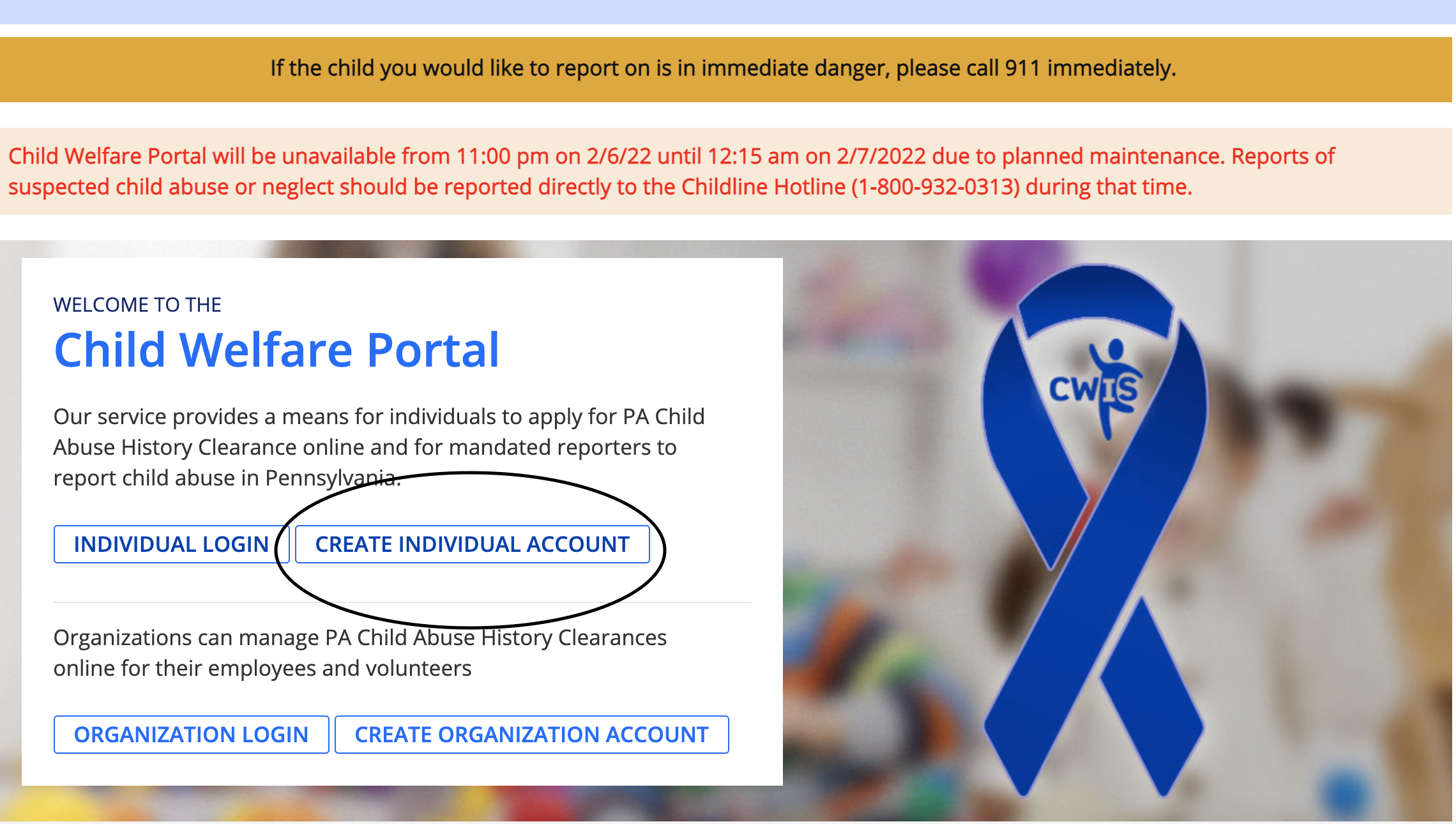
- Go to the Child Welfare Information Solution website here.
- You will need to create an individual account
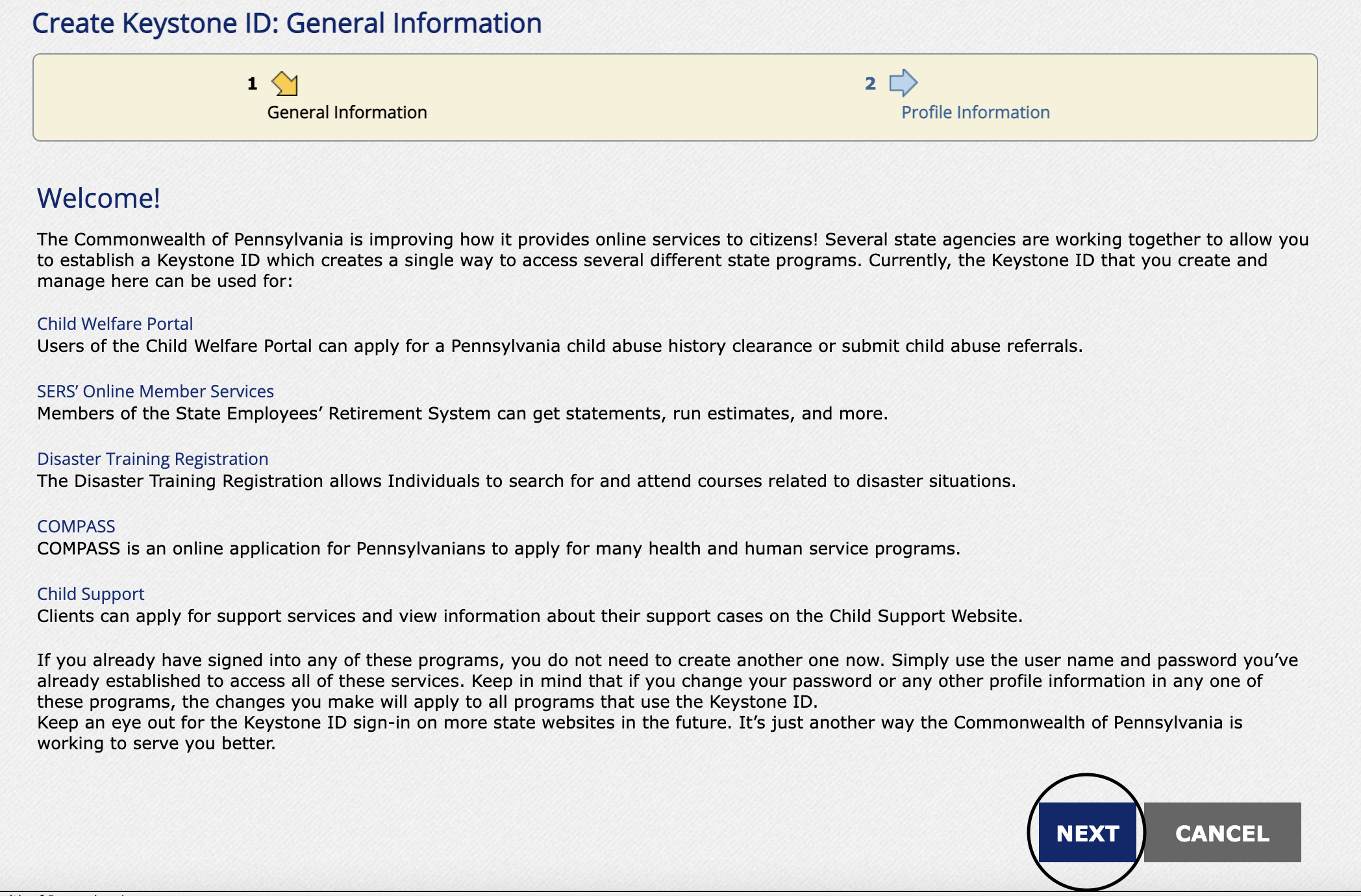
- Click "Next" on the following screen
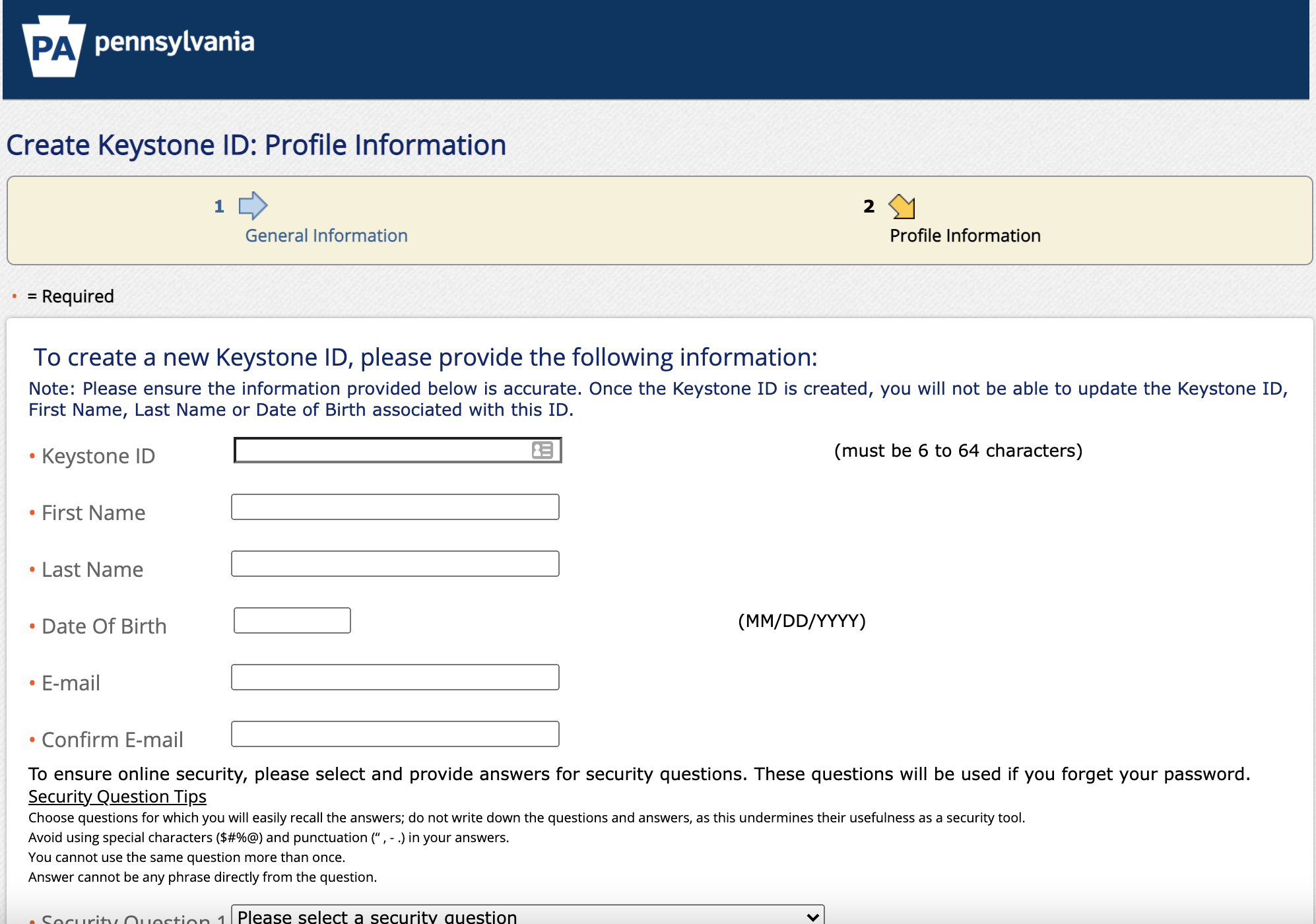
- You will need to create a Keystone ID (this will be your login ID). Please fill in the required information carefully
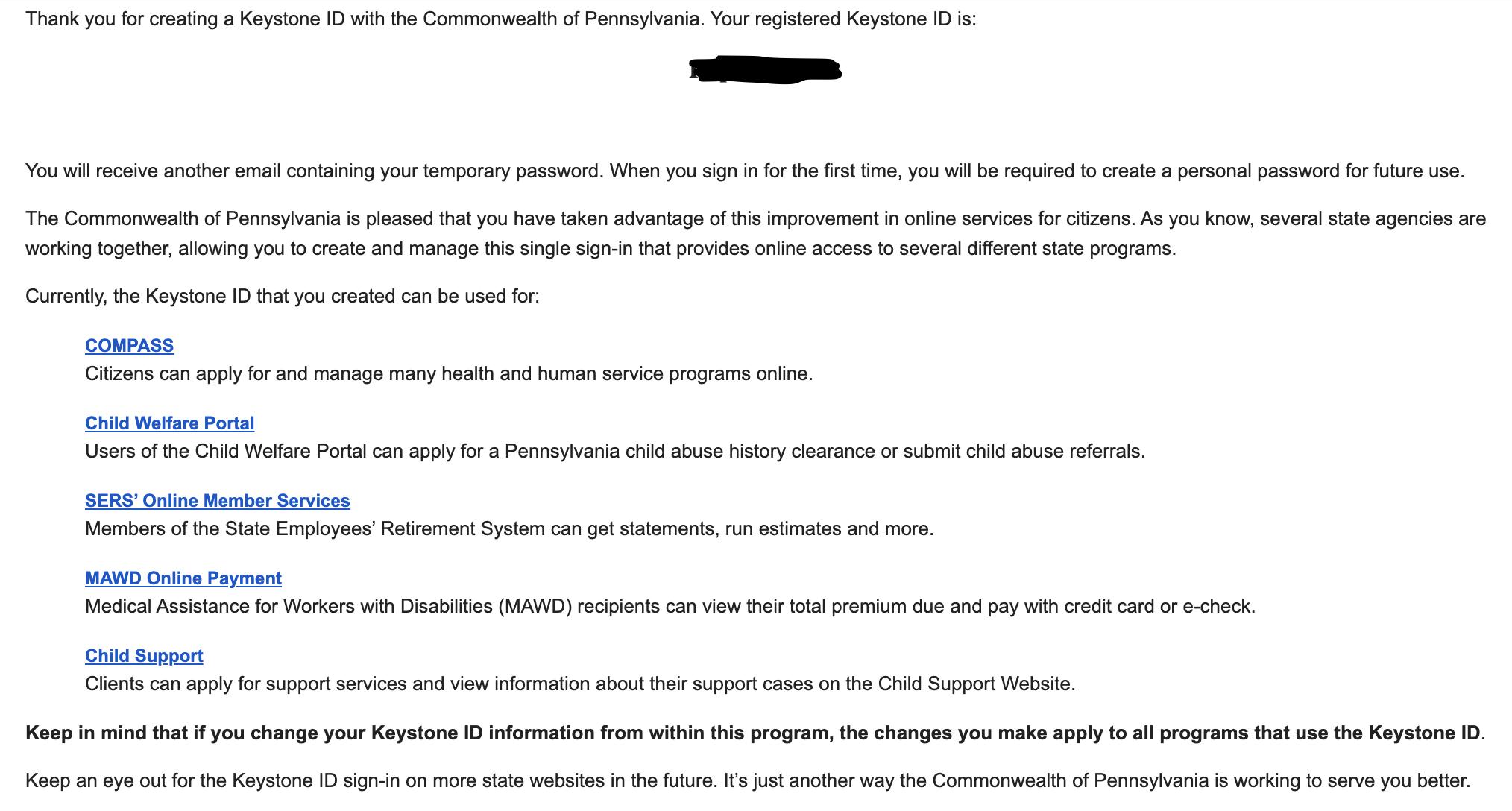
- Once you create your Keystone ID, you will get an email with a temporary passcode
- Go back to the Child Welfare portal here and log in with your Keystone ID and your temporary passcode. It will prompt you to select a permanent passcode. Once you sign in with your ID and passcode, you will be asked "What would you like to do today?" Please select "Access my Clearances" and click "Continue" on the next page
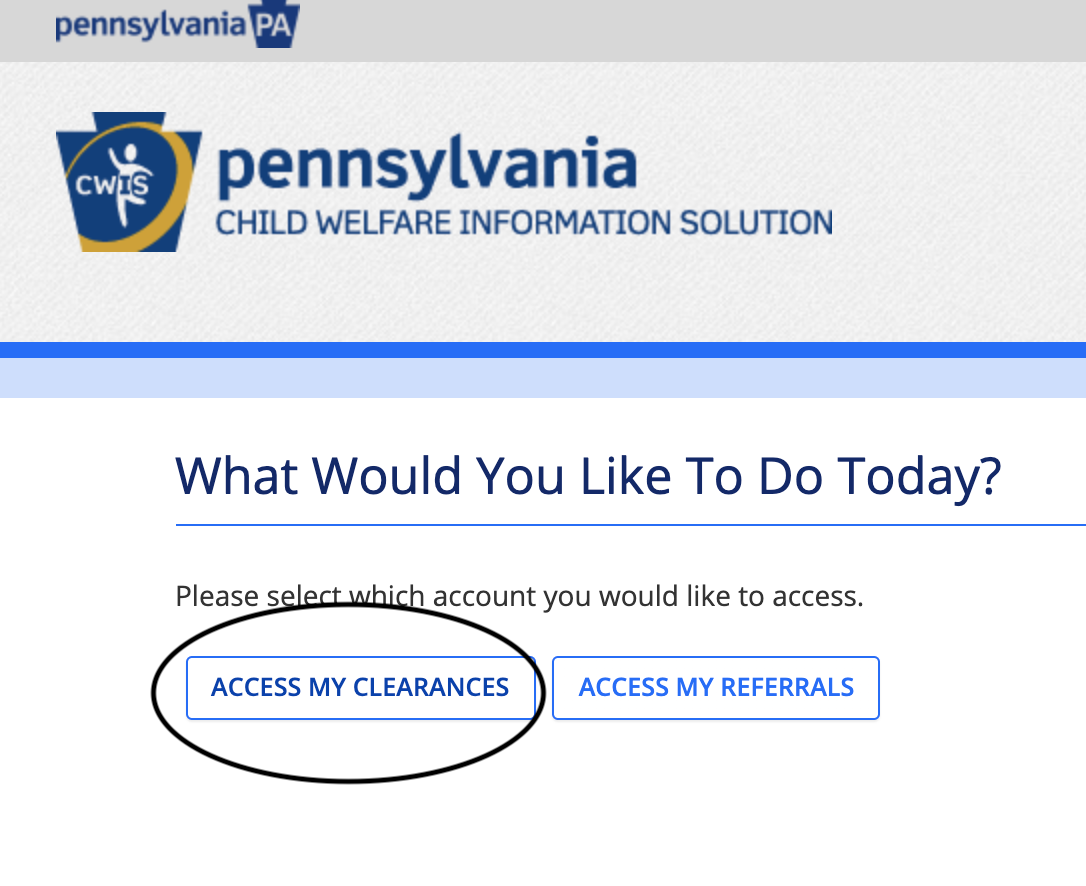
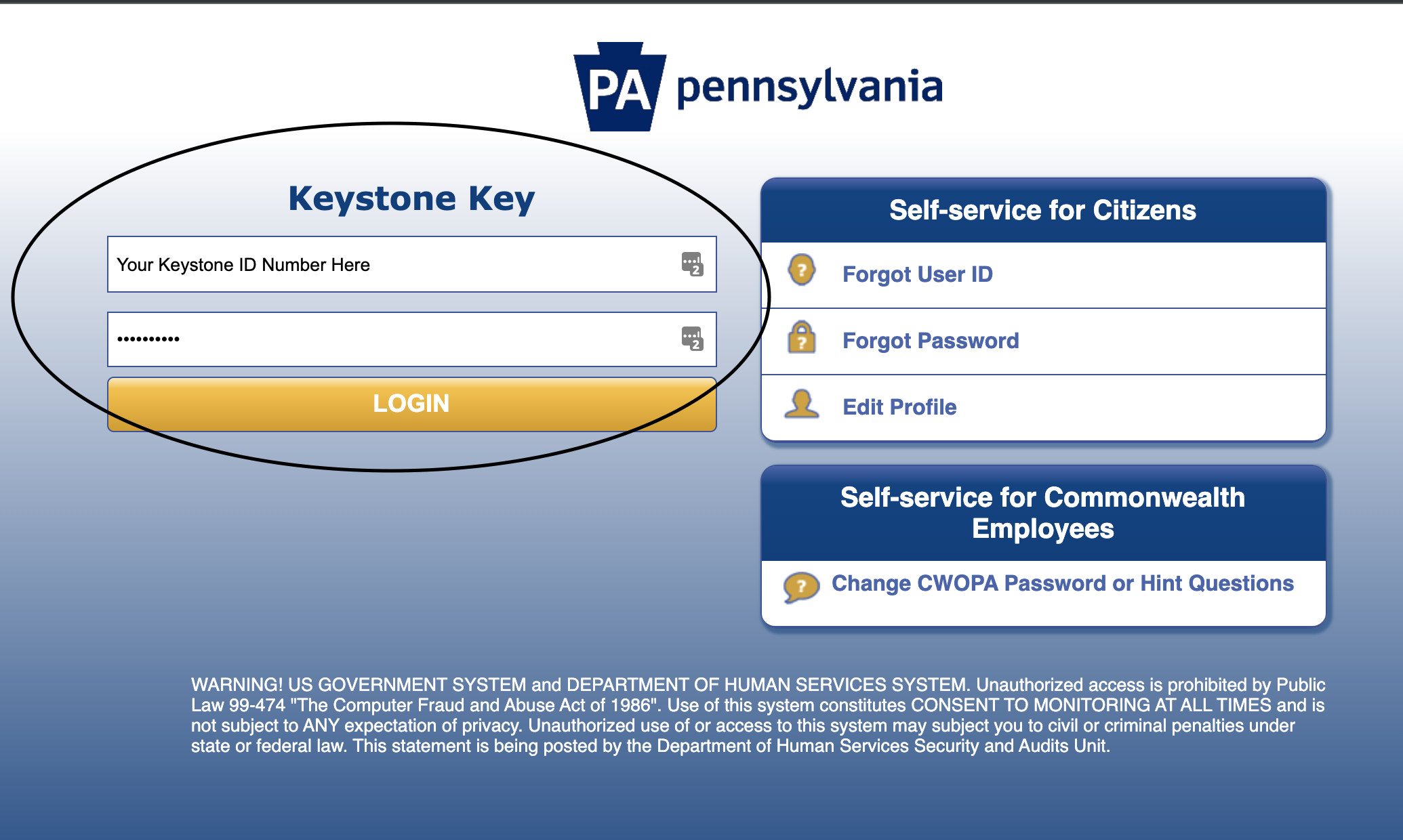
- You will be taken to a login site where you will then enter your Keystone ID and passcode
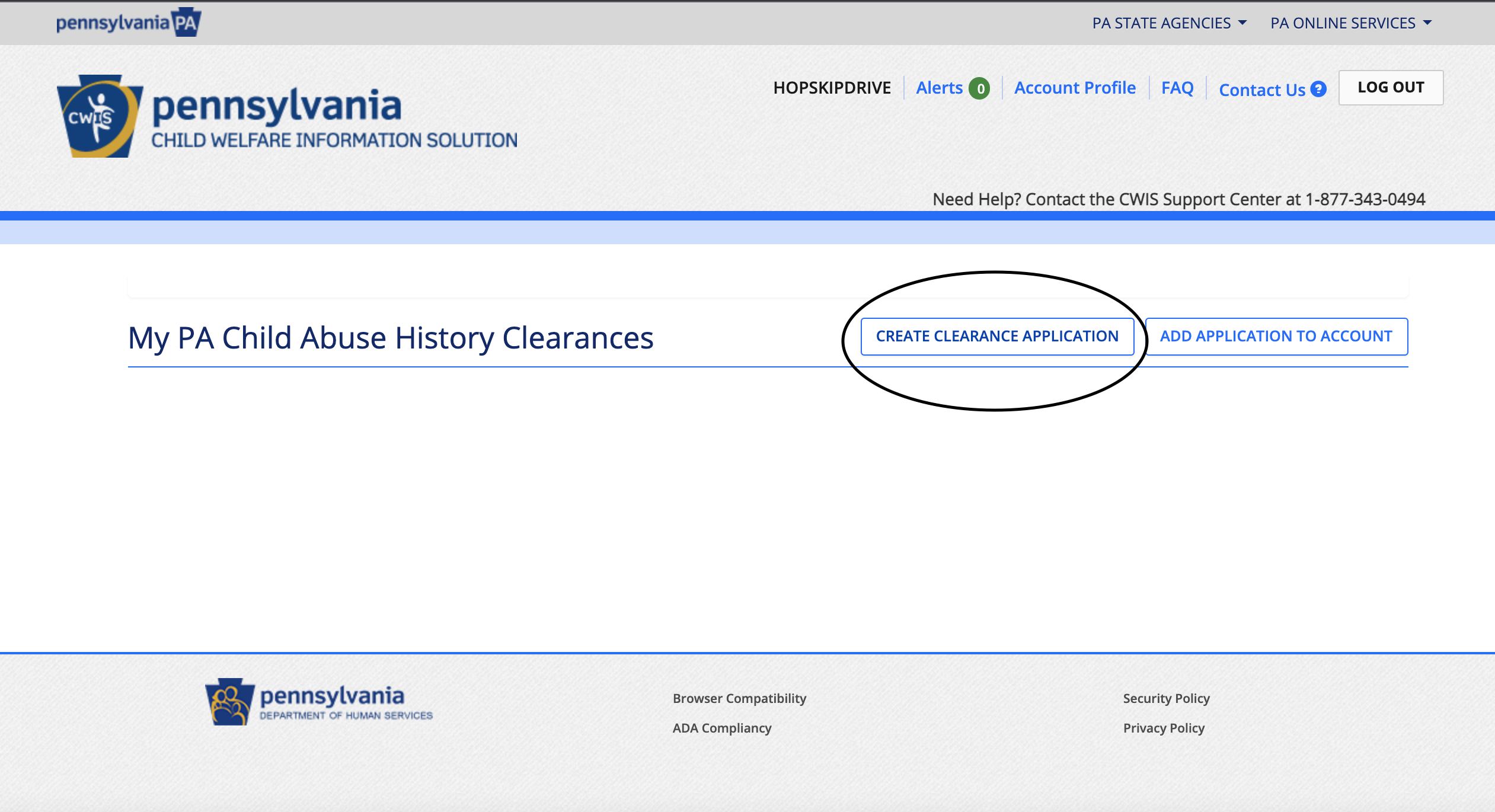
- Choose "Create Clearance Application"
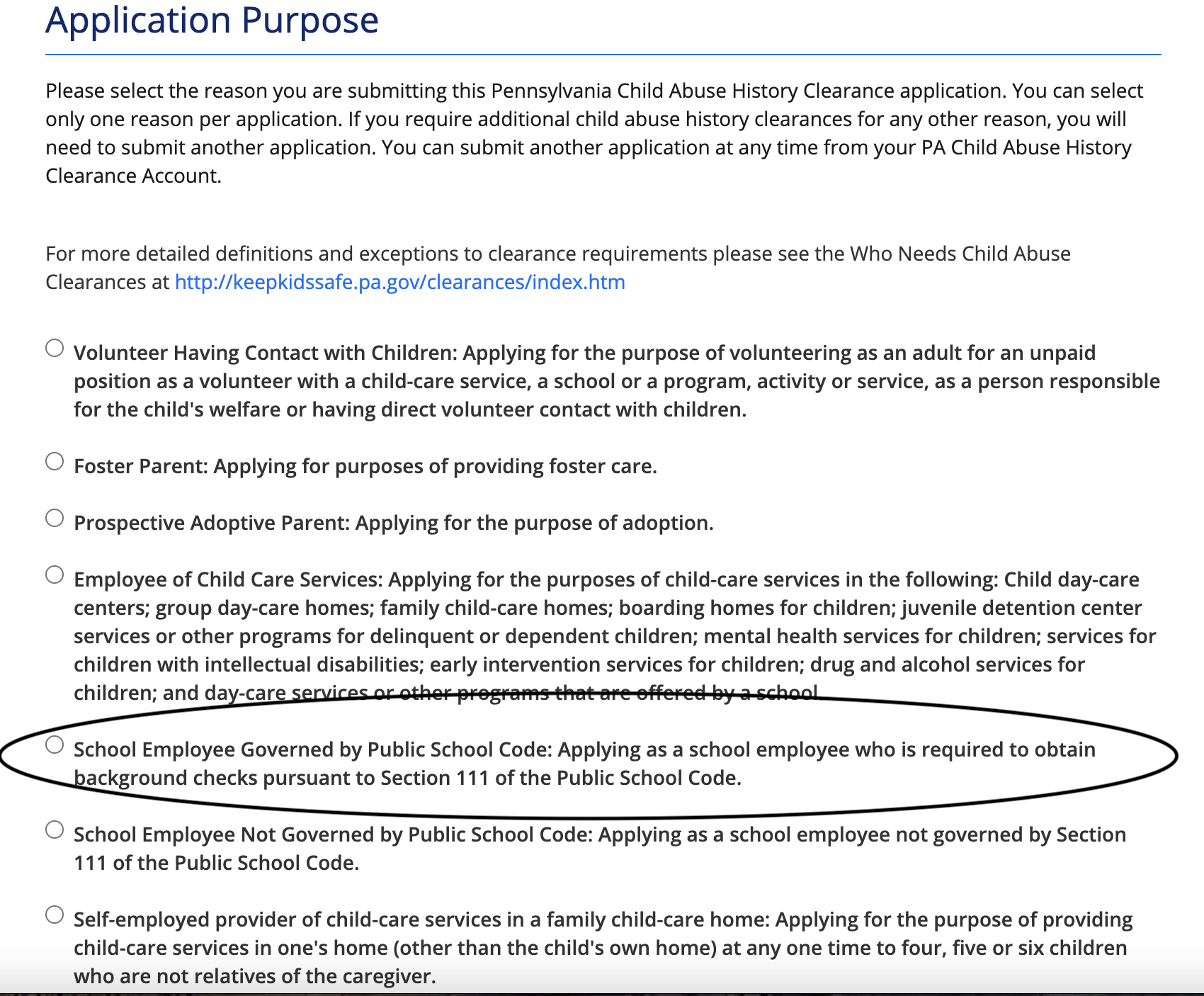
- You will be given options for the purpose of the application. Choose the following option:
Please follow the remaining steps on the application carefully, and fill in all required fields. You will be prompted for an e-signature and a payment of $13.
Once your results have come back, please upload them to your Application Portal, or you can email phillycaredriver@hopskipdrive.com.