
ASAP rides have changed
|
When reviewing rides in the Available Rides list, you may see some rides with an Urgent tag. These are rides that are starting soon and are urgently in need of a CareDriver. They are a great option if you are looking for a ride on short notice, for example if one of your planned rides was canceled. Because these rides are high priority, they work a little differently from other rides.
There are two types of urgent ride. Both types appear in the main list with an Urgent tag. Tap into the ride details to see which type a given ride is.
- Urgent rides start soon. When you claim these rides, you'll need to check in immediately, then follow the suggested leave time as usual for any ride.
- ASAP rides start immediately. When you claim these rides, check in and then start the ride right away.
Claiming and completing urgent rides
Urgent rides appear at the top of the Available Rides list and can be identified by an Urgent tag.
On the Available Rides list, you'll see the words Starting soon rather than a specific listed starting time. This is because urgent rides may be scheduled to start in just a few minutes, or may even have a scheduled start time in the past. We don't want you to think you can't claim these rides because you wouldn't make it in time. If you see an urgent ride, it is available for you to claim and we encourage you to claim it if you're available.
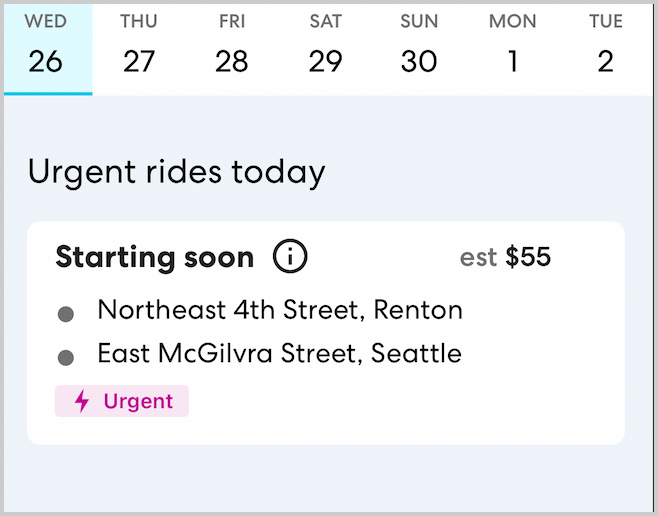
Tap the ride to see more details
We understand that it's important to know the scheduled time for a ride. Tap the ride to open the Ride Details for the urgent ride. There you'll be able to see the ride's scheduled time and full information.
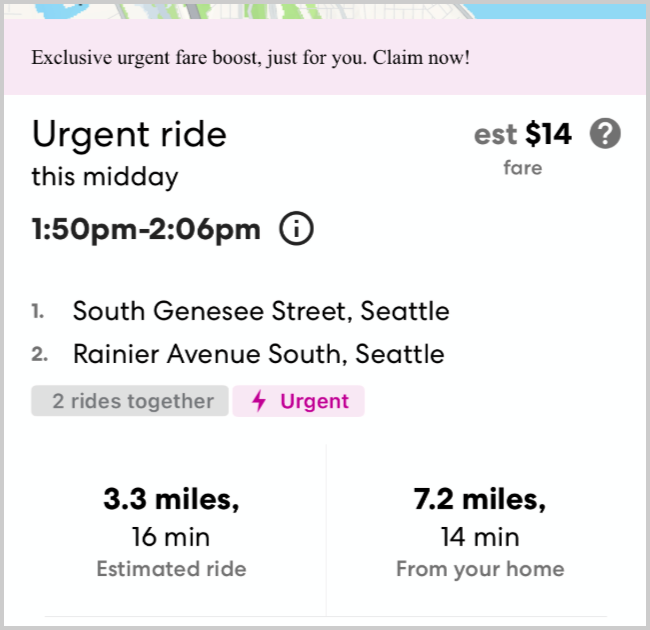
Use the scheduled time to decide whether the ride fits with your schedule and to estimate when you might need to leave. Keep in mind that you can claim and complete an urgent ride even if you will arrive later than the scheduled start time.
When to leave for an urgent ride
What time you need to leave for an urgent ride depends on where you are and what the ride's scheduled time is. While all urgent rides start relatively soon, that doesn't necessarily mean you'll always need to leave right away. When reviewing ride details, check the ride tag to understand when you'll need to leave:
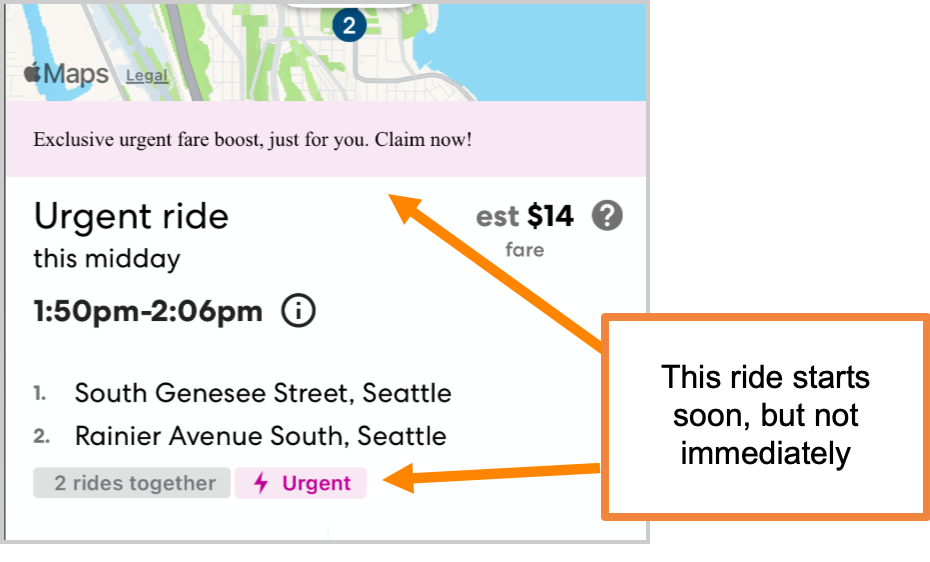
Urgent: leave soon to arrive on time
When you see an Urgent tag in the Ride Details and see a short message about a fare boost, this means that you have at least a few minute before you need to start driving. If you choose to claim the ride, be sure to check and follow the suggested leave time to ensure you arrive on time.
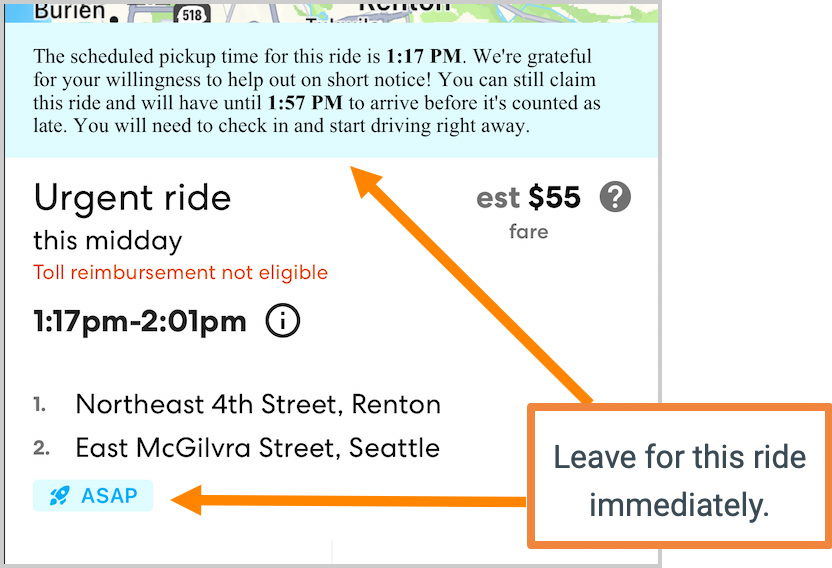
ASAP: Leave immediately
When you see an ASAP tag in the ride details and see a longer message about how your estimated arrival time compares to the scheduled time, this means you'll need to check in and leave immediately. Because this is an urgent ride, we adjust the on-time arrival time. This means you won't be counted as late as long as you arrive by the time listed in the blue message in the ride details. This time is calculated based on your current location, assuming you leave right away.
Once you claim an ASAP ride, you'll see your current ETA again as you check in. The green check mark indicates that you will not be counted late as long as you check in and start the ride immediately.
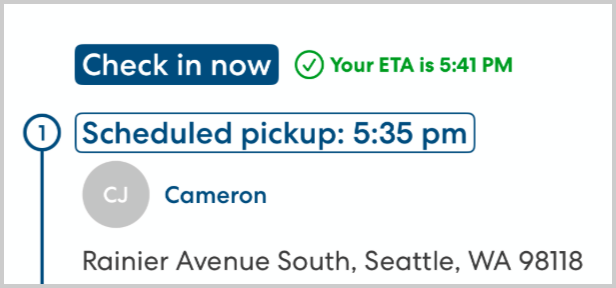
As you complete the ride you'll see the original scheduled pickup and drop-off times. Complete the ride as usual.