How are emergency contacts used?
Emergency contacts are used as an additional point of contact if there is an incident or concern and the Rider's Caregiver cannot be reached. Emergency contacts do not receive text updates about rides and will not be contacted by CareDrivers. Emergency contact information is only visible to HopSkipDrive's internal support teams.
How can I add an emergency contact to my Rider's profile?
If you monitor rides managed by a school district or other organization, contact the organization to add an emergency contact. If desired, you can also ask to have an additional Caregiver added to your Rider's account, who will then be able to monitor rides and receive ride updates.
If you schedule and manage rides yourself, follow the steps below to add an emergency contact:
- On the side menu, tap Profile, then tap the Riders tab.
- Tap the Rider you want to edit.
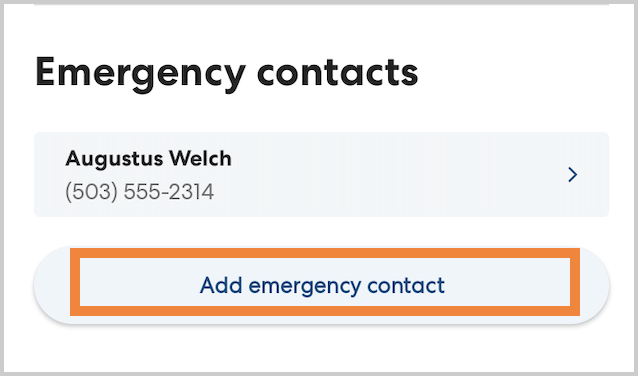
- Scroll down. Under Emergency Contacts, tap Add emergency contact.
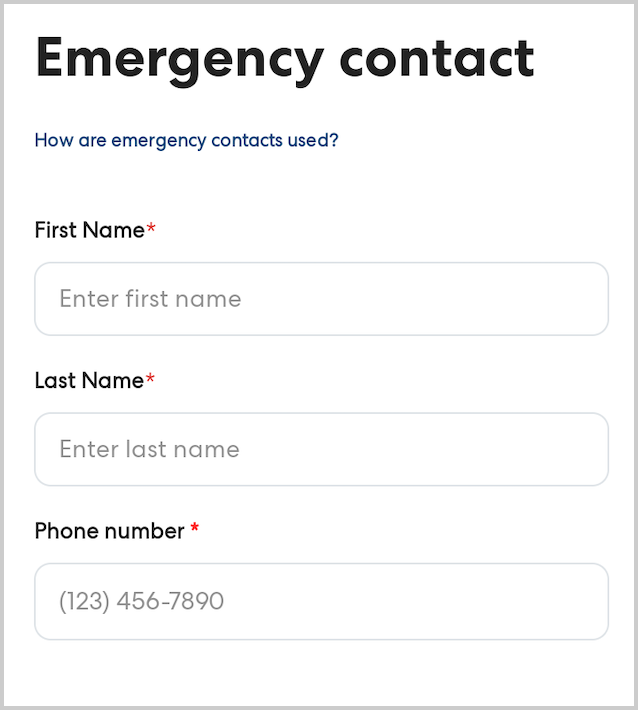
- Enter the emergency contact's first name, last name, and phone number, then tap Save.