
Once you have arrived at the drop-off location, you are ready to drop off your rider(s). If you are driving more than one rider, they may all have the same drop-off location, or they may each be dropped off separately. Watch the video or read below to learn about dropping off a rider.
Follow the steps below to drop off a rider:
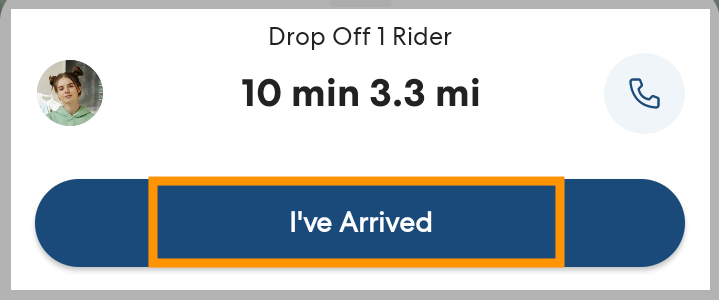
- Follow the directions to the drop-off location. When you get there, park and tap I've Arrived.
- Follow the instructions in the app to drop off the rider with an Authorized Individual:
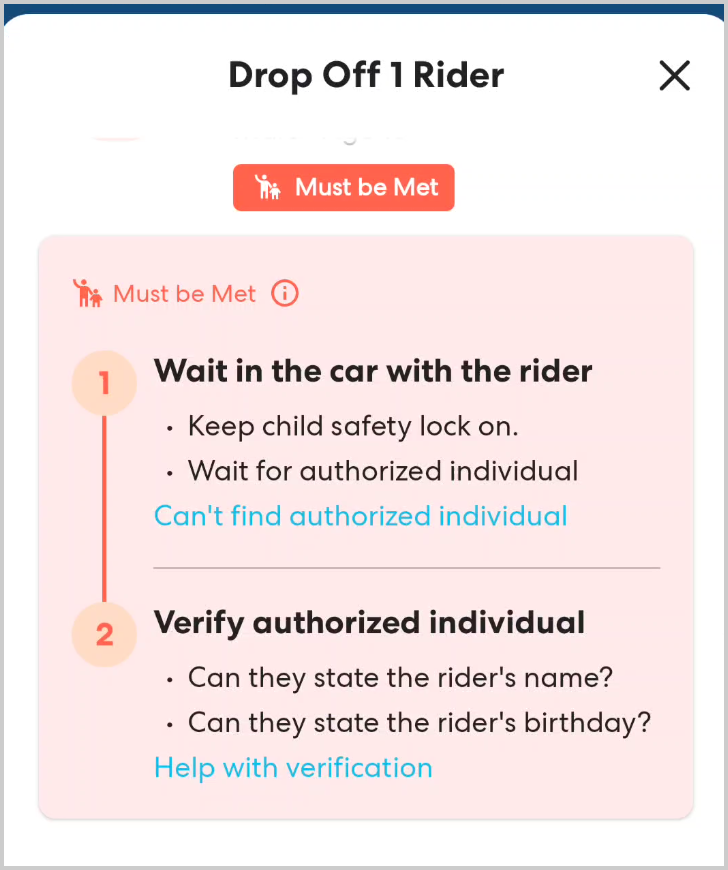
- Meet the Authorized Individual at the location indicated in the app. Most riders are met at the car, but in some rare instances you may be asked to walk with the rider to the door.
- Verify the identity of the Authorized Individual meeting the rider by asking for the information listed in the app. This may include:
- Asking for the rider's name
- Asking for the rider's birthday
- Asking to see an organizational ID
- Meet the Authorized Individual at the location indicated in the app. Most riders are met at the car, but in some rare instances you may be asked to walk with the rider to the door.
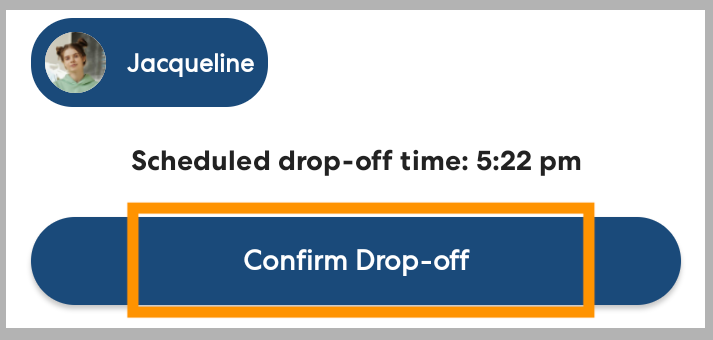
- When you have successfully dropped off the rider with the verified Authorized Individual, tap Confirm Drop-off.
Repeat these steps for any additional riders.
Questions or concerns? If you have questions about how or where to drop off a rider, tap the phone icon to see contact information for the rider (if available), caregiver, and Ride Organizer. You can also always contact our Safe Ride Support team at 844-HOP-SKIP (467-7547) or using the in-app chat option.