
Use the CareDriver app to check in for each ride 60-90 minutes before pickup. If you are not able to check in, it may be for one of the following reasons:
-
It is not time to check in yet.
On the Home screen, if you see a check-in button with a time on it, you will be able to check in at the time shown.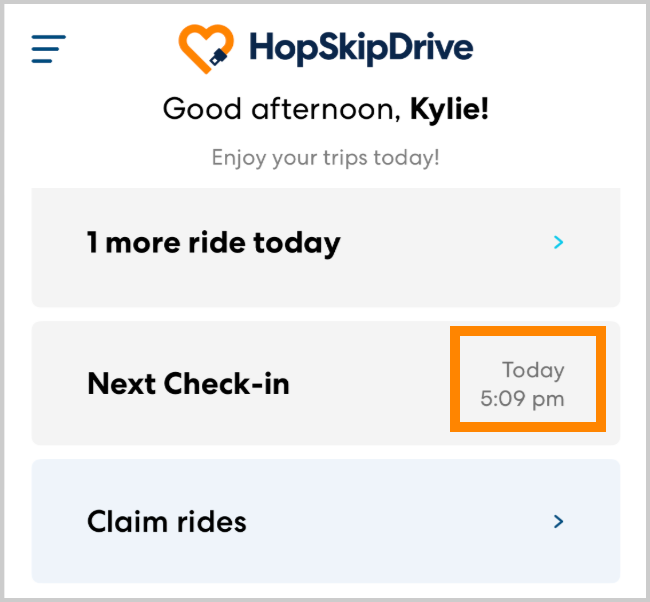
-
It is too late to check in.
If the first pickup is less than an hour away and you have not yet checked in, you will automatically be removed from the ride and will no longer be able to check in. Please ensure that you check in for rides during the check-in window to confirm that you are able to perform the ride.
-
You must scroll to the bottom of the screen to enable the check-in button.
Scroll down and review the ride notes and other ride details to enable the check-in button.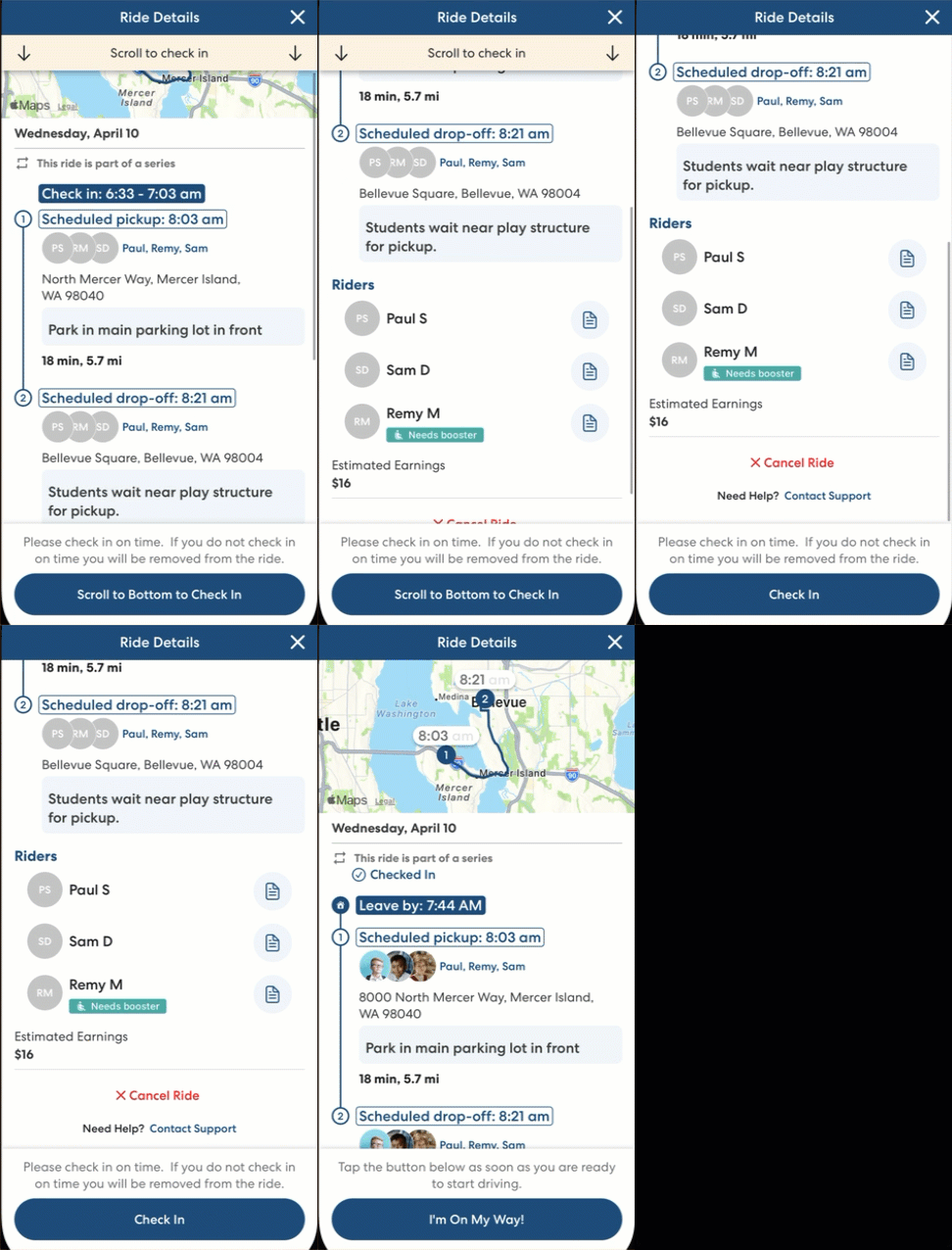
-
App issues.
If none of the above explanations applies and you are still unable to check in, call 844-HOP-SKIP for assistance checking in for an upcoming ride. You can also check this status page for information about any known outages or issues.