HopSkipDrive offers various Promotions, each of which has its own requirements and timeline. You can read more about Promotions Terms and Conditions here.
To check your progress toward completing a Promotion's requirements, tap Promotions on the side menu.
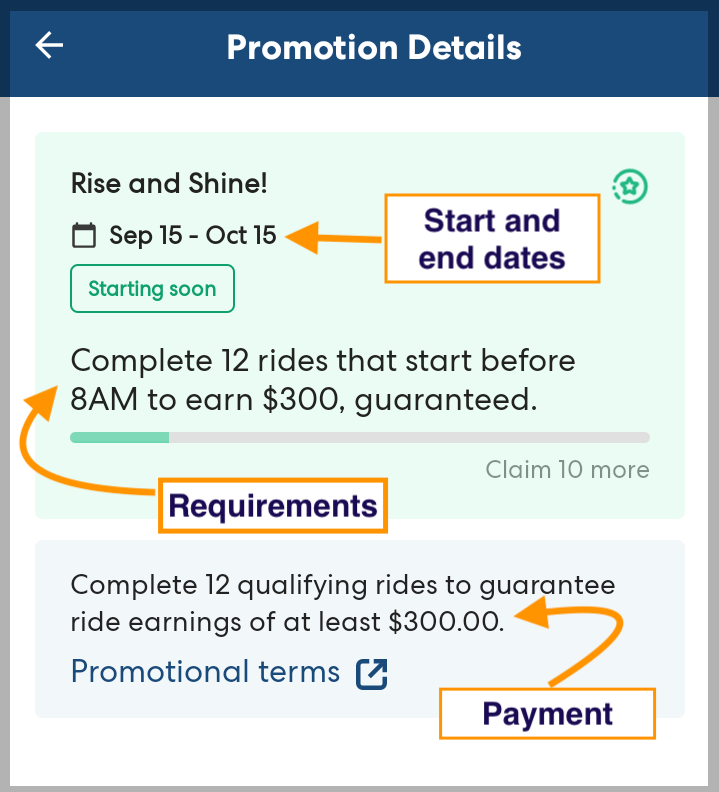
For each promotion, you can see the start and end date, requirements, and payment amount. Check the details carefully, as different promotions have different requirements for which rides qualify.
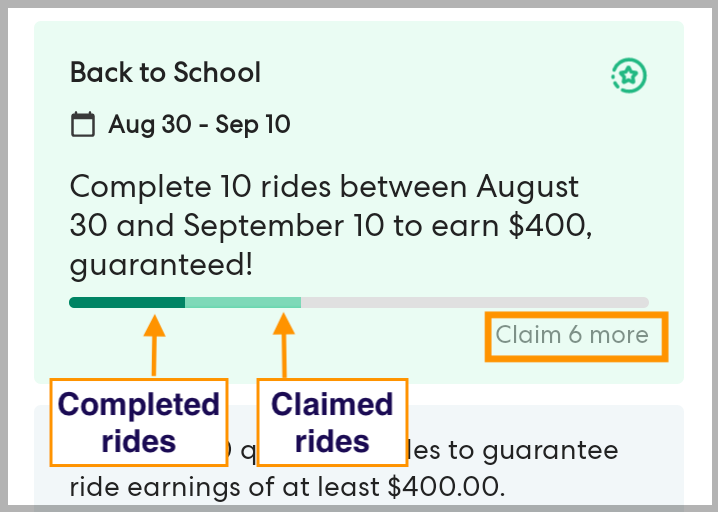
As you claim and complete qualifying rides, you can track your progress in the progress bar. You will see a message telling you how many qualifying rides you need to claim. As you claim rides, the bar turns light green. As you complete rides, it turns dark green.