
The Waybill: Digital ID is a digital ID badge that can be used to confirm your identity and the details of your ride. Ride organizers or other staff may request to see the Waybill at pickup to positively confirm your identity and which rider you are picking up.
Where to find the Waybill: Digital ID
To access the Waybill, tap Account, then select Waybill: Digital ID.
How to use the Waybill: Digital ID
When requested at pickup, open the Waybill in your CareDriver app and show it to the organizer or staff member. In some areas, this will be required at every pickup due to local regulations. In other areas, this may vary depending on school policies. In rare situations, you may be asked to show the Waybill to law enforcement. You do not need to show the Waybill unless requested.
What information does the Waybill include?
The Waybill: Digital ID contains the following basic information about you and your current ride. This information cannot be edited and is different from your CareDriver profile.
CareDriver information
The Waybill includes the following information about you, the CareDriver.
-
Name, photo, and short bio:
To access your CareDriver bio, tap Read bio. The bio includes your name, the city you live in, and a general description of your caregiving experience. This bio is based on the information you provided during certification and cannot be edited.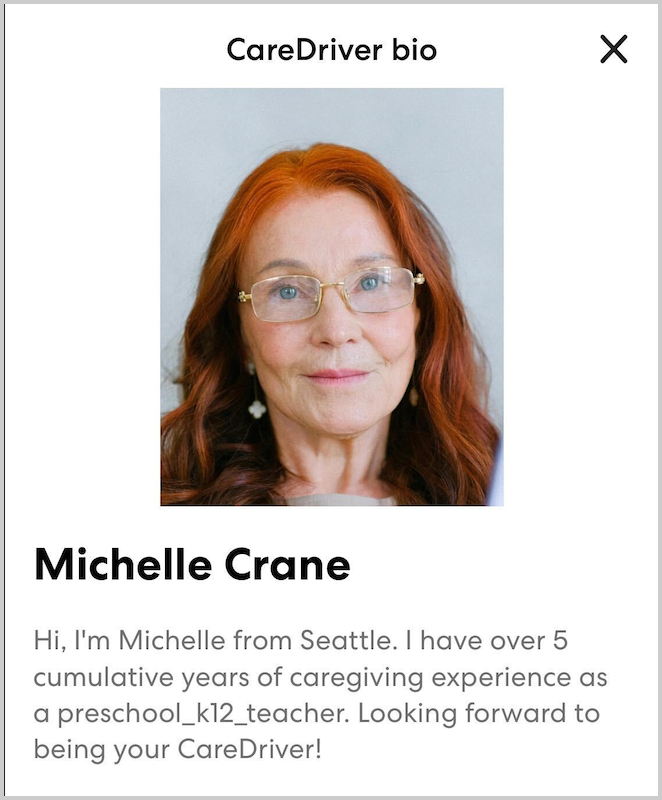
-
Ride Organizer
This is the name of the account that scheduled the ride. In many cases this will be the name of a school district.
-
TCP #
Transportation Charter Party number. This is a license required to operate in some areas.
-
Vehicle
The year, make, and model of the vehicle you use to complete rides with HopSkipDrive. You must always use the vehicle on your profile.
-
Plate #:
Your vehicle license plate number.
-
Drivers license
Your drivers license number.
Ride information
This is information about your current or most recently completed ride.
-
Date
The date of the ride.
-
Rider name(s)
The first and last names of all riders on the ride.
-
From
The first pickup location for the ride.
-
To
The last drop-off location for the ride.
-
Booked via
This indicates how the ride was scheduled.