In this article
As a CareDriver, you can review your completed rides and earnings on the Ride History page in the CareDriver app. This information is available to both certified CareDrivers and CareDrivers who have been decertified from the platform.
Accessing your Ride History
To see your Ride History, tap Account, then select Ride History. The Ride History will open, showing your total earnings by week.
Weekly Total Earnings
On the Ride History page, you can see your total earnings for each week over the past two years. The earnings shown include ride fares and any additional payments such as toll reimbursements, fare boosts, bonuses, or other promotions.
Payments for the current week will be marked Pending until they are issued with your next weekly payment.
Tap on a week to see the detailed Weekly Report.
Weekly Report
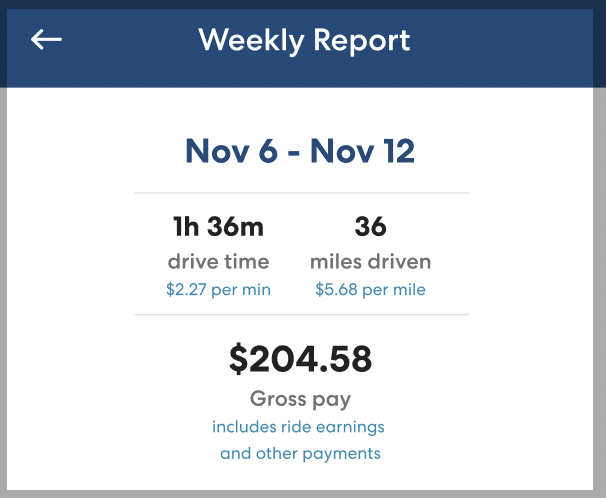
When you tap a specific week, you'll see the Weekly Report. On this page, you'll see the following information:
| Note: Washington state CareDrivers will see slightly different metrics on the Weekly Report, per Washington law. Click here to learn more about earnings in Washington. |
Drive time:
This is the total time you spent driving with HopSkipDrive during the selected week, from the time you tap I'm on my way to the time you tap Confirm drop-off for the last rider. Below Drive Time you can also see how much you earned per minute of driving.
Miles driven:
This is the total number of miles you drove with HopSkipDrive during the selected week, from the time you tap I'm on my way to the time you tap Confirm drop-off for the last rider. Below Miles Driven you can see the amount you earned per mile.
Gross pay:
This is the total amount you were paid for the selected week. It includes ride fares, fare boosts, promotions payments, reimbursement, and any other payments.
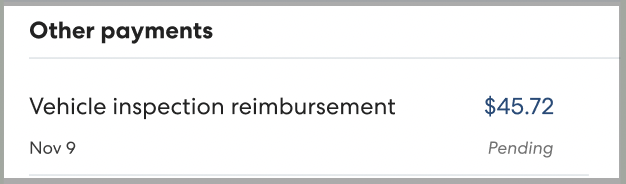
Other payments:
You'll only see this section if you received payments for something other than ride fares during the selected week. In this section, you can see what the payment was for and how much you received.
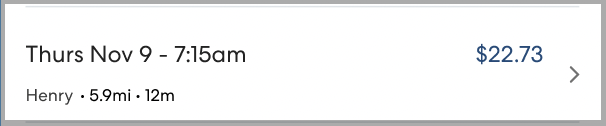
Rides:
In this section you can see information about each individual ride during the selected week.You can see miles, minutes, the first name of the rider(s), and whether the ride was canceled. To see more detail, tap a ride.
Ride Details
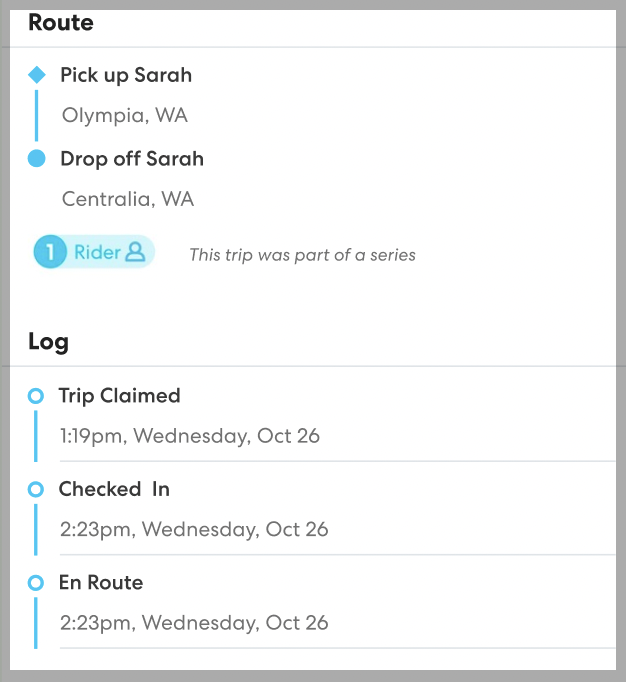
On the Ride Details page, you can see a map showing the approximate pickup and drop-off points for the ride, as well as the ride miles, minutes and earnings. Drivers in Washington state may see additional fare adjustments here, as required by law. Learn more here.
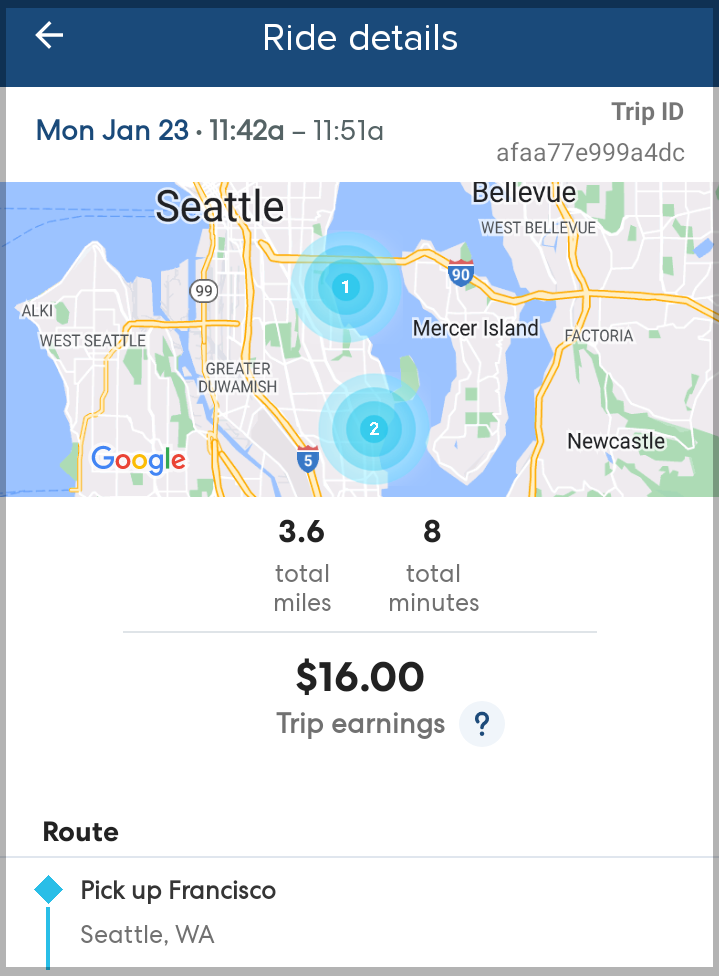
You can also see the basic outline of the ride: rider first name(s), stops, and the times you moved through each step of the ride process.