
In compliance with consumer protection regulations on SMS and emails, CareDriver applicants can unsubscribe from SMS or email messages from our company at any time by texting STOP or clicking unsubscribe in the emails.
Unsubscribing from emails and/or SMS can have an impact on the CareDriver experience. HopSkipDrive sends important updates and next steps through both communication methods and unsubscribing may delay moving forward. Applicants who remain idle for 90 days will be automatically rejected from the certification process, but can choose to pick back up in the future by responding to any previous messages from HopSkipDrive.
Resubscribing to SMS (text messages)
As an applicant, when you unsubscribe from SMS, you will receive a confirmation text message and can resubscribe to SMS by replying START.
If you would like to be resubscribed to text messages, reply START to the most recent SMS conversation with HopSkipDrive, to which you responded STOP. If you have challenges locating the last text, please email applicant@hopskipdrive.com so that a member of the HopSkipDrive team can send you an email that includes the number to which you can send the START text.
Resubscribing to email
As an applicant, if you would like to be resubscribed to email messages, locate the email from which you unsubscribed and click the unsubscribe link again to update your communication preferences.
The HopSkipDrive team is not permitted to unsubscribe or resubscribe applicants to communications on your behalf.
Follow the steps below to resubscribe:
- Open the HopSkipDrive email you used to unsubscribe. Click the Unsubscribe here link at the bottom of the email.

- On the confirmation page, click the link to resubscribe, then click Yes I'd like to resubscribe to confirm.
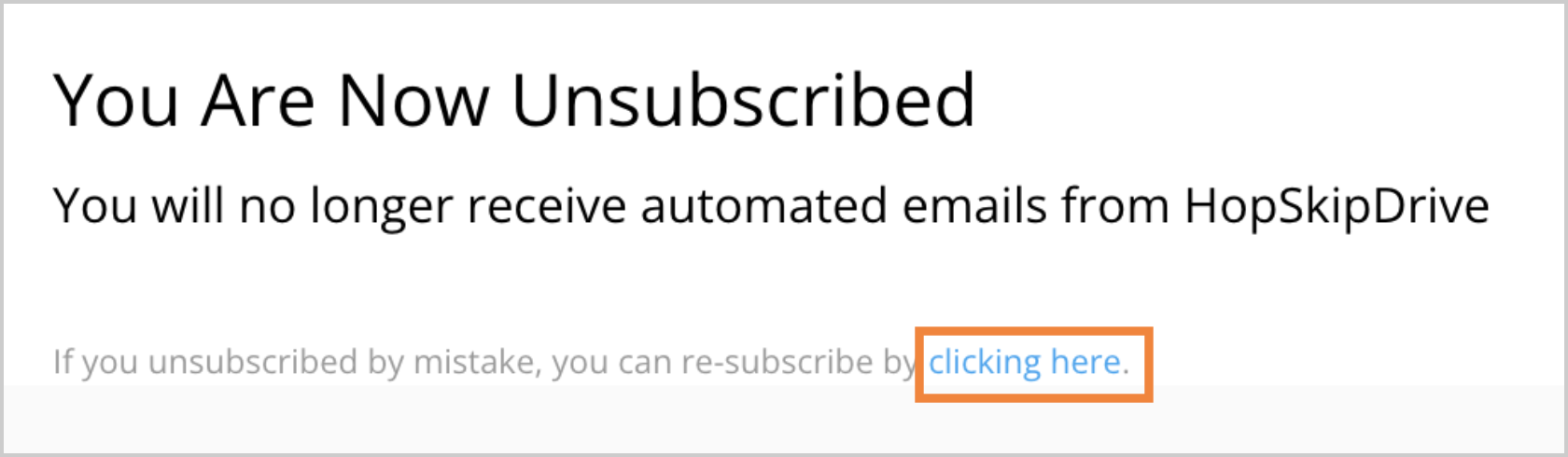
- After resubscribing, please respond to the email so that the HopSkipDrive team can confirm that your preferences have been updated. You may also reach us at applicant@hopskipdrive.com.